
This roundup gives you a practical, no-hype look at renter-friendly security gear. You’ll get clear pros and cons, real use cases, and notes on setup, maintenance, and ongoing costs. The goal is simple: reduce risk in a small home without permanent changes.
We focus on tool-free installs and compact designs. Expect entry sensors, motion detectors, indoor cameras, front-door options, and a few smart sensors that help in daily life. Brands we test include SimpliSafe, Ring Alarm, ADT Self Setup with Google Nest, Cove, abode, Aqara, Arlo, and the Ring Peephole Cam.
Real constraints matter: shared hallways, close neighbors, few outlets, and limited mounting spots. We’ll be honest about subscriptions, battery swaps, Wi‑Fi quirks, false alerts, and which features are merely nice versus worth the price.
How this helps you: you’ll learn which system fits your budget, whether you travel or work from home, and if you live on the first floor or higher. For a quick comparison of renter setups and no-drill options, see our practical matrix renter setup guide.
Key Takeaways
- Choose tool-free gear for easy install and landlord-friendly removal.
- Prioritize compact sensors and cameras that match your daily routines.
- We test budget and premium systems and report real setup difficulty.
- Watch for subscription costs, battery life, and false alerts.
- Select based on travel habits, floor level, and delivery volume.
apartment safety tech: what “apartment-friendly” really means
Renter-friendly gear should be easy to install, leave no marks, and fit small rooms without fuss. That means removable adhesive mounts, no wiring changes, and devices you can pack up when you move.

No-drill, no-damage installs that help protect your security deposit
Most tested DIY systems use peel-and-stick mounts. Brands like SimpliSafe, ADT Self Setup, Cove, Ring, and Aqara commonly avoid drilling.
Pro installs are optional. SimpliSafe offers pro setup from about $125; ADT can do pro installs too. But you can skip that and still have a solid install.
Small-space fit: device footprint, placement, and line-of-sight
Keep hubs and sensors compact. Don’t block walkways with a bulky base station.
- Entry sensors belong on the main door frame.
- Point motion sensors down the entry path, not at vents.
- One indoor camera aimed to cover the front-door area usually suffices.
Noise and power basics: sirens, camera hum, and battery vs plug-in
Sirens are deliberately loud. In close buildings, use phone alerts and chimes to avoid disturbing neighbors.
Sensors sip battery life. Cameras draw more power and often need an outlet. Plan outlet use before you stick anything up.
Bottom line: choose removable mounts, mind line-of-sight, and match device power needs to your room layout for a low-drama, renter-friendly install.
Real benefits you’ll actually notice day to day
Everyday peace of mind comes from a few well-placed devices, not a full overhaul. Small visible sensors and a simple keypad do more than record events. They deter quick “try-the-handle” checks at the front door and make your place less attractive to casual intruders.

Deterring front-door problems without turning your place into a fortress
A visible entry sensor plus a keypad gives the impression of an active security setup. That alone stops many opportunistic attempts. You get deterrence without heavy mounts or big installations.
Knowing what happened: alerts, video clips, and fewer false alarms
You get clear phone alerts when a door opens while you’re cooking or wearing headphones. Modern monitoring plans add verified responses or two-way audio. Short video clips and event timelines cut down on “Was that the cat?” moments.
Safer routines for kitchens, cleaning days, and everyday electronics
Reminders and alerts help you avoid distracted cooking. Motion-triggered privacy modes lower constant pings while you clean. Smart plugs and simple automations let you turn off small appliances remotely and reduce wasted power.
No system stops every problem. But the right setup makes issues louder, clearer, and faster to act on. That practical clarity is the daily win.
Who needs this (and who can skip it)
Not everyone needs full video; many renters do well with simple alerts. Start by naming the problem you want solved. Do you want proof of entry, fewer false alarms, or a record of package drops?

Who benefits most
First-floor renters, units with shared hallways, and people who get frequent maintenance visits gain clear value.
Why: a basic record and timely alerts give evidence you can act on or share with management.
Studio rule: minimum viable setup
For a studio or very small unit, one entry sensor plus one motion sensor often covers daily needs.
Add a camera only if you want video proof of who entered or left.
Travel, work-from-home, and deliveries
If you travel a lot or work on calls, pick quieter alert settings and smarter notifications.
For packages, a front-door-focused setup — door sensor plus a doorbell or peephole camera where allowed — gives the best daily value.
When cameras are optional
Cameras help when you need verification of who, what, and when. If your main goal is “tell me if the door opens,” reliable sensors and good monitoring can be enough.
Start sensor-only and upgrade later if privacy or comfort is a concern. Many DIY kits uninstall cleanly and move with you.
When you can skip upgrades
If your building has controlled access and you’re home most days, a single door sensor may be all you need.
For a quick comparison of entry-focused setups, see our entryway options.
Quick comparison: best home security systems for apartments in the US
Below is a compact guide to what you’ll pay up front and what you’ll pay each month.
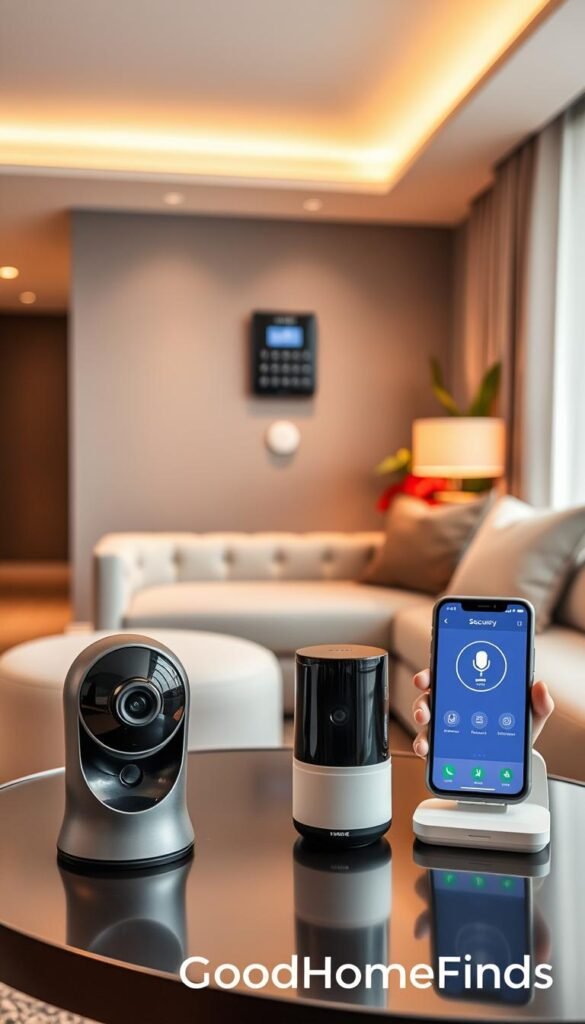
Upfront kit cost vs “per month” monitoring: what to budget
Starter kits can run from about $99 to $270. SimpliSafe is around $250. ADT Self Setup sits near $269. Ring kits can start lower, sometimes under $200.
Per month monitoring adds up. Expect plans from roughly $19.99 to $33+/mo depending on features. Cove and Ring offer lower entry tiers; SimpliSafe and ADT have higher tiers with more verified response options.
DIY systems vs professional installation: what’s realistic
DIY systems are the practical choice for renters. They use peel-and-stick mounts and need no drilling. You can install most kits in an hour.
Professional installation can help with placement and wiring. It costs extra and may require scheduling. For most small units, pro setup is optional, not required.
Best security for small spaces: sensor range and compact designs
Pick compact sensors. Small entry sensors and low-profile motion detectors stick neatly and stay hidden. Start with one door sensor and one motion unit. Add only where you have real risk—front door, patio door, or reachable windows.
Google Home and Alexa compatibility: what works without extra hassle
Choose one ecosystem and stick with it. Devices that support google home or alexa usually pair cleanly, but mixing platforms can lead to duplicate notifications and extra apps.
You don’t need voice to get strong protection. Voice control is a convenience. The system and monitoring matter most for daily security.
- Budget mindset: fewer devices + optional self-monitoring = lower up front and lower per month costs.
- Premium mindset: smarter cameras + professional monitoring = higher monthly fees but richer features.
- Budget tip: buy a core kit, then add sensors only where they reduce real risk.
Best overall apartment security equipment: SimpliSafe
Pick a starter kit that balances easy installation, flexible monitoring, and gear you can move when you leave. This setup is the solid default if you want practical protection without fuss.

Honest pros and cons for renters
Pros: quick DIY setup, peel-and-stick sensors, month-to-month monitoring plans, and gear that uninstalls cleanly.
Cons: some key features sit behind a subscription, cancellation can require a phone call, and smart-home automations are more limited than top-tier rivals.
Real use case: Core monitoring with Intruder Intervention
Use the Core monitoring plan with one indoor camera near the entry. The plan adds live intervention features and two-way audio so a responder can talk through the camera during an event.
This setup gives proof of entry and a live voice option without hardwiring a doorbell. For many renters, that is the practical no-drill choice.
Installation, setup difficulty, and space notes
Plug in the base station, attach the keypad, and stick entry sensors after cleaning the surface. Expect about 20–30 minutes for a basic install.
Place the base station centrally and out in the open. Don’t hide it in a cabinet. Keep the keypad by the door but off narrow walk paths to avoid clutter.
Practical note: hardwired doorbells are often less renter-friendly. Start with a door sensor plus an indoor camera if you need video proof.
| Feature | Why it matters | Notes |
|---|---|---|
| DIY installation | Fast setup and no drilling | Peel-and-stick sensors; ~20–30 min |
| Monitoring cost | Verified responses and cloud storage | Plans from $22.99 per month; Core ~ $32.99 per month |
| Portability | Move with you when leasing ends | Equipment uninstalls cleanly; no long-term contracts |
Best security cameras for apartments: ADT Self Setup with Google Nest Cams
Nest Cams paired with ADT Self Setup give clearer, smarter alerts in crowded buildings.

Why this camera pick works: Nest Cams deliver smarter, less noisy alerts that matter in multi-unit buildings. Their facial recognition and verified clips cut down on false pings and help you know who’s at the door without guesswork.
Pros and cons: premium camera features vs higher monthly cost
Pros: advanced alerts, facial recognition, and smooth google home integration. ADT runs 12 redundant monitoring centers and offers a six-month money-back guarantee.
Cons: equipment starts around $269 and monitoring climbs. Expect base monitoring from $24.99 per month and closer to $40 per month for camera storage and pro monitoring.
Real use case: approved visitors and verified entry
Facial recognition lets you mark trusted people. Use it for a pet sitter or scheduled maintenance so approved visitors pass through without constant checks.
Noise, power, and placement notes for small rooms
Avoid aiming the camera at bright windows to reduce glare. Aim at the entry path and place it high enough to catch faces. Most indoor cams need continuous power, so plan outlets to keep cords out of walkways.
Tip: lower speaker volume and chime levels so voice prompts don’t carry through thin walls.
| Item | Why it matters | Notes |
|---|---|---|
| Equipment cost | Upfront investment | Starts ~ $269 |
| Monitoring cost | Monthly support and storage | $24.99/mo base; ~$40/mo with camera storage |
| Key benefit | Better, useful alerts | Facial recognition, google home pairing, approved-visitor flows |
Practical takeaway: choose ADT Self Setup with Nest Cams if camera intelligence and reliable monitoring are your priority and you can budget the higher per month monitoring fees. For lower-cost options, consider sensor-first setups instead.
Best for affordable professional monitoring: Cove
If you want pro-level monitoring without a steep monthly bill, Cove is the sensible pick.

Why choose Cove: professional monitoring starts around $19.99 per month. The system requires a subscription to function, but that fee buys real monitored response at a low per month cost.
Pros and cons
Pros: low per month monitoring, compact sensors that blend into doors and windows, and long battery life that cuts down on replacements.
Cons: you can’t run the system subscription-free. Cancellation needs a phone call and timing matters if your lease ends soon.
Real use case and installation
Put tiny sensors on a main door and two reachable windows. The peel-and-stick sensors are subtle and keep a clean look in a small unit.
DIY installation takes about 25–30 minutes. Place the hub in a central spot and do a quick walk test before final placement.
Maintenance reality
Long battery life means fewer low-battery alerts and fewer trips to buy replacements. In practice that reduces ongoing chores and keeps the system low maintenance.
- Good option if you want affordable professional monitoring and simple installation options.
- Best when you value discreet sensors and predictable monthly costs.
Best for Alexa users: Ring Alarm (and why the Protect plan matters)
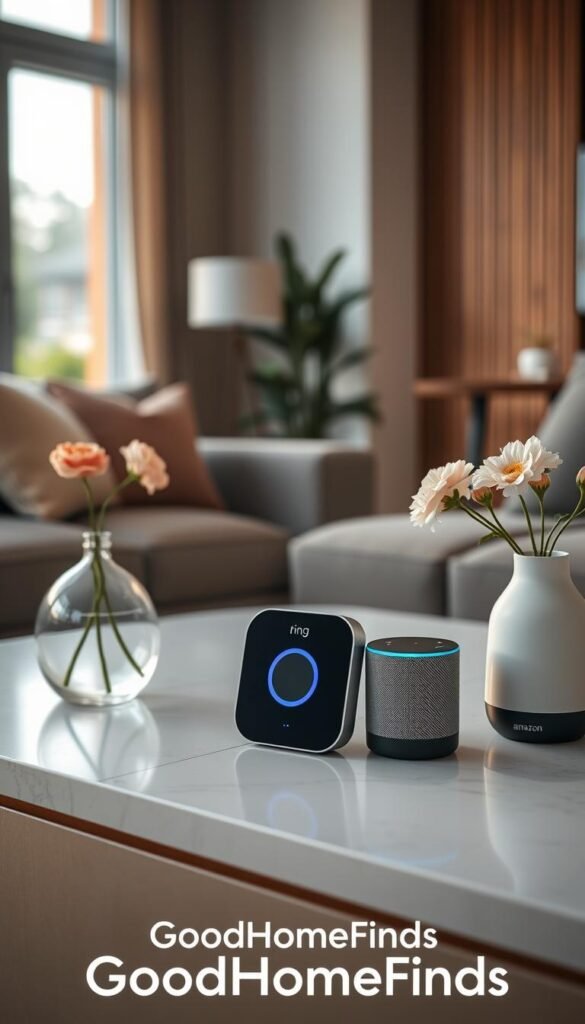
If you use Alexa, Ring’s ecosystem often feels like the natural next step for voice-first control. It pairs with Alexa routines and offers quick voice arming, disarming, and status checks. That convenience matters if you prefer spoken commands over tapping an app.
Pros and cons for renters
Pros: compact keypad, lots of add-on sensors, and peel-and-stick mounts make DIY installs fast and renter-friendly.
Cons: many useful features rely on a Ring Protect plan. The kit can feel cheap upfront, but recordings and rich alerts often require paying per month.
Budget vs premium: Ring Alarm vs Ring Alarm Pro
Standard Ring Alarm runs independently on your network and is simpler for most rentals. Ring Alarm Pro adds Wi‑Fi routing and mesh features but may force you to use its router. That can clash with existing building Wi‑Fi or landlord rules.
Video doorbell add-on strategy for a typical front door
Start with a door contact sensor and one motion sensor. Add a video doorbell only if building rules, wiring, or power allow. In many units, one good camera view is more valuable than several cheap devices.
- Tip: If deliveries are frequent, prioritize a quality video doorbell over extra sensors.
- Cost note: Ring Protect plans range by tier; factor recordings and cloud storage into your monthly budget.
Bottom line: Ring works best if you want voice integration and accept ongoing subscription costs for recordings and smoother alerts.
Best for smart apartments with lots of existing devices: abode
If your home already uses smart locks, lights, or voice speakers, pick a system that plays well with them. Abode is the practical choice when you want fewer apps and fewer workarounds.
Compatibility snapshot
Abode works with many third-party locks, lighting brands, and voice assistants. That means your existing smart bulbs and speakers can join one control flow. You get smoother automations without juggling multiple apps.
When the base kit is enough vs when to expand
If you live on a higher floor or are home most days, a single door/window sensor can be enough to start. Add sensors for patio doors, reachable windows, or bedrooms only when risk or visits increase.
Automation tip: pick one or two automations you’ll use daily—like turning on entry lights when a smart lock unlocks—so the system stays reliable.
| Feature | Why it helps | When to expand |
|---|---|---|
| Base kit (mini sensor) | Quick install, low cost | Low-risk units; you’re usually home |
| Extra door/window sensors | Broader coverage for entry points | Patio doors, ground-floor or frequent visitors |
| Indoor camera | Video proof and verified events | Frequent deliveries or renters who travel |
Monitoring options are flexible. Start DIY and add paid monitoring later if you want pro response. Compatibility only matters if it reduces daily friction—don’t let setup become a weekend project. For other practical fixes and mixes, see our home problem solver mix.
Best minimalist camera-hub kit: Aqara (small sensors, big flexibility)
A compact camera that doubles as a hub keeps clutter down and gives you flexible coverage in a small home. Aqara bundles a 2K pan/tilt camera with tiny motion, contact, and vibration sensors. That combo works well when you want simple, renter-friendly protection without a big panel.

Real use case: cabinet vibration alerts and discreet placement
Practical example: mount a vibration sensor inside a cabinet that holds cleaning supplies, tools, or medication. If the cabinet opens while you’re away, you get an immediate alert and a short camera clip.
Place sensors inside cabinets, under a table edge, or on the inside of a door frame. These spots stay out of view but still register motion and vibration reliably.
Smart home basics: Apple/Siri, Google Home, and Alexa compatibility
Aqara works with Apple Home/Siri, google home, and alexa. Basic alerts and on/off controls pair cleanly. Advanced routines can be powerful but also confusing.
„Start with simple alerts. Ignore fancy routines until you know what you actually use.“
- Keep it simple: set entry and vibration alerts first.
- Power note: keep the camera hub near an outlet and aim it to avoid constant triggers when you pass by.
- Integration tip: add one voice platform at a time—don’t mix everything on day one.
Practical takeaway: Aqara is a good choice when you want small, flexible sensors and a single camera-hub that reduces clutter. Use basic alerts and grow into routines only if they help your daily life.
Best all-in-one sensor option for small spaces: Arlo multi-sensor kit
A single Arlo multi-sensor can replace several single-purpose devices and simplify daily monitoring. It groups motion, light, temperature, and other alerts into one compact unit. That makes it practical for tight rooms and renter-friendly installs.

What these sensors cover beyond doors and windows
Arlo’s multi-sensor handles up to eight alert types. You get motion sensing, light change detection, and environmental cues that help with leaks or power issues.
Practical benefit: those extra signals warn you about more than break-ins. Think sudden light changes, fridge failures, or a wet cabinet under the sink.
Space needs and best placements
These work best where one device can monitor a multi-use area. Good spots are the main entry path, kitchen doorway, or near a utility closet.
For studios and small one-bed units, fewer devices mean fewer batteries and less clutter. You still might want a basic door contact or a camera if you need clear break-in proof.
| Strength | Best use | Note |
|---|---|---|
| Multi-function alerts | Entry + living area coverage | Replaces multiple single sensors |
| Low visual impact | Studios, tight layouts | Fewer batteries, neater look |
| Broad awareness | Kitchens, bathrooms, closets | Adds leak/light/temp cues |
Fit check: choose Arlo if you want wider awareness with minimal kit and quick setup. It’s a sensible option for renters who value broad coverage without extra gadgets.
Best front-door option when hallway cameras are restricted: Ring Peephole Cam
If hallway rules block exterior mounts, the Ring Peephole Cam gives you a video doorbell that stays mostly inside your unit.

Why the peephole design helps
Most hardware sits on your side of the door. That reduces pushback from building managers who don’t want cameras pointed into shared hallways.
It also gives you two-way audio and motion detection so you can see and talk to visitors without opening the door.
What to check before you buy
Confirm you have a compatible peephole and measure door thickness and diameter. Not every door fits the same models.
Read building policies and ask management if hallway recording is restricted. Even inside-the-door options can cause complaints if you point a lens toward common areas.
Practical placement, noise, and subscription notes
Install the unit centered on the peephole so the view captures faces approaching the front door.
Tip: set the chime low and prefer phone alerts to avoid loud sounds traveling through thin doors.
Subscription reality: live view works, but recording and clip sharing typically need a Ring Protect plan. Budget for that if you want stored footage.
| Issue | How Ring Peephole Cam helps | Notes |
|---|---|---|
| Hallway camera bans | Most hardware inside the door | Less visible to neighbors; often lease-friendly |
| Visitor verification | Two-way audio + motion-triggered video | Talk without opening door; useful at night |
| Door compatibility | Matches standard peepholes | Measure first; check door thickness |
| Recorded clips | Requires subscription for cloud storage | Live view works without plan; clips need Ring Protect |
Fit check: this is a good choice if your front door is the main risk and you can’t mount anything outside. For more on permitted installations and alternatives for shared entries see apartment doorbells.
Setup time: what to expect from unboxing to “armed”
A quick, realistic timeline helps you know exactly how long an installation will take from unboxing to going live. Plan placement, clean mounting surfaces, and test signals before committing to adhesive. That simple order saves time and rework.

Typical install times from real testing
Most starter kits finish under an hour when you keep the layout simple. SimpliSafe averaged about 20–30 minutes. ADT Self Setup ran closer to 15 minutes. Cove took roughly 25–30 minutes for a basic kit and walk test.
Where to place sensors and one camera in a small layout
Put an entry sensor on the main door. Mount a motion sensor aimed down the entry path, not at vents. Place one camera to cover the door area and short hallway. Keep the hub central for strong signals.
Cut down on false alerts in high-traffic hallways
Lower motion sensitivity and narrow motion zones. Avoid pointing the camera through a shared corridor or window. Use privacy schedules or shorter arming delays to reduce unnecessary pings.
When to pick professional installation
Consider professional installation for complex wiring, many cameras, or awkward layouts. Pro installs often start around $125 and can be $150+. For many renters, that fee may be better spent on a higher-quality camera or one extra sensor.
Common mistakes that cause false alerts, weak coverage, or wasted money
Buying without a plan is the fastest way to blow your budget and still miss real risks. Be practical: a focused security setup beats scattershot buys.

Overbuying for a studio, underbuying for ground-level units
Don’t buy a dozen sensors for a tiny living room. That creates noise and more battery work.
Rule: buy for risk, not square footage—front door and any reachable openings first. For first-floor units, add extra contacts and a motion sensor aimed at accessible windows.
Mounting with weak adhesive or on dusty surfaces
Peel-and-stick fails when surfaces are dirty, textured, or damp. Failed mounts fall and trigger false alarms at night.
Clean, prime, and press firmly. Use the manufacturer’s mounting strip and test adhesion for 24 hours before final placement.
Bad camera angles, glare, and motion zones
A camera aimed into backlight or at reflective glass will miss faces and spit alerts. Avoid direct sunlight and mirrors in the field of view.
Aim cameras slightly down the entry path. Narrow motion zones to actual walkways to cut false pings.
Ignoring subscription limits until after installation
Check what’s behind a plan before you mount anything. Recordings, smart alerts, clip sharing, and cloud storage often require a monthly fee.
Decide which options matter to you and factor the month cost into your setup budget.
Not planning for moves: uninstall and take your system with you
Keep original boxes, label sensors, and set aside small screws and adhesives. Most DIY kits uninstall in under an hour if you plan first.
Pro tip: schedule an uninstall day and use a hair dryer on strong adhesive to avoid paint damage.
- Quick checklist: buy for entry points, prep surfaces, test camera views, verify subscription features, and pack for moving.
Bottom line: a small, well-placed setup saves money and reduces false alerts. Skip the clutter and choose devices that solve real, daily problems.
Maintenance, power consumption, and noise levels in real apartment life
Small upkeep beats constant worry: a few simple routines keep your gear reliable and your home protected without daily babysitting.

Battery schedules, charging habits, and what “low maintenance” really means
Low maintenance usually means sensors you forget about for months, not cameras you never touch. Some door/window sensors can last years; Cove notes multi-year life on select models.
Simple plan: pick one day every other month to open the app, check battery levels, and swap or charge anything under 30% before travel.
Power draw basics: always-on cameras vs sensors
Sensors sip tiny power and rarely affect your electric bill. Cameras do more work and often need a plug or regular charging.
Energy-saving moves: use one camera instead of three, set activity zones, and avoid continuous-record modes that add both storage and power load.
Noise considerations: siren volume, chimes, and neighbor-friendly choices
Hubs and keypads can be loud—some devices reach ~85 dB. Test alarms once during the day and then set chime levels to phone-first alerts for daily use.
Neighbor tip: rely on push notifications and lower speaker volumes to avoid unnecessary disturbance.
- Quick checklist: bi-monthly battery check, one-camera strategy, activity zones, daytime alarm tests.
- For deeper battery research see battery-life data.
- For low-cost device ideas check budget home gadgets.
Budget vs premium options: choosing the right security system for your apartment
Deciding between a lean setup and a feature-rich system comes down to how you live day to day.
Best budget path: start with one entry sensor and a single motion sensor. Add an indoor camera only if you want clear video proof of deliveries or visits.
- Why it works: low upfront cost, fewer batteries, fewer false alerts.
- Example: a basic kit plus self-monitoring keeps per month costs near zero to low.

Best premium path
Premium systems add advanced cameras, smarter person/package alerts, and professional monitoring. Expect plans like SimpliSafe from $22.99 per month (Core ~ $32.99 per month) or ADT camera tiers from $24.99 to about $40 per month for cloud storage and full camera support.
What you lose without a subscription
Hardware may still arm, but without a plan you often lose cloud storage, richer notifications, and remote app controls. Ring and Cove are examples where recordings or verified responses require a paid plan.
Value check: when higher per month costs are worth it
Pay more per month if you travel, rely on deliveries, or need pro response. Skip premium if you’re home most days and the building already offers controlled access.
| Path | Typical per month | Key benefits | When to pick |
|---|---|---|---|
| Budget kit | $0–$10 | Low cost, easy install, minimal upkeep | Home most days, low delivery volume |
| Self-monitor + camera | $5–$25 | Video proof, better alerts, cloud clips | Frequent deliveries or remote work |
| Premium + professional monitoring | $23–$40+ | Verified response, advanced AI, reliable recordings | Frequent travel, high-value items, off-site caretaking |
Practical rule: fund entry points first, then upgrade to smarter alerts only if they reduce real stress in daily life. Buy small and add sensors later so you don’t overspend up front.
For a compact buying guide and comparison of renter-friendly packages, see our best apartment security reference.
Conclusion
The best plan is the one you can install in an evening and keep maintained without stress.
Start small: cover the front door first, then add a camera or extra sensors only if they solve a real problem like deliveries or frequent visitors. Typical install times run short — ADT ~15 minutes, SimpliSafe ~20–30 minutes, Cove ~25–30 minutes — so you can be armed in an evening.
Monitoring costs matter. Cove begins near $19.99/mo, SimpliSafe near $22.99/mo, and ADT around $24.99/mo. Ring features often need a Protect plan for recordings. Choose a system that fits your budget and your routine.
Practical next step: pick one system, map your entry points, and set it up tonight. Tweak alert levels in week one and keep power, battery, and noise in mind. For related budget trade-offs and storage options see storage cheap vs premium.


