
You want gear that earns its place, not flashy features you never use. This roundup focuses on practical picks that save time, cut waste, and make daily tasks easier. Most items land under $25, with a few labeled worth it on sale.
Choices emphasize Amazon availability for Prime shipping, easy returns, and brands with real support. Picks cover smart plugs, simple smart lights, compact speakers for cooking, budget security options, charging tools, and small fix-it items. Each item note will include quick real-life examples, pros and cons, who it’s for, what to avoid, and cheaper alternatives.
Safety matters. You’ll see clear notes if a device needs careful setup, a subscription, or has battery or electrical limits. The goal is to help you buy fewer, better devices that make everyday life simpler.
Key Takeaways
- Focus on practical, daily-use devices that save time and reduce waste.
- Most selections are under $25; a few are flagged as sale-worthy.
- Amazon-first choices for fast delivery and easy returns.
- Each pick lists pros/cons, who it’s for, and safe alternatives.
- Transparent notes on setup, subscriptions, and safety limits.
- Buy fewer items that offer clear, real-life benefits.
How We Picked These Budget Gadgets for U.S. Homes
Our process uses clear filters so you can shop with confidence. We favor practical tech that solves small daily problems without costing time to set up.
Our price rule
Most picks are under $25. Anything over that appears only if it drops on sale often and proves worth it in real use. This rule speeds shopping and keeps choices renter-friendly.
What “useful” means
Useful saves time, cuts hassle, or prevents waste—power, food, or forgotten tasks. If a device doesn’t do that reliably, we skip it.
Amazon-first criteria
Fast Prime delivery, simple returns, and easier replacement parts matter. Saving a few dollars on a sketchy listing rarely beats quick returns and known-brand support.
Quality and safety checks
- Check for UL/ETL markings when relevant.
- Watch heat management on plugs and chargers.
- Prefer clear, realistic warranties that last more than a year.
- Avoid no-name, app-dependent items with vague specs; they often vanish after a few years.
| Filter | Why it matters | Quick decision |
|---|---|---|
| Price rule | Keeps items affordable and practical | Mostly under $25; sale exceptions allowed |
| Compatibility | Prevents mismatched ecosystems | Pick Alexa or Google Assistant as an option |
| Design test | Must not block outlets or be hard to clean | Fail = skip |
| Longevity | Real warranties and brand support matter over years | Prefer proven names |
When there’s a cheaper, sensible way—multipacks, last-gen models, or a simpler non-smart option—we’ll call it out. This is a practical way to upgrade without buyer’s remorse.
Best Budget Home Gadgets That Pay Off Fast
Pick a few simple devices and you’ll cut daily friction in under a week. Pay off fast means you notice fewer little hassles across your day and one room at a time.
Quick wins: small devices that instantly fix daily annoyances
Within days you’ll see fewer dead batteries, fewer forgotten lights, and fewer “did I leave that on?” moments. This is about small, repeatable wins you actually use.
- Practical checklist: better charging at your desk, automatic light schedules, plug timers for small appliances, clearer night lighting.
- One best device rule: the single gadget you reach for every morning beats a feature-packed model you never touch.
What you’ll actually notice in the first week of use
Example: a $15 smart plug on a coffee maker stops it running all day. Your energy usage drops and you won’t worry about leaving it on.
Who it’s for: renters who can’t rewire, busy households, and small-space setups where clutter matters.
What to avoid: devices that force a poorly rated app, bulky units that block outlets, or anything heat-adjacent that feels unsafe.
Alternatives: multipacks, simple mechanical timers, or phone alarms when that solves the same problem.
| Quick win | Why it matters | Who should buy | Easy alternative |
|---|---|---|---|
| Smart plug for coffee | Stops all-day power draw and worry | Busy mornings, renters | Mechanical timer |
| Desktop fast charger | Fewer dead devices during the day | Remote workers, students | Single-port PD charger |
| Automated lamp schedule | Improves evening routines and security | Shift workers, frequent travelers | Phone alarm + manual switch |
| Clip-on night light | Better visibility in one room at night | Parents, pet owners | Battery-powered LED puck |
Next up: smart plugs as the simplest starting point for practical automation and energy savings.
Smart Plugs Under $25 That Make “Dumb” Appliances Smarter
When you want practical automation that actually gets used, smart plugs deliver schedules and remote control with almost zero setup time.

Kasa Smart Plug Mini
Why it works: Easy setup in the Kasa app, timers, vacation mode, and simple scenes. It’s the one practical way to add an auto-off routine to a lamp or small appliance.
Emporia Smart Plug
Why buy: Detailed energy charts show spikes so you can spot a power hog. If you track bills or suspect a device is wasting energy, this gives useful data.
Amazon Smart Plug
Why it fits: Near-zero friction for Alexa users. Basic scheduling and remote on/off without extra features or a confusing app.
„I set a Kasa plug on the espresso machine; when I got distracted, it shut off so the maker didn’t run all morning.“
| Device | Top feature | Who it’s for |
|---|---|---|
| Kasa Smart Plug Mini | Easy schedules | Most households |
| Emporia Smart Plug | Energy monitoring | Bill-watchers |
| Amazon Smart Plug | Alexa setup | Alexa-first users |
Quick safety notes: Avoid overloaded outlets, don’t use these with high-watt heat appliances, and skip plugs that block the second outlet. If you just need a timer, a non-smart mechanical option or a multipack deal can be a cheaper way to get the same schedule without an app.
Budget Smart Lighting That’s Actually Practical (Not Just “Cool Colors”)
Good smart lighting gives you reliable schedules, safer night routines, and easy renter-friendly setup. Use lights to wake up gently, dim before sleep, or make the house look lived-in while you’re away.

GE Cync smart bulbs: reliable Wi‑Fi setup for renters and quick upgrades
GE Cync bulbs link directly to your Wi‑Fi and skip a hub. They reach about 60W-equivalent brightness and cover tunable whites plus full color.
Who it’s for: renters and anyone who wants an easy plug‑and‑play light upgrade without rewiring.
Kasa full-color bulbs: value multipacks when you need several rooms
Kasa bulbs are great when you plan to outfit multiple rooms. Multipacks save money, but many are 2.4GHz-only. Check your router band before you buy.
Why it’s useful and what to avoid
Schedules help at night and day. You can set a soft warm-white for early mornings so you aren’t hit with bright overhead light while making coffee.
Pros: simple scheduling, remote access via the app, and vacation modes that boost security.
Cons: Wi‑Fi reliance, some bulbs are too dim for task lighting, and indoor-only bulbs should not be used outdoors without proper ratings.
„I set a warm-white schedule for the living room and the mornings feel calmer. It’s a small change that helps.“
| Option | Top feature | Who should choose it |
|---|---|---|
| GE Cync | Easy Wi‑Fi setup, 60W-equivalent | Renters, single-room upgrades |
| Kasa full-color | Multipack value, reliable app | Multi-room setups, cost-conscious buyers |
| Smart switch (alternative) | Controls many fixtures from one point | Houses with many lights, long-term installs |
Quick tips: If you have many fixtures, a smart switch often costs less than replacing every bulb. And confirm 2.4GHz access on your router before attempting setup.
Light Switches vs Bulbs: The Affordable Choice for Homes With Lots of Fixtures
If one switch controls a bank of recessed lights, changing the switch can be cheaper than buying several smart bulbs. A single Kasa smart light switch often sells around $18, while outfitting six cans with bulbs quickly adds up.
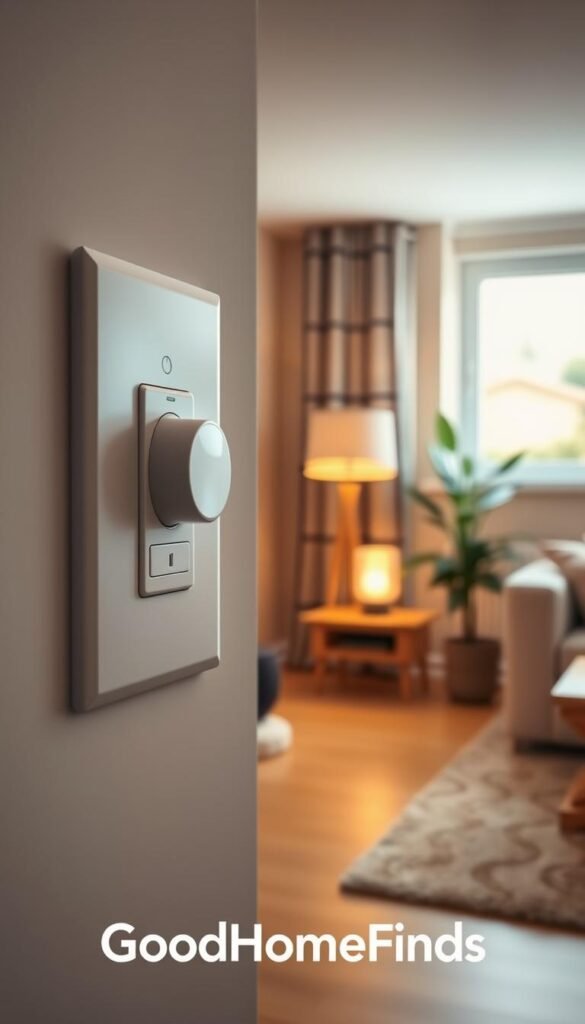
Kasa smart light switches
Why pick a switch: switches give whole-room control and keep your preferred bulbs. They work well in kitchens, hallways, and living rooms with many cans.
Price note: single switches are roughly $18; multi-packs cost more but still beat buying many bulbs in one fixture-heavy room.
Safety and installation
Most smart switches require a neutral wire. If you don’t see a neutral in the box, stop and call a licensed electrician. Don’t guess wiring; it’s safer and keeps your house insurance valid.
- Pros: control multiple lights at once, preserve bulb choice.
- Cons: installation complexity, not renter-friendly if you can’t modify wiring.
Alternatives: use smart bulbs in key fixtures or smart plugs for lamps if rewiring isn’t possible. Avoid off-brand switches with vague safety specs or mixing circuits during install.
| Scenario | Cheaper option | When to choose |
|---|---|---|
| One switch, 6 recessed lights | Smart switch | Kitchen, long hall |
| Single lamp or isolated fixture | Smart bulb or plug | Renter or temporary setup |
| Multiple separate fixtures | Bulbs or multi-pack bulbs | No neutral or no rewiring allowed |
Smart Speakers and Displays That Help in the Kitchen Every Day
A small voice-enabled display or speaker can turn your cooking routine into a hands-free workflow.

Google Nest Hub (2nd Gen)
Why it fits: a 7-inch display for visual timers, step-by-step recipes, and a photo frame without a camera. It’s a good pick if you value privacy in a bedroom or cooking space.
Echo Dot (5th Gen)
Why it fits: strong audio for size, reliable alarms, and room sensors that boost Alexa routines. Use it when you rely on Alexa for lists, timers, and kitchen automation.
Google Nest Mini (2nd Gen)
Why it fits: the cheapest way to add Google Assistant voice control to one room. Good for timers and quick conversions when you want no screen.
Real-life example: your hands are messy while cooking, so you say two timers, ask for a cup-to-ml conversion, and add items to a shopping list without touching your phone.
Quick notes: these devices are often above $25, so treat them as worth it on sale if you’ll use voice features daily. Avoid mixing ecosystems; that creates friction in a smart home. Keep speakers away from splashes and heat for longer life.
| Device | Top kitchen use | Pros | Cons |
|---|---|---|---|
| Google Nest Hub (2nd Gen) | Visual timers & recipes | Camera-free, clear display | Above $25, needs Wi‑Fi |
| Echo Dot (5th Gen) | Routines, alarms, timers | Good audio, Alexa routines | Always-on mic concerns |
| Google Nest Mini (2nd Gen) | Hands-free timers & lists | Small, low cost on sale | No display for visual steps |
Best Budget Security Gadgets for Apartments and Front Doors
Security gear that actually protects your front door and apartment should be simple to use and clear about costs.
Here are practical, renter-friendly picks with honest pricing and clear tradeoffs. Expect reliable devices in the $45–$60 range for named brands; these often go on sale.
Ring Video Doorbell Wired
Why choose it: HD video, two-way talk, and solid motion detection for about $50. Works best if you already have doorbell wiring.
Eufy Indoor Cam E220
Why choose it: 2K pan/tilt coverage and smart tracking. Useful for pets, living rooms, and checking packages without buying multiple cameras.
Blink Outdoor 4
Why choose it: Battery-powered placement and long AA battery life. Great for renters who need flexible outdoor coverage and use Alexa.
What to avoid: surprise subscription fees, weak night vision that makes video unusable, and cameras with unclear privacy or update histories.
| Device | Top feature | Who it fits |
|---|---|---|
| Ring Video Doorbell Wired | HD video & two-way talk | Homes with existing wiring |
| Eufy Indoor Cam E220 | 2K pan/tilt tracking | Apartments, pet owners |
| Blink Outdoor 4 | Multi-year battery life | Renters needing flexible installs |
Energy-Saving Gadgets That Lower Bills Without Lifestyle Changes
Set-and-forget schedules are the easiest way to lower monthly energy use without extra effort.

Using smart plug schedules to cut “always on” standby power
Smart plugs let you stop standby draw by turning outlets off on a schedule. Put printers, entertainment centers, and phone chargers on a nightly timer.
No routine changes: automation does the remembering. You set rules once and the plug handles the rest.
„I used an Emporia plug to shut a rarely used printer off overnight; the monthly draw disappeared.“
How to spot spikes with energy monitoring (and what’s normal)
Devices like the Emporia Smart Plug show charts in the app so you can spot odd spikes over time. Brief spikes from motors or heaters are normal.
Constant draws are the thing to question. If a device shows steady wattage when idle, schedule it off or consider replacing it.
- Who it’s for: anyone suspicious of a power hog or who wants set-and-forget savings.
- What to avoid: cutting power to medical gear, refrigeration, or essential networking equipment.
- Safety tips: don’t use no-name plugs and watch for outlet heat buildup.
| Common standby culprits | Quick fix | Expected result |
|---|---|---|
| Printer | Night schedule | Zero overnight draw |
| Entertainment center | Single master plug | Lower monthly use |
| Chargers | Auto-off after use | Small but steady savings |
Budget Kitchen Gadgets That Save Time During Weeknight Cooking
A handful of practical devices can turn chaotic weeknights into calm, predictable evenings.

Where smart tools help most
Timers you don’t touch: voice or smart speaker timers keep you from overcooking while you juggle tasks.
Better prep lighting: a smart bulb or under-cabinet LED makes chopping safer and speeds mise en place.
Simple automation: automating a small appliance on a schedule reduces stalling between steps and saves you time.
Real-life, safe example
Schedule a toaster oven to preheat only when you are home and awake. Use the auto-off feature so the device can’t run for hours if you get pulled into a meeting.
What to avoid
Keep electronics away from heat and water. Don’t buy single-use items that are hard to clean. Avoid clutter that adds washing or storage work.
| Task | Practical option | Why it helps |
|---|---|---|
| Hands-free timers | Smart speaker | Start/stop timers while your hands are messy |
| Prep lighting | Smart bulb or LED bar | Clear view, fewer burned chops |
| Appliance routine | Smart plug with auto-off | Preheat safely and prevent long runs |
Pros: faster routines, fewer interruptions. Cons: Wi‑Fi reliance and the urge to buy too many things.
Who it’s for: busy weeknight cooks, families juggling meals, and small-space kitchens where friction adds up fast.
Small Power and Charging Upgrades That Reduce Daily Friction
A single compact charger and a reliable cable can remove most of your daily charging headaches.
Start here: the friction you feel comes from hunting for the right brick, fighting over outlets, and juggling cables in a case. Fixing that means fewer items in your bag and faster top-ups for every device.
Anker Prime 67W multi-port charger (worth it on sale)
Why pick it: one GaN brick with 2× USB‑C and 1× USB‑A replaces multiple chargers. Folding prongs make it travel-friendly.
Pros: cuts clutter, charges phones and a laptop from one outlet, compact design.
Cons: runs warm under load, higher upfront cost, needs proper cables for full wattage.
Native Union Belt Cable Duo
Why pick it: a single cable with Lightning and USB‑C heads when your household mixes Apple and USB‑C devices.
Pros: MFi certified, durable build, E-marker for safe higher-watt charging.
Cons: pricier than basic cords; the dual head adds slight bulk in a tight pocket.
Cheaper options
If you don’t need laptop power, a reliable single-port USB‑C PD charger plus one durable cable works well. This keeps costs down and still speeds phone charging.
- Real-life example: at a coffee shop you plug the Anker into one outlet and charge your phone, earbuds, and a small laptop without swapping bricks.
- Who it’s for: remote workers, frequent travelers, or anyone with limited outlets in a small space.
- What to avoid: no-name chargers that claim fake wattage, cables with poor strain relief, and stiff cords that crack.
| Option | Top feature | When to choose |
|---|---|---|
| Anker Prime 67W | Multi-device charging, GaN | You want one charger for phone, tablet, and laptop (on sale = worth it) |
| Native Union Belt Cable Duo | Dual connector, MFi certified | Your devices mix Lightning and USB‑C |
| Single-port USB‑C PD | Small and cheap | You only top up phones or tablets |
Quick safety note: watch heat buildup during heavy use and buy named brands with clear specs. Amazon listings from known brands make returns and replacements easier.
Budget Backup Power That’s Worth Keeping in a Drawer
You don’t need a giant battery to get through a travel day or a storm night. The practical goal is simple: keep your phone alive long enough for texts, maps, and a quick call.
When a small power bank is enough
Use a 5,000–10,000mAh pack for commutes, travel days, event days, and short outages. That size usually adds one full charge or a solid top-up for modern phones.
What to avoid and safety notes
Avoid listings that show inflated mAh numbers or unbranded lithium cells. Skip packs with reviews that mention swelling, overheating, or odd smells.
Safety tip: don’t leave packs in hot cars and replace any unit that bulges or feels hot after light use.
Real-life example: your phone drops to 12% before the ride home. A small power bank keeps navigation and transit alerts running until you get to a charger.
Price-value guidance: pick a reputable brand with honest capacity rather than the biggest number on a sketchy listing. If cash is tight, buy one reliable wired pack instead of multiple cheap units.
| Pack size | Realistic phone charges | Good for |
|---|---|---|
| 5,000 mAh | ~1 short full charge | Commutes, quick day trips |
| 10,000 mAh | ~1 full charge + top-up | Travel days, event days |
| 20,000 mAh | ~2 full charges | Long outages, shared use |
Affordable “Fix-It” Gadgets for Quick Home Repairs
You don’t need a full toolbox to handle most light repairs—just a tidy, reliable kit. A compact electric driver covers electronics, toys, and those annoying battery doors.

HOTO electric precision screwdriver (worth it on sale)
Why it helps: the HOTO kit includes 25 S2 steel bits, electric and manual torque modes, USB‑C charging, and a metal case. It saves time and keeps bits organized so small fixes don’t become long projects.
Real-life quick fixes
Tighten cabinet pulls in minutes. Fix a loose door handle without hunting for the right bit. Replace batteries and secure toy screws faster than with a mixed tool drawer.
Safety and quality
- Look for S2 or hardened bit steel to avoid rounded heads.
- Respect torque limits to prevent stripped screws in delicate tech or plastic parts.
- Charge safely: use the supplied cable, don’t leave the device in hot cars or direct sun for long years.
Pros: organized kit, consistent torque, compact design. Cons: overkill if you tighten one screw a year.
Who it’s for: renters, parents, and anyone who opens small enclosures around the house. If you rarely use tools, a manual precision set is a cheaper alternative. Otherwise, grab the electric model when it drops on sale—worth it if you’ll use the device regularly.
Tiny Storage and Organization Tech That Prevents Everyday Headaches
Small, reliable storage tools prevent the classic „no space left“ scramble. You run out of room at the worst time—on a trip, at a deadline, or when your phone fills up mid-shoot. A compact drive solves that quickly without cloud uploads or slow transfers.
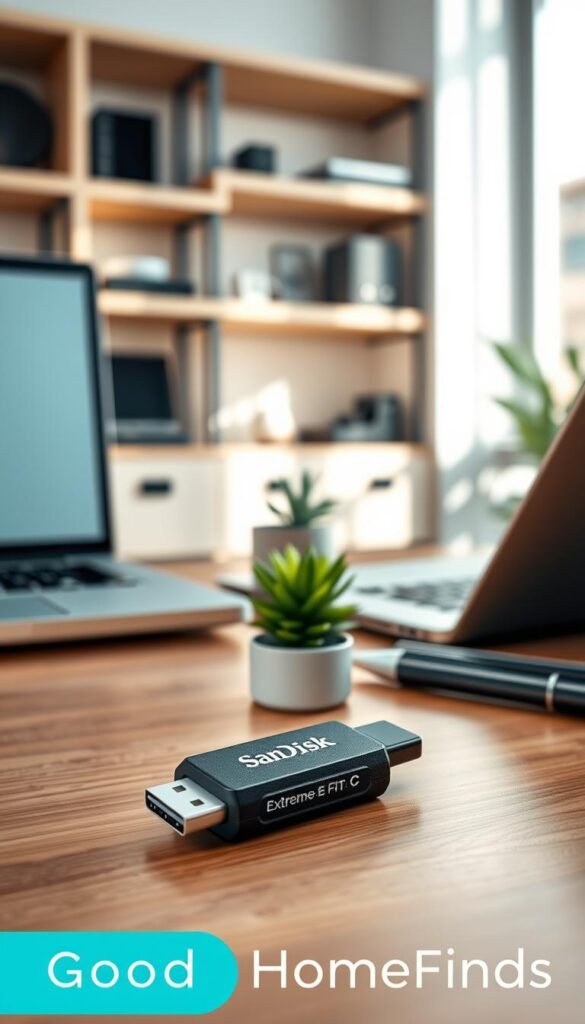
SanDisk Extreme Fit USB‑C drive
The SanDisk Extreme Fit is a low-profile USB‑C option that often sells around $30. It sits nearly flush in a laptop or phone adapter so it won’t snag when you move. Use it to offload large video files and free space the same day you record.
Pros, cons, who it’s for
- Pros: portable, fast transfers, practical extra storage for creators and students.
- Cons: tiny size makes it easy to misplace; some devices need formatting or a file manager to read it.
- Who it helps: creators, students, and anyone shifting files between USB‑C laptops, tablets, and phones.
What to avoid and alternatives
Avoid long thumb drives that snap when bumped and suspiciously cheap memory with no warranty. If you prefer not to carry hardware, cloud options work—if you have reliable internet. Another choice is a USB‑C to USB‑A adapter plus a trusted older drive.
Buying tip: prioritize reputable brands, a real warranty measured in years, and the current version with clear specs rather than the cheapest listing.
What to Avoid When Shopping for Budget Home Gadgets on Amazon
A quick scroll can land you on cloned listings and vague specs that cause real headaches. You want usable devices that last a season, not mystery boxes that die in weeks.

Red flags to skip
Cloned listings: the same unit sold under five brand names. No warranty page. No support email. That’s a fast way to lose money.
Vague specs or missing safety marks: no UL/ETL note, unclear voltage, and claims like “works with everything” are suspect.
Features that often don’t deliver
Watch for flashy features that rely on a weak app. If reviews say the app is buggy, the feature is likely useless.
Avoid listings that tout “AI” or extra modes with no clear benefit. These options usually collect data instead of adding value.
Returns and warranty reality
- Check who handles returns: seller or Amazon.
- Short return windows plus no warranty page = assume no support.
- If a product dies after 30 days, you may be stuck.
| Issue | Quick check | What to do |
|---|---|---|
| Cloned listing | No brand site | Pass and buy a known brand |
| “App required” | Poor app reviews | Choose a non‑app option |
| Bad design | Blocks outlets, awkward shape | Pick a compact model with clear specs |
Who this helps: anyone on a tight budget who wants fewer returns and less hassle. A few extra dollars for a known name or a non‑smart option often saves time and frustration.
Safety and Quality Checklist Before You Hit Buy
Quick checks on power, placement, and privacy can save you time and headaches. Use this short checklist to keep new smart home gear practical and safe in U.S. rooms.
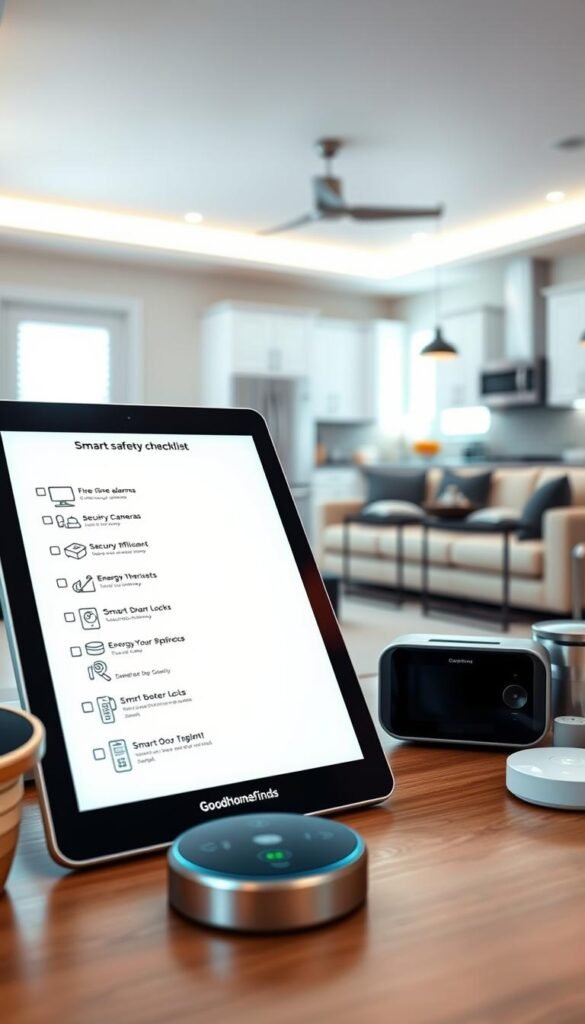
Electrical load basics
Match ratings: check amps and watts on the label and match them to what you’re plugging in. Heavy appliances or heaters need dedicated circuits.
Watch heat: if a plug or charger gets hot, unplug it. Heat buildup is a warning sign, especially with smart plugs and multi‑port chargers.
Indoor vs outdoor ratings
Only use outdoor-rated gear where water, humidity, or dust is likely. A cheap indoor unit on a porch or in a garage risks corrosion and failure.
Look for IP or weather ratings and don’t assume sealed equals safe. If the spec is missing, pick something with clear ratings.
Privacy basics for cameras and mics
Place cameras to avoid private areas like bedrooms or bathrooms. Review app permissions and limit cloud access if you can.
Prioritize brands that push security updates. A worn-out camera is only useful if you keep its firmware current.
Kids and pets
Manage cords to prevent chewing and tripping. Avoid small detachable parts that become choking hazards.
Keep tall or heavy devices out of reach so they can’t be pulled down. Tip‑over risks are real in small spaces and rental rooms.
| Risk | Quick check | Action |
|---|---|---|
| Overload / heat | Compare device watts to outlet rating | Use dedicated outlet; swap to higher‑rated plug |
| Water exposure | Outdoor or IP rating present? | Buy weather‑rated unit or move inside |
| Camera privacy | Where does the lens point? | Reposition; disable cloud or mic if needed |
| Kids & pets | Cords and small parts visible? | Use cord covers; store small parts away |
What to avoid: unknown battery brands, unclear weather ratings, and products that don’t list power limits or update policies. A slightly pricier, supported model often saves time and keeps your setup secure.
Conclusion
Aim for daily wins: one dependable device can remove a recurring annoyance right away.
Start with a smart plug and a practical light setup. That pair gives useful automation, lowers standby power, and makes mornings and nights simpler. Expand only when a new device clearly earns its place.
Prioritize safety and reputation. Check power and weather ratings, avoid heat buildup, and keep water away from indoor electronics. For cameras or any video gear, use strong passwords, update firmware, and place lenses thoughtfully for privacy.
Pick an ecosystem early—Alexa or Google—to avoid juggling apps. Buy multipacks when you need several, wait for trusted brands on sale, and skip no-name items with vague specs. Sometimes a simple timer or a durable cable is the smartest upgrade.



12 Comments