
This short guide helps you buy fewer items and keep what really works in your space. You’ll get a practical, renter-friendly roundup of home tech that holds up after actual use. Think real tests, not hype.
“Must” means you use it weekly or daily and it earns its shelf space. “Skip” labels gear that adds noise, cleanup, app headaches, or bulky storage.
We focus on kitchens, cleaning, smart home basics, sleep, and daily electronics. You’ll see quick decision cues first and deeper explanations later.
Expect honest takes on setup difficulty, maintenance, energy use, and safety. We also flag small-apartment fit and when premium actually changes daily life.
Outcome: fewer regret buys, less clutter, and smarter picks for busy routines. This is a commercial-intent product roundup you can actually use this year.
Key Takeaways
- Use weekly value to decide what stays in tight spaces.
- Look for low maintenance and low noise when you live small.
- Energy and safety ratings matter more than flashy features.
- We separate budget buys from premium upgrades honestly.
- Quick decision cues come first; deeper why sections follow.
How this must-have vs skip list was picked for real life in small apartments
This list was built from dozens of apartment moves, hundreds of kitchen hours, and a focus on what actually fits your life. Tests tracked daily use, cleanup time, noise, and storage needs.
What “worth it” means
Worth it saves you time, cuts repeat chores, and doesn’t add a new cleaning project. If a product helps you cook or clean faster without extra upkeep, it stays.
What got downgraded
We labeled items to skip when they needed bulky storage, were loud in a studio, trapped smells, or locked features behind an app.
What we checked every time
Checklist: footprint (counter vs cabinet), power draw, safety (heat and cords), and realistic maintenance. Real reviews and repeated use mattered more than flashy specs.
Budget vs premium rule
Pay more when quieter operation, easier washing, or longer life clearly improves daily handling. Don’t pay extra for looks alone.
| Criterion | Why it matters | Quick test |
|---|---|---|
| Footprint | Fits counters or tucks in cabinets | Measure before you buy |
| Noise | Studio-friendly levels protect sleep and calls | Check dB in reviews |
| Maintenance | Easy parts mean fewer deep-clean days | Dishwasher-safe or simple wipes |
| Energy | Lower draw keeps bills down | Compare watts and typical use |
Real benefits you’ll actually feel day to day
Simple, renter-friendly tools deliver real wins you feel every day. These are changes that save time, cut waste, and lower risk without adding steps to your routine.
Less food waste and fewer repeat grocery runs
Portioning for the freezer stops forgotten dinners from turning into trash. Souper Cubes and glass containers like Pyrex help you store meals that stay fresh and don’t absorb odors. This cuts wasted food and saves you money over a month.
Faster cleanup with fewer “deep clean” weekends
Wipe-clean bags and stackable containers mean quick rinses instead of long scrubs. Small, dishwasher-safe items let you reset the kitchen in ten minutes, not an afternoon.
Lower energy use without changing your routine
Pick tools with efficient draw and no always-on apps. You keep the same habits but with less wasted power. That adds up to real savings over time.
Safer habits: heat, charging, and storage
Safer cords, tip-over resistant heaters, and proper food storage reduce common apartment risks. These choices protect your space without making you paranoid.
The real return is saved time and fewer replacements each month, not shiny features you never use.

Who needs this and who should skip it
This section helps you decide who actually benefits from compact tech and who should pass. Read this with your space and routine in mind. The right pick reduces daily friction. The wrong pick creates new chores.
Renters and small-space kitchens
Who benefits: You, if you need portable, no-drill, renter-friendly options that tuck into weird cabinets.
Why: Look for small footprints, low noise, and tools that don’t require permanent changes.

Work-from-home setups and all-day typing
If you log long hours at a desk, prioritize ergonomic upgrades. A solid keyboard and wrist rest beat another “smart” device that clutters your surface.
Frequent travelers and commuters
For travel, choose a reliable power bank and an organized pouch. Add an AirTag wallet to stop losing keys or a wallet during rush hours.
Light sleepers and people who run warm
Pick quiet comfort tech and simple sleep aids like a sunrise alarm. Avoid noisy machines and heavy, high-maintenance systems that add heat at night.
Who should skip these
Avoid gadgets with filters, tiny parts, or subscriptions if you hate upkeep. If cleaning or app setup feels like a chore, choose simpler, low-maintenance tools.
| User | Top need | Reason to buy |
|---|---|---|
| Renter | Portable, no-drill gear | Saves space and won’t affect deposits |
| WFH worker | Ergonomic desk gear | Improves comfort during long hours |
| Traveler | Power + tracking | Prevents dead phone and lost keys |
| Light sleeper | Quiet, cooling solutions | Protects sleep without extra noise |
Setup time: what’s plug-and-play vs what takes an afternoon
How long something takes to set up often matters more than its specs in a studio apartment. Use three setup tiers to match the amount of time you have this week.
Zero-setup wins
Open, rinse, use. Storage containers, wraps, produce bags, and cutting boards work immediately. They save space and add value on day one with no learning curve.
Simple assembly that pays back
Under-sink organizers and OXO undershelf drawers need a few minutes to set, but they boost daily access and reduce clutter. These small installs are renter-friendly and usually tool-light.
App-based items: the hidden cost
An app isn’t just one more download. Expect Wi‑Fi quirks, permissions, updates, and occasional troubleshooting. Products like sleep systems require ongoing tweaks to work well. If a device needs an app to do its basic job, treat setup as a maintenance commitment, not a bonus feature.
- Rule of thumb: Buy based on real time you can give this week.
- Check compatibility with building rules, door hardware, and outlet placement before you order.
Common mistakes that waste money, time, and space
Small errors in choice and placement cost more than the sticker price. A wrong fit or finish turns a helpful item into clutter. This short list shows what to avoid and how to fix it fast.

Buying the wrong size for cabinets, sink, or fridge
Measure first. Don’t guess that an item will tuck into a cabinet or slide into your fridge. EatingWell-style tips like an undershelf drawer add real usable space.
Fix: Tape dimensions on shelves and test fit before you buy.
Ignoring noise in studios and shared walls
What sounds fine in a house creates pressure in a studio at night or during calls. Check dB notes and user reviews for “quiet” operation.
Overlooking charging habits and battery wear
Frequent full drains and heat shorten battery life. Men’s Health notes handheld vacuums and power banks fail when batteries are abused.
Fix: Plan charging spots and avoid leaving cells hot or plugged in forever.
Skipping cleaning steps that cause smells, mold, or gunk
Dirty parts trap odors and build mold. That’s why tools stop getting used.
„If you won’t wash it, don’t buy it.“
Phone and power mistakes
Match chargers to how you carry your phone. Wireless pads are great at a desk. Fast wired packs win for on-the-go.
- Measure before buying.
- Check noise specs and reviews.
- Pick items you will actually clean.
Do this once: measure, read noise specs, plan charging, and choose washable tools. Small prep saves many frustrating times later.
Must vs skip gadgets: quick picks by room and routine
If you only buy a few items this year, pick ones that free up time and counter space.
Kitchen essentials (buy these first): Creative Green Life bags, Kikcoin cutting boards, Pyrex 4-cup set, Bee’s Wrap, and a Flairosol oil sprayer. These cut waste, wash easily, and stack or tuck away.
Smart home basics that don’t complicate life
Keep it simple: GeekTale smart lock for secure entry and an AirTag wallet for fast tracking. Choose single-purpose devices that save time and avoid long app setups.
Cleaning helpers that earn counter space
Bissell AeroSlim is a drawer-sized handheld that grabs crumbs and pet hair without sounding like a shop vac. Pick low-noise, low-maintenance tools you will actually use every month.
Daily electronics that pay off
Peak Design tripod, ESR 10,000mAh power bank, and a Hatch Restore 2 alarm add real monthly value to work, travel, and sleep. For premium sleep upgrades, consider the Eight Sleep Pod only if you want long-term commitment.
„Buy fewer items that do more. Your apartment, budget, and time will thank you.“
- Quick action: choose reusables and compact cleaners first.
- Prioritize energy, noise, and easy maintenance.
- Deeper pros/cons, setup, and who should skip come next.
Kitchen must-haves that save time, food, and frustration
Small, reliable kitchen tools cut daily friction and keep counters clear. These products replace flimsy disposables and stack or fold to fit tight spaces. Below are real use notes so you know what will actually help in a small kitchen.
Reusable grocery bag: Creative Green Life
Why it helps: Big enough for bulk runs and built with sturdy handles that don’t tear. The smooth interior wipes clean after raw produce or spills.
Maintenance: Wipe with soap, hang dry. Real use case: you load a week of groceries without worrying about ripped seams.
Bamboo cutting boards: Kikcoin set
Why it helps: Solid feel but light weight. Built-in handles make shifting and vertical storage easy. They held up after months of daily prep.
Maintenance: Hand wash, oil occasionally. Pro tip: store upright to save cabinet depth.
Washable produce bags: Organic Cotton Mart
These replace single-use plastic with a tare-tagged, drawstring design. They cut drawer clutter and are machine-washable.
Use case: Bring them to the store and weigh produce straight into the bag.
Glass food storage: Pyrex 4-cup set
Why it helps: Glass lids and bases resist stains and odors after months of use. Dishwasher-safe and oven-safe for reheating.
Maintenance: Toss in the dishwasher. Glass keeps leftovers tasting fresh without lingering smells.
Beeswax wraps: Bee’s Wrap
Good for covering bowls and wrapping cheeses or sandwiches. They cut plastic wrap use but are not ideal for very wet foods.
Care: Wash with cool water and mild soap, air dry, reuse for months.
Refillable oil sprayer: Flairosol tinted glass
Why it helps: Fine mist control saves oil and reduces plastic waste. Tinted glass protects oil from light.
Maintenance: Rinse the nozzle after each refill and avoid leaving sticky oil to harden in the sprayer.
„Buy fewer items that do more. Your apartment, budget, and time will thank you.“
- Small-kitchen rule: prefer stackable or fold-flat design for easy storage.
- Pick low-cleanup items to actually keep using them.
- Quality design often saves time and replacement costs.
Skip-worthy kitchen picks (when they don’t fit your life)
Buy for things you will use often. If you can’t picture reaching for it three times in a week, it probably becomes clutter. Follow a quick one-week mental test before you buy.

Annoying to wash or smell-prone items
Silicone nooks, tight seams, and lids with grooves hide gunk and odors. EatingWell-type thinking favors glass and simple parts. If cleaning takes extra time, you will stop using the item.
Tools that refuse to nest or store flat
Bulky shapes that won’t stack become permanent counter residents. In small apartments, non-nesting tools steal usable space and add visual clutter.
Single-task tools you use a few times
If a knife, pan, or board can do the job, keep what you have. Single-purpose purchases often see only a couple of uses and then sit in a drawer.
- Practical skip filter: annoying to wash = you won’t use it.
- Smell traps: avoid grooves and glued seams.
- Storage fail: choose stackable or fold-flat designs.
| Problem | Why it matters | Example | Quick fix |
|---|---|---|---|
| Hard to clean | Creates odor and mold risk | Lids with rubber gaskets | Pick glass or removable seals |
| Won’t stack | Occupies counter or drawer space | Single-shape graters | Choose collapsible designs |
| Single-use | Low repeat use wastes money | Avocado slicer used twice | Use a knife and spoon instead |
One-week test: Can you see using it multiple times this week? If not, leave it off your list. For compact cleaning helpers and real-life picks, check practical finds like this curated list of cleaning options that save time.
Small-space food storage and organization that’s actually worth it
When space is tight, smart storage choices directly cut costs and clutter.
Why organization matters: in a small kitchen, visible systems stop you from buying duplicates, reduce waste, and make cooking feel effortless. The right pieces turn vertical and hidden spots into real working storage.
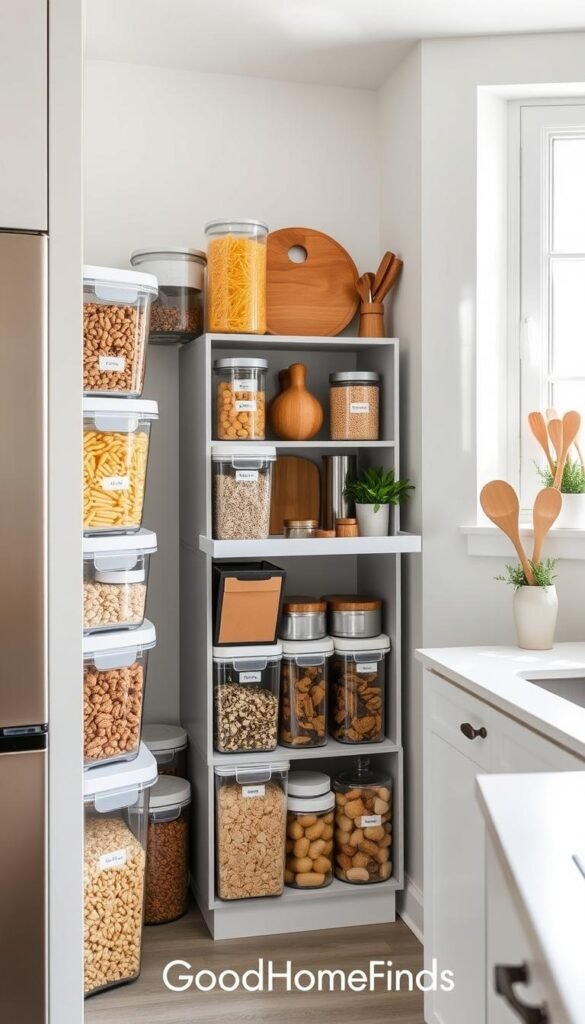
Freezer portioning that pays back
Souper Cubes with lids let you freeze 1-cup portions of soups, sauces, or fruit butters. Grab a single cube instead of thawing a big block. That saves you money over months and keeps meals quick.
Maintenance: label portions and stack lids so they stay airtight and clean.
Spice access that prevents duplicates
Zri 3-tier rack keeps jars visible and reachable. When spices are easy to see, you use them before they expire and stop buying doubles. It’s a simple way to cut pantry waste.
Under-sink pull-outs that fit around pipes
Pxrack pull-outs assemble fast and clear the awkward pipe area. The large base and compact top make cleaning supplies easy to pull out. A removable liner keeps small items tidy and wipeable.
Add fridge space in seconds
OXO undershelf drawer clips under a fridge shelf in seconds and creates a new slim drawer for cheese, snacks, or deli packs. Vertical space is often unused—this fixes that in one move.
- Quick tips: wipe liners regularly, label frozen portions, and group spices by use.
- These solutions work better than generic bins because they boost access, not just storage.
For more under-sink pull-out options that fit around pipes, check a practical roundup of under-sink solutions.
Cleaning gadgets: must-haves for quick resets
Quick-clean tools turn a messy hour into a five-minute reset you’ll actually do. Use them on a regular day to stop small messes from growing into a deep-clean chore.
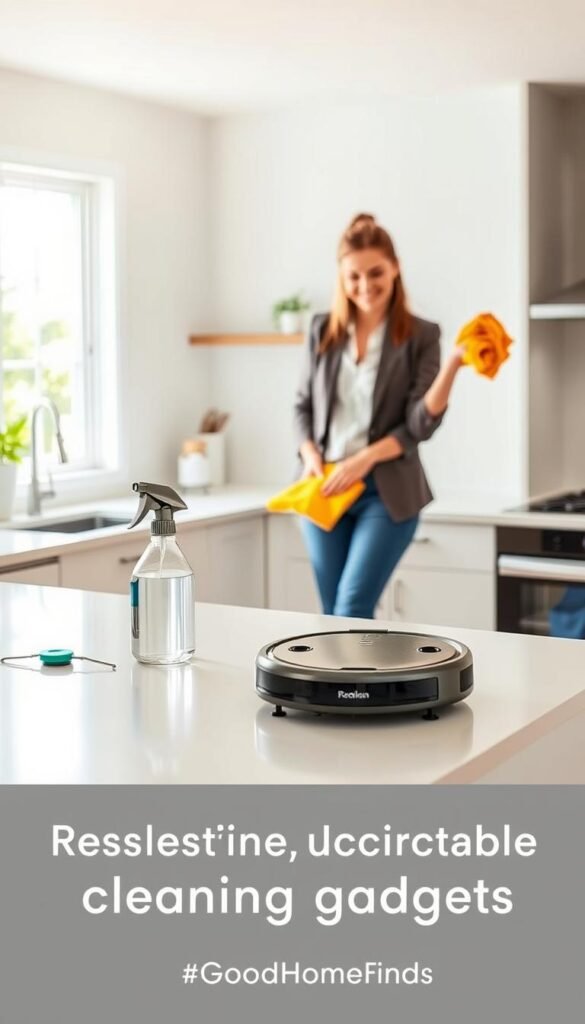
Handheld vacuum for crumbs, corners, and car seats
Bissell AeroSlim is a renter-friendly handheld that cleans sofa seams, baseboards, and car seats fast. It saves time over pulling out a full vacuum and stores in a small closet.
Pros: light, quick to grab, good for spot work.
Cons: small dust cup and occasional hair wrap. Empty it after each use to keep suction steady.
Spin scrubbers for bathrooms when you hate scrubbing
Cordless electric spin scrubbers cut effort on shower tile, grout lines, and tub edges. They are a real win if scrubbing feels like a barrier to cleaning your bathroom.
Note: scrubbers can be loud in echo-y spaces. Time your runs to avoid bothering neighbors.
Maintenance reality: filters, hair wrap, and charging
All these devices need basic care. Filters require rinsing or replacement. Hair gets tangled and needs periodic removal. Keep a dedicated charging spot so the battery is ready when you are.
- Quick rule: buy a tool only if it makes routine resets easier, not just deep cleans.
- For practical tips on big messes and useful finds, see a quick guide on how to clean big messes that helps plan deep cleans and curated problem-solving finds that save time.
Heating and comfort gadgets: energy, noise, and safety checks
Small-space heating demands extra attention to placement, cords, and noise. A heater is high impact and high responsibility in a tiny home.

Space heaters in apartments: what to watch for
High impact, high responsibility. Use the Dreo portable heater as an example. The remote matters when the unit sits across the room. A steady, level surface matters more than extra features.
Noise levels during work and at night
Fans can sound fine by day and annoying at night. If you do calls or sleep light, pick quieter models or run the heater on a low fan setting.
Outlet load, cords, and tip-over basics
Check outlet load: don’t daisy-chain power strips or run heaters on thin extension cords. Keep cords out of walkways and off rugs.
Safety essentials: choose units with tip-over and overheat protection. Small rooms increase the amount of accidental contact and pressure on outlets.
- Practical comfort tip: heat where you sit instead of raising the thermostat for the whole place.
- Place heaters away from curtains and soft surfaces.
- Unplug when not in use to save power and lower risk.
Smart home basics that feel useful, not complicated
Choose smart home basics that solve real problems and stay out of your way. The sweet spot is one or two devices that remove daily friction without turning into a maintenance project.
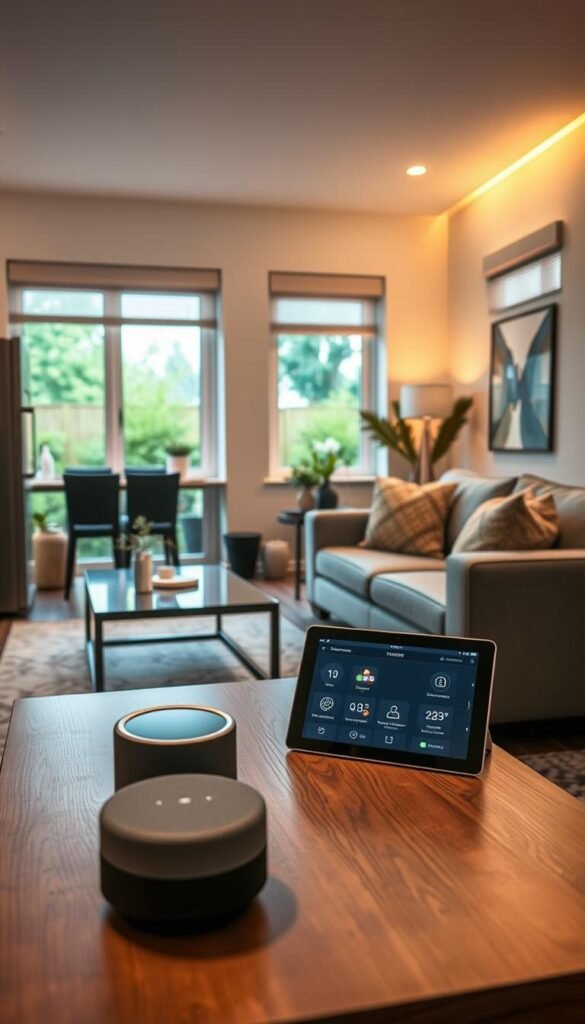
Smart locks: convenience with renter realities
GeekTale smart door knob brings fingerprint entry and fewer lockouts. It speeds entry and helps when you juggle bags or groceries.
Reality check: renters must consider landlord rules and original hardware. Many landlords require you keep the existing lock or reinstall the original when you move out.
Setup is straightforward: pair the unit, enroll fingerprints, and create backup PINs. Still, plan a physical backup key and check battery life so you’re not locked out if batteries die.
Finders for phone, keys, and wallet
AirTag wallet use case: slip an AirTag wallet into a card slot or a WXM-style wallet. When mornings get hectic, your phone can point you to misplaced keys or your wallet in minutes.
This reduces frantic searches and saves time. It’s a low-cost way to cut daily stress without changing routines.
App dependence and safety basics
Be upfront: smart locks and trackers rely on an app for setup, updates, and notifications. Factor in permissions, occasional firmware updates, and the need to keep the app active.
Safety tip: install securely and keep a physical fallback. Test everything on day one so you know how the system behaves in real life.
For simple automations that add convenience without chaos, read a step-by-step guide to easy home automations on CNET: easy smart home automations.
Sleep gadgets: when they’re must-have and when they’re a skip
Choose sleep tech that solves the real reason you’re up at night: noise, heat, light, or stress. Focus on one clear problem and pick a renter-friendly fix that fits your bedroom size.

Better mornings without a loud alarm
Hatch Restore 2 uses sunrise-style light and timed ocean sounds so you wake gradually instead of jolting upright. The light strength and color are adjustable.
The quiet light works well in small rooms since it changes the room, not the volume. Timed sounds can also help you fall asleep faster.
Premium sleep upgrades and the real commitment
Eight Sleep Pod Cover 3 sells temperature control and detailed sleep tracking. You’re buying mattress-level heating/cooling and data about your nights.
This is a true premium step. Expect a bigger price, longer setup, and more space taken by bedding hardware.
Ongoing costs and maintenance
These products rely on an app for updates and features. Plan for subscriptions or replacement parts after a few months if you want full functionality.
Skip rule: if you dislike managing apps, firmware, or periodic troubleshooting, choose simple, quiet upgrades first.
For a quick look at options across price tiers, see a curated list of the best sleep gadgets.
Daily electronics that earn a spot on your desk or in your bag
Everyday electronics should earn a permanent spot on your desk or a place in your bag by actually solving a problem. If a tool doesn’t help weekly, don’t give it space.
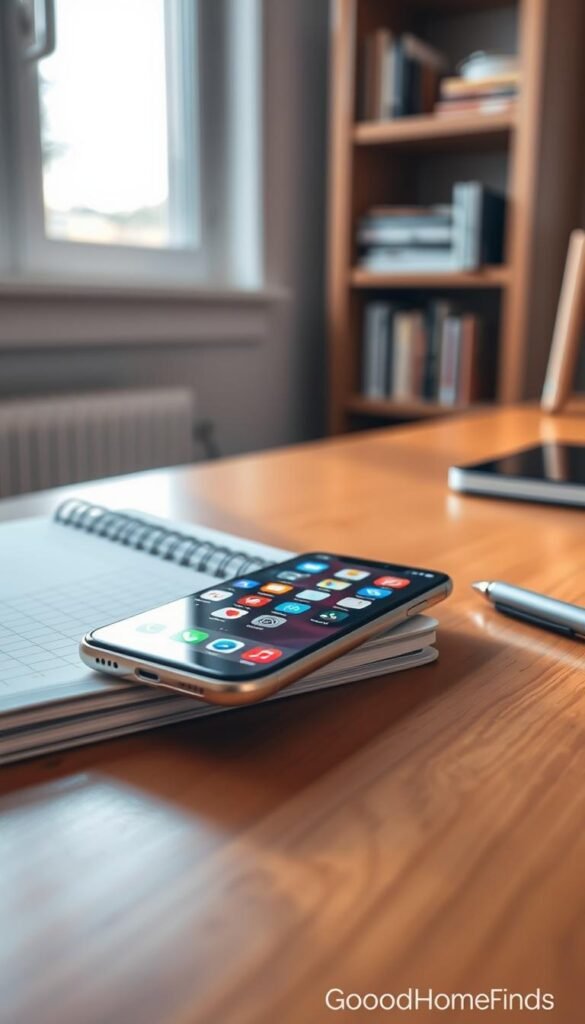
Phone tripod and case for quick content and calls
The Peak Design Mobile Tripod fits in jeans and pops open fast. Use it for recipe videos, quick streaming, or steady video calls. Pair it with the Everyday Case to cut the risk of cracked screens.
Durability: thin, well-built, survives drops better than cheap stands.
Power banks that keep you running on travel days
The ESR 10,000mAh with a kickstand is great for flights and tray-table viewing. It keeps your phone charged for long hours and props it up for hands-free watching.
Maintenance: keep ports clean and cycle a full charge every few months to preserve battery life.
Keyboard comfort for long work and gaming sessions
A compact Logitech mechanical keyboard plus a cloud wrist rest saves desk space and reduces wrist aches. The tenkeyless layout fits smaller desks and still feels “perfectly clicky” for gaming and focused work.
Setup: plug-and-play or quick Bluetooth pairing. Cheap boards save money but wear faster. A durable build lasts longer and cuts replacement cost.
| Item | Best for | Durability | Setup & maintenance |
|---|---|---|---|
| Peak Design Mobile Tripod + Everyday Case | Content, video calls | High — thin, drop‑resistant | Unfold, mount; wipe case; check mount screws |
| ESR 10,000mAh kickstand | Travel, long hours | Medium — solid shell, moderate life | Keep charged; avoid heat; clean ports |
| Logitech mechanical keyboard + wrist rest | Work & gaming | High — mechanical switches last | Pairing, keep crumbs out; wipe rest |
Quick rules: pick items you’ll use weekly, store them where you reach for them, and follow simple care so they last. For budget-friendly, desk-ready picks that still deliver, check this curated list of affordable home tech budget finds.
Power consumption, battery life, and charging habits (no-jargon guide)
A few tidy charging habits keep devices healthier and your apartment safer.
Define low power in plain terms: a device that does its job without running all day or needing constant top-ups. These items save you charging time and spot space.

What “low power” looks like in daily use
Low-power items run when you need them and sleep the rest of the day. They do not heat the room or draw steady current. Think a countertop light that turns off after use or a handheld vacuum with a short, effective run time.
Battery gadgets: how to avoid early battery failure
Follow a simple routine: avoid extreme heat, don’t leave devices fully drained for long, and avoid storing at 100% when you can.
- Daily: unplug once charged.
- Weekly: cycle a partial charge for infrequent items.
- Monthly: top up power banks to about 50–80% for storage.
Heat + charging: reduce risk in small spaces
Pick one tidy charging spot with airflow. Use hard surfaces, keep cords out of walkways, and never charge on soft bedding. Your phone is the hub for many accessories, so good habits here protect everything else.
| Issue | Why it matters | Quick fix | Where to do it |
|---|---|---|---|
| Overheating | Shortens lifespan, fire risk | Charge on a hard surface, remove cases | Kitchen counter or desk |
| Always plugged | Battery stress, capacity loss | Unplug at 100% or use smart plugs | Designated charging station |
| Dead long-term | Battery can fail | Store at ~50% and check monthly | Cool, dry drawer |
For a practical read on battery health, see this short guide on maintaining long-lasting batteries at battery health tips.
Budget vs premium comparisons: where spending more pays off
Deciding where to spend more and where to save starts with daily impact, not price tags.
Pay more when a higher price reduces daily friction, boosts safety, or extends life. Save when a cheaper option matches performance. A good rule: if the premium choice meaningfully changes your routine, consider it.

Storage and food prep: affordable wins that last
Choose durable basics. Items like Pyrex glass, solid bamboo boards, and washable produce bags give long life with normal washing. EatingWell-style picks prove you do not need a premium unit to win storage and freshness.
Sleep tech: big price jumps, bigger expectations
Premium sleep systems add features, tracking, and apps. Men’s Health documents that premium models carry setup time and recurring costs. Only buy if those extras change how you sleep for the better.
Phone accessories: durability vs cheap replacements
Cheap chargers and cases cost less upfront. But durable options like Peak Design mounts survive drops and daily handling. If you replace a part every month, the pricier choice is often cheaper long term.
Cleaning gadgets: when cordless convenience is worth the cost
Cordless cleaners earn their price when they turn a big clean into a quick reset you will do weekly. If you only need occasional deep cleaning, a basic corded tool may suffice.
„Pay up for durability, safety, or real time savings; save when function is equal.“
| Category | Budget pick | Premium pick | When to buy premium |
|---|---|---|---|
| Storage | Pyrex set | High-end modular glass | If you need custom sizing or lifetime warranty |
| Sleep | Sunrise alarm | Eight Sleep Pod | If nightly temp control and data change your sleep |
| Phone | Basic case/charger | Peak Design case + charger | If drops and daily wear cost you a month of replacements |
| Cleaning | Corded scrubber or manual tool | Cordless vacuum | If quick, frequent resets replace long deep-cleans |
Decision tip: if you cannot explain how the premium option changes your day, keep your budget choice. For a look at trade-offs in low-cost tech, read this short take on budget technology at budget technology trade-offs.
Noise levels and space requirements: apartment-friendly buying checklist
A quiet, compact item can save space and sleep; a loud bulky one will cost both.

What’s okay for daytime, what’s annoying at night
Day: Tools that hum under 50 dB usually work fine for cooking, cleaning, or calls. You can run small fans, compact vacuums, and countertop blenders while awake.
Night: Anything above ~40 dB can disturb naps or neighbors. Reserve noisy runs for daytime and choose low‑fan or silent modes for sleep hours.
Counter space vs cabinet space: picking the right footprint
Decide before you buy: will this live on the counter or tucked away?
If counter space is premium, pick collapsible or slim-profile gear. If cabinets are your storage, verify height and depth so items slide in without blocking other tools.
Stackable, foldable, and wall-friendly design cues
Look for stackable lids, flat-storable wraps, and wall-mount options. These cues multiply usable space without extra fixtures.
- Kitchen example: Souper Cubes stack with lids and free up freezer shelves.
- Undershelf trick: OXO undershelf drawer adds vertical storage without losing shelf height.
- Desk/tech: A compact keyboard saves desk area and slips into a drawer when not in use.
Quick renter-friendly checklist before you buy:
| Check | Why it matters | Acceptable limit | Practical test |
|---|---|---|---|
| Noise level | Affects sleep and calls | <50 dB day, <40 dB night | Read reviews, watch decibel notes |
| Footprint | Counter vs cabinet trade-off | Measure clearance and door swing | Mock-fit with tape on shelf |
| Stackability | Maximizes vertical space | Lids/parts nest or stack | Inspect how lids store together |
| Portability | Renters avoid permanent installs | Light, plug-and-play | Unbox and move it between spots |
Apply this logic across your home. The same rules that help in the kitchen work for cleaning tools, desk tech, and bedroom comfort. Choose portable, simple, and quiet first.
Conclusion
End with a short test: will this device help on a normal Tuesday?
Pick tools that save you real time, clean easily, and fit your home. Choose one clear upgrade from this list and use it for a week. If it simplifies a routine, keep it. If it adds steps, return it.
Watch noise, footprint, charging safety, and maintenance first. These apartment filters decide whether a purchase becomes useful or clutter.
One practical step: pick a problem area—kitchen waste, cleaning speed, phone power, or sleep comfort—and try one tested item for seven days.
For research on device effects and practical product testing, see this study on screen use and a brief about a real-world product tester at digital device impacts and GoodHomeFinds’ approach.


