
This guide cuts the hype. You’ll get practical advice on small-home solutions that save time, cut energy use, and reduce mess. Think quiet motors, small footprints, and fewer cords so devices fit apartments and close walls.
We test real categories: monitoring cameras, feeders, trackers, fountains, and litter cleaners. The focus is on daily value in kitchens, cleaning, and common electronics. Expect honest pros and cons, setup time, and maintenance needs.
You’ll learn how to weigh budget versus premium products and which features add real benefits. Subscriptions, filters, and charging routines matter. Some smart functions are optional, not required.
The market is booming. That means many products, but only a few solve one clear problem. Your goal is simple: buy devices that return time and reduce mess, not replace attention.
Key Takeaways
- Prioritize compact, quiet solutions for small homes.
- Look for products that save time and reduce daily friction.
- Include running costs like subscriptions and filters in the budget.
- Expect tradeoffs: setup, charging, and maintenance are real.
- Choose devices that solve one clear problem, not flashy extras.
Real benefits you can expect from pet tech at home
Practical gear can ease daily routines and reduce the small stresses of apartment life. You get real outcomes, not gimmicks: steadier schedules, fewer surprises, and less time on small chores.
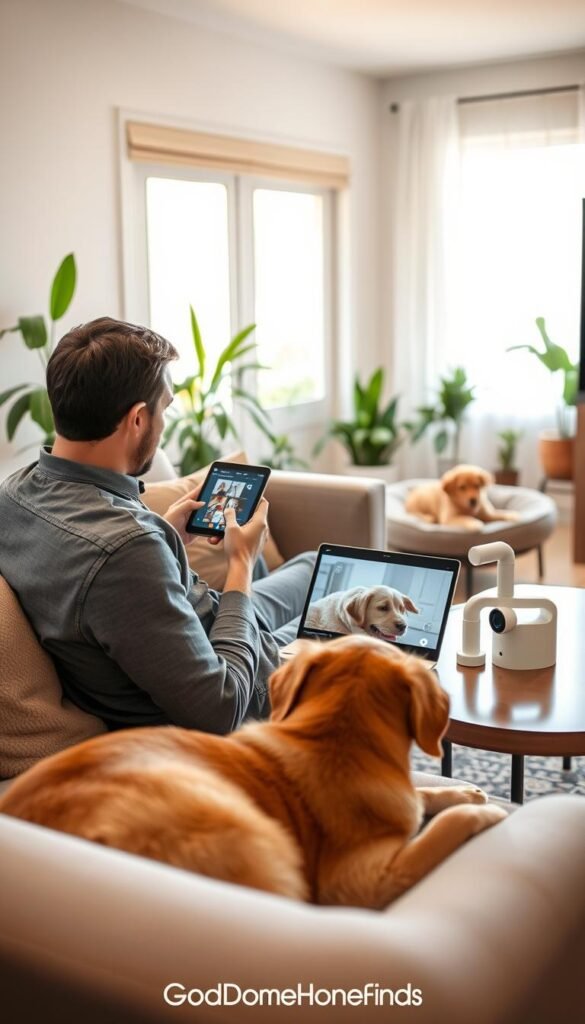
Less stress when you’re away
Quick check-ins through a compact camera or collar let you confirm moods and routines. That emotional win matters most—you worry less and avoid over-correcting behavior later.
Cleaner floors and fresher air
Small vacuums and filtered fountains cut daily mess and improve air in tight kitchens. They lower effort, but they do not remove periodic deep cleaning or filter changes.
Health insights and behavior trends
Activity and sleep tracking flag trends, not diagnoses. Changes can prompt a vet visit—Dr. Abel Gonzalez notes collars can spot early illness or anxiety from altered activity and sleep.
Smarter feeding and hydration
Automatic feeders and fountains support consistent feeding and food timing. That consistency helps pets prone to stomach upset during busy weeks.
Apartment safety wins
Trackers and alerts matter for balcony risks, delivery-door checks, and lost-pet scenarios. Expect small tradeoffs: noise, charging, and extra cleaning.
- Reality check: these tools save time but add chores like charging, filter swaps, and part cleaning.
Who needs this
Match clear daily issues—noise, mess, or wandering—to devices that actually help in small homes. Think in problems, not features. Pick one or two reliable solutions that fit your space and schedule.

Cat care: litter, water, and night activity
If you have active cats, you know the late-night zoomies and the mystery of an untouched water dish. Automated fountains and quiet boxes help with hydration and litter tracking. They reduce mess and save time, not replace routine cleaning.
Dog needs: escape, barking, separation
For dog households, look for monitoring and containment options that reduce escapes and curb nuisance barking. Geofence alerts and simple training aids help with separation behavior without adding complexity.
Renters and busy homes
Renters should prioritize compact size, quiet operation, and noninvasive installation. Busy homes benefit from one or two dependable devices that keep routines steady without multiple apps.
- Skip this if your routine is steady and you’re home often; basic bowls and a simple cam may be enough.
How to choose pet owner tech for small apartments
Start by picturing where a new device will sit in your apartment before you check specs. If you can’t imagine it on a counter, entryway, or against a wall without blocking a walkway, skip it.
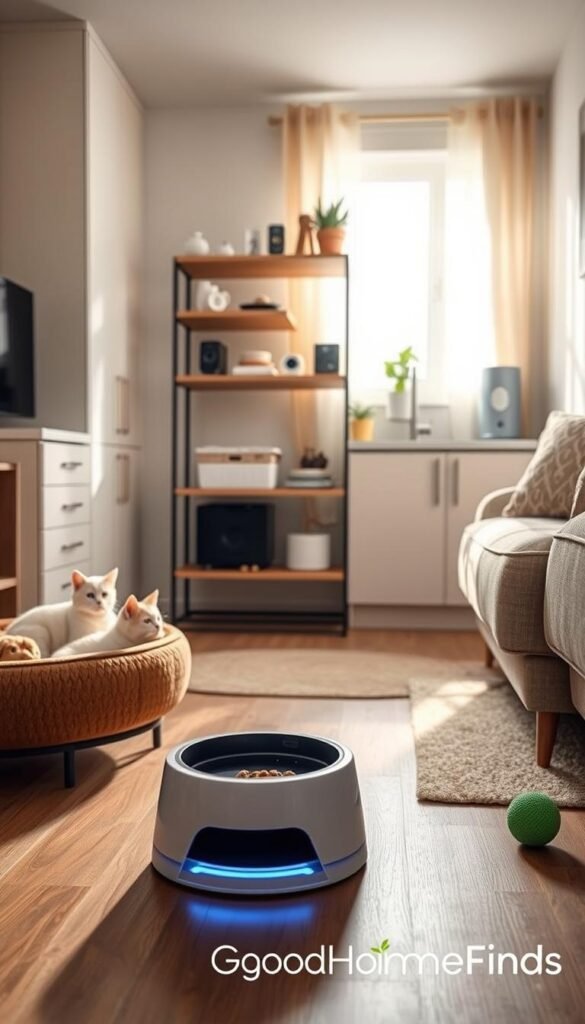
Space and placement
Do the „will it live here?“ test. Measure the footprint and leave clearance for doors and drawers. Renter-friendly options favor plug-in or freestanding setups that require no drilling.
Noise and nuisance
Choose quiet motors and soft alerts. In apartments, noise matters more than extra features you’ll likely mute.
Power, cords, and backups
Pick low-draw devices and plan cord routing. For missed meals or lost tracking, look for battery backup (Polar feeder has a 12-hour example).
Ongoing costs, setup, and safety
Factor subscriptions (Petcube, Furbo, or GPS plans), filters, and replacement parts into the budget. Test app scheduling and clear alerts before you rely on it. Prioritize chew-proof cords, tip-resistant bases, and no small loose parts.
- Checklist: space, noise, power, cords/backups, ongoing costs, simple setup, and safety.
Pick one clear issue, then choose one device that solves it in your small space. For renter setup tips, see renter-friendly placement ideas.
Best pet cameras for monitoring without hype
Pick a compact camera that fits your room and actually helps you decide what to do next. In small apartments, one central panning cam often gives more useful coverage than several fixed units. Panning cuts blind spots when pets move fast and saves space.
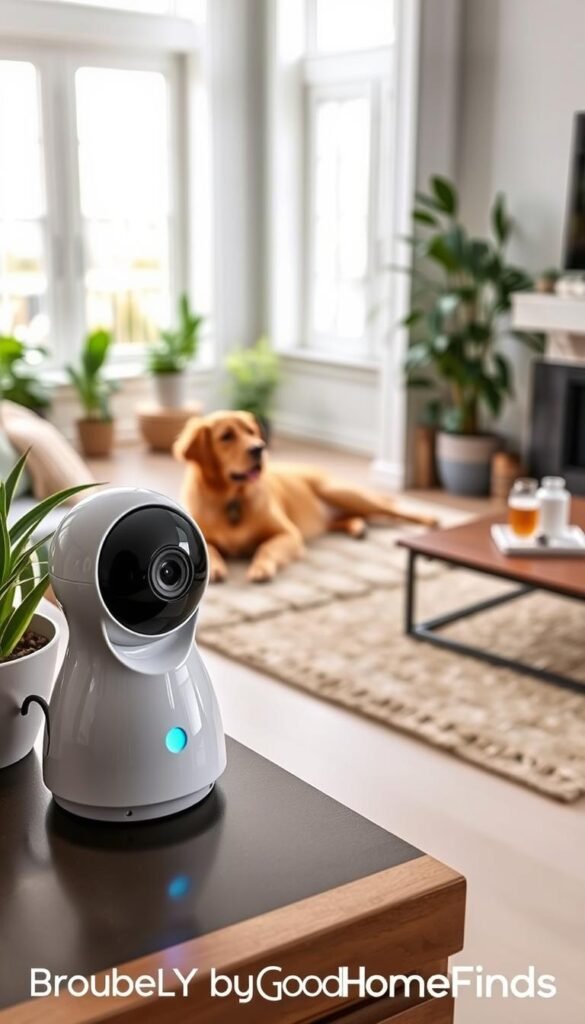
Budget pick: practical compact cam
Petcube 360 is a small panning camera with 1080p, 8x zoom, 30‑ft night vision, two‑way audio, and a physical shutter. Setup is quick and renter‑friendly. The device is low profile and works well on a shelf or entry table.
Premium pick: added features for active households
Furbo 360 adds treat‑tossing and richer descriptive alerts. That can help you catch couch‑jumping or pacing. Treats can complicate feeding plans, so use them sparingly.
Honest pros and cons
- Pros: clear video, night vision, two‑way audio, useful panning in tight rooms.
- Cons: smart alerts mislabel events and cause notification fatigue. Treat dispensers invite overfeeding if not managed.
Subscription reality check
Expect core live view without a plan. Petcube Care (~$4/mo) adds alerts and storage. Furbo’s plan (~$7/mo) unlocks most practical features. Without subscriptions you lose recorded clips, richer alerts, and some behavior data.
Real use cases and practical notes
Use cases: spot separation anxiety pacing, confirm the sitter arrived, check if your companion settled at night, or catch couch jumps. Cameras are low power but need an outlet, stable Wi‑Fi, and tidy cord routing.
Quick tip: For more small‑home gadget picks, see best budget home gadgets.
Smart feeders that actually solve daily feeding problems
Automatic feeders are less about convenience and more about keeping feeding consistent day to day. Pick a device that matches your meal routine and kitchen layout.

Dry food control with built-in scales
PawSync uses a built-in scale for precise portions and intake tracking. That lets you spot skipped meals and avoid accidental double-feeding.
Practical note: it supports kibble 4–15mm and sends tank, cleaning, and desiccant reminders. The scale needs calibration and may require recalibration when you change food.
Wet food routine that stays fresh
Polar stores wet food cold for up to three days and runs an ultra-quiet motor. That keeps smell down and helps skittish animals accept scheduled meals.
The unit is bulky (13″ L x 14″ W x 7″ T), needs outlet power and Wi‑Fi, and includes a 12‑hour backup battery for short outages.
Budget vs premium: what you pay for
Budget feeders cover basic schedules. Premium models buy better scheduling, detailed logs, and fewer feeding mistakes.
Pay more for accurate tracking, reliable portion control, and features that reduce manual checks.
Power, noise, and space
These devices live on counters. Plan a stable outlet and a chew-proof cord path. Check footprint and motor noise before you buy.
If a dog in your home can tip things, pick a heavy base or a tucked placement to prevent spills.
Maintenance and hygiene
Expect weekly wipe-downs and bowl cleaning. Swap desiccants and recalibrate the scale when food type changes.
Small maintenance keeps data accurate and reduces odor and clog issues.
- Pros: consistent feeding, portion control, reduced missed meals.
- Cons: size on the counter, upfront cost, and routine upkeep.
| Feature | PawSync (dry) | Polar (wet) | Budget feeder |
|---|---|---|---|
| Primary benefit | Portion control + tracking | Cold storage + quiet motor | Simple scheduling |
| Footprint | Counter-friendly | 13″ × 14″ × 7″ bulky | Small to medium |
| Power/backup | Outlet; no long backup | Outlet + 12‑hour backup | Battery or outlet (varies) |
| Maintenance | Calibration, desiccant, cleaning | Bowl cleaning, cold plate care | Basic cleaning |
| Best for | Dry kibble control | Wet food for cats / single servings | Casual schedules |
Water fountains and hydration tech for cats and dogs
For many small homes, a fountain is the single device that measurably improves hydration. Moving water often convinces shy cats to drink more than a bowl. Fountains also reduce dish‑refill chores for busy households.

Quiet, compact pick: wireless fountain
Petcube wireless fountain is 1.7L, portable, and very quiet. Wireless placement helps in small apartments where counter space is tight. Motion sensing can wake the flow when your cat approaches, though it can be hit or miss.
Why it works: low noise suits skittish cats and the easy‑clean design reduces maintenance time. Expect replacement filters as an ongoing cost.
Large‑bowl option for bigger animals
The 1.8‑gallon bubbler suits dogs that drink a lot or multiple pets. It has a low‑water indicator, adjustable spout, and five‑layer filtration. Parts are dishwasher safe for easier cleaning.
Tradeoff: it uses a cord and no app. If chewing is a concern, protect or reroute the cable.
Energy, filters, noise, and cleaning
Fresh water has a small monthly cost. Plan for filter replacements and a few watts of power. Over a month this is modest, but include it in your budget.
Choose the quietest motor you can find and avoid splashy designs if noise stresses your animals. Scrub bowls and pump parts weekly in warm kitchens to prevent slime and smells.
„Fountains encourage hydration but are tools, not substitutes for supervision.“
For renter‑friendly placement tips and other small‑home solutions see home problem solver mix.
GPS collars and trackers for safety, habits, and health data
GPS collars and trackers can turn a single escape into a quick locate-and-return instead of hours of searching. In small homes this is a clear safety win when doors or balconies are a risk. Pick a tracker that fits your daily routine, not one you’ll constantly charge or fuss with.

Cat tracking that fits
Petcube makes a collar attachment with an LED light, beeper, waterproof casing, and simple app zones. On low-power mode it can last ~30 days. Full GPS features need about $5/month. Note: it can feel bulky on smaller cats.
Dog escape protection
Tractive offers geofencing, escape alerts, and location history. It also adds health metrics and bark monitoring. Expect ~2 weeks between charges and a typical $9/month plan. Not ideal for dogs under 15 lb.
Premium long-life tracking
Fi Series focuses on long battery life—up to 3 months—and durable collars. It tracks habits and more health signals. Plans start near $19/month or discounted yearly terms.
„Smart collars increasingly act as health trackers, flagging early illness or anxiety via changes in activity and sleep.“
Subscription math: $5, $9, or $19 monthly adds up. That changes budget vs premium value in a year. If safety matters daily, the fee can be worth it. If you hate charging, favor long-battery options.
| Model | Petcube | Tractive | Fi Series |
|---|---|---|---|
| Primary strength | Cat-friendly zones + LED | Escape alerts + geofence | Long battery + habit data |
| Battery | ~30 days (low power) | ~2 weeks | Up to 3 months |
| Subscription | ~$5/mo | ~$9/mo | ~$19/mo or annual plans |
| Best for | Indoor cats needing visibility | Dogs near roads or shared stairs | Owners who want deep activity and health data |
Quick rule: if a collar looks bulky on your animal, choose a lighter option. For more vetted picks, see best GPS trackers.
Cleaning tech that helps with fur, litter, and everyday mess
In tight layouts, targeted cleaning solutions often deliver the biggest daily payoff. Less fur and fewer litter trails make the whole apartment feel cleaner and easier to live in.

Robot vacuums for hair and litter trail control
Pick a model that excels on hard floors. Strong suction and good edge cleaning matter more than fancy apps.
CNET testing shows some robot vacuums pull litter from cracks and keep mapping for efficient passes. Look for scheduled runs so cleaning happens while you’re out.
Self-emptying bases: convenience and reality
Self-emptying bases cut how often you dump waste. They are a real time saver.
Be honest: you still clean brushes, filters, and sensors. Expect monthly checks and occasional deeper maintenance.
Self-cleaning litter boxes — when they work
These boxes are worth it if you hate scooping, have a single cat, and your cat uses the same litter reliably.
They’re less useful when space is tight, when noise bothers neighbors, or when multiple animals change habits often.
For a high-end option with proven reliability, consider the self-cleaning litter box that reduces daily scooping.
Noise, timing, and animal comfort
Run loud cycles when your cat is in another room or when you’re out. Avoid late-night cycles in thin-walled buildings.
Many devices offer quiet modes or scheduling. Use them to prevent stress and complaints from neighbors.
Space planning, power, and safety
Measure footprint plus clearance for bins and drawers before buying. The base size is only part of the story.
Route cords safely, choose stable placements, and avoid overloading outlets in kitchen-heavy zones.
„Cleaning solutions multiply the livable space in small homes by keeping floors clear and chores minimal.“
- Quick checklist: suction and edge cleaning, self-empty reality, noise scheduling, measured footprint, cord routing, and filter maintenance.
Smart pet toys and enrichment devices that won’t turn into clutter
Good enrichment gives your companion an outlet when you’re busy — not a permanent distraction on the couch.
Choose one or two smart products focused on short, purposeful play. Short sessions reduce boredom and support calmer behavior in small homes. Avoid always-on lasers or constant treat loops that teach demanding habits.
When remote play helps
- Short, timed sessions curb excess energy for high-activity pets.
- Remote play can reinforce training and provide mental stimulation during work hours.
When it backfires
- Constant automated rewards can create anxiety when the device stops.
- Overuse of moving lights or auto-treat dispensers may encourage obsessive behavior.
Space and storage
Pick toys with a small footprint and simple storage. Collapsible or stackable designs keep living rooms tidy. Store active toys in a closet and rotate them so each item stays novel.
Battery, durability, and what breaks most
Recharge cycles and chewed parts fail first. Choose solid housings and replaceable batteries or parts. Expect to swap small components before you replace the whole unit.
Safety basics
Avoid toys with small detachable pieces. Keep cords out of reach and supervise initial sessions until you know how your companion reacts.

„Enrichment should solve a clear issue: reduce boredom without adding clutter or stress.“
| Goal | Best fit | Pros | Cons |
|---|---|---|---|
| Mental stimulation | Puzzle feeder + rotating toy | Short sessions; low space | Needs regular rotation |
| Remote interaction | App-controlled ball | Interactive play from afar | Battery life; can create demand |
| Low-noise solo play | Slow-toss treat dispenser | Calming; scheduled use | Treat dependency risk |
For curated apartment-friendly gadget lists, see a short roundup of smart options at 15 smart gadgets for apartments and budget finds under $25 at best Amazon finds under $25.
Setup time
You can finish many installations on a weeknight with simple checks and a short test run. Smart should not mean complicated. Your goal is working devices that save time and reduce daily friction.

Quick setups
What to expect: cameras and basic feeders are usually plug‑in, pair with an app, and sit on a shelf or counter.
Most take minutes. Plug the unit in, follow the app prompts, place it where it sees the room, and run a quick live check.
Medium setups
Fountains and mid‑range devices need a few more steps. Rinse parts, fit filters, choose a low‑noise spot, and route cords safely.
Practical note: some units need app pairing and quiet placement to avoid splash and motor noise. Expect 20–45 minutes.
Longer setups
GPS wearables and systems with subscriptions take longer. Add app configuration, geofence setup, and a short training period so your animal accepts the strap.
Also factor in account and billing steps. Allow an hour plus a day or two for the wearable to settle into normal use.
What to test before a full day away
- Run a live camera check and test night vision.
- Trigger a meal or dispense to confirm portions and timing.
- Verify fountain flow and quiet mode for at least 10 minutes.
- Confirm alerts reach your phone and that apps stay logged in.
- Check cords, outlets, and whether a device has battery backup (Polar example: outlet + 12‑hour backup).
„Set expectations: smart should not mean complicated; your setup should fit a weeknight and survive a short outage.“
| Setup type | Typical time | Key checks |
|---|---|---|
| Quick (cameras, basic feeders) | 5–20 minutes | Plug in, app pair, live view |
| Medium (fountains, calibrated feeders) | 20–45 minutes | Rinse parts, install filters, calibrate scale |
| Long (GPS wearables) | 1 hour + training | Subscription, geofence, acceptance training |
Failure plan: know whether the device reverts to a safe default if Wi‑Fi or power drops. Keep a manual feeding or water backup and test battery modes before relying on monitoring for a full day.
For single-service scheduling and appointments related to training or setup help, consider an online scheduler for a local trainer at book a setup session.
Common mistakes
Common buys fail when they try to do everything instead of fixing the one daily hassle you actually have.

Feature overload vs real solutions
Chasing the „smartest“ product often adds complexity, not relief. Pick a device that solves one clear issue: feeding, hydration, or monitoring.
Power, cords, and backups
Ignoring power needs causes missed meals and dead trackers. Route cords safely, choose battery backup, and test outage modes before you rely on a device.
Maintenance and surprise subscriptions
Filters, desiccants, and sensor wipe-downs are routine. Budget for replacements and for any monthly plans. The market often prices low up front and charges later.
Size, noise, and app dependence
Too-large or loud gear stresses neighbors and animals. Favor quiet motors, small footprints, and offline defaults that work when an app fails.
Don’t replace supervision
Technology supports monitoring and health signals, but it is not a substitute for checks and vet advice. Use devices as tools, not babysitters.
For more details on common mistakes and fixes, see this common mistakes guide.
„Tech supports consistency but does not replace supervision.“ — Dr. Abel Gonzalez
Conclusion
Focus on one clear need and choose the smallest, quietest solution that fits your layout.
Buy a single tool that removes a daily pain point. That approach gives the biggest return in tight apartments.
Plan for noise, power, and simple upkeep. Check outlets, cord routing, and filter or battery schedules before you buy.
Test a device for a day or two. Confirm it works in real life before you rely on alerts or automatic schedules.
Starter kit: one camera or feeder plus one cleaning upgrade often covers the main problems for most owners.
Watch for patterns in sleep, activity, and eating rather than chasing every notification. Use data as insight, not alarm.
Honest rule: daily attention still matters. These tools help you stay consistent when life gets busy. For more practical guidance, see this roundup of smart solutions for pet owners.


