You want upgrades that earn their place in your home. This guide zeroes in on picks that save time, cut energy use, or improve safety without turning your apartment into a project.
Real use matters more than flashy specs. We test daily reliability, app quality, and simple setup. You’ll see honest pros and cons, setup difficulty, and maintenance notes.
We call out Echo Show 11 and the latest Echo Show 8 where they fit. Sources note these displays often deliver upgrades that are worth it when they reduce friction and avoid constant troubleshooting.
This roundup uses a small-apartment lens. Expect notes on counter space, dock footprint, night noise, renter rules, wiring needs, and power draw.
We’ll compare budget vs premium and flag when spending more improves stability, noise, or long-term upkeep. Start with one room, add one routine, and build a simple system that actually improves daily life.
Key Takeaways
- Focus on devices that save time, energy, or improve safety.
- Choose reliable apps and easy setup over unused features.
- Consider footprint, noise, and renter constraints for apartments.
- We compare budget and premium options and note where quality matters.
- Start small: one room, one routine, then expand.
Real benefits you’ll actually notice with smart home gadgets
You don’t need every feature—pick upgrades that save energy, time, and worry. Small changes can cut bills, reduce chores, and give clearer alerts when it matters.

Saving energy without babysitting settings
Measureable savings come from scheduling lights, using smart plugs to kill standby draw, and a thermostat that learns a simple weekly schedule. Models like Ecobee Smart Thermostat Premium or the Amazon Smart Thermostat let you set scenes and forget them.
Safer routines and faster alerts when you’re away
Phone alerts from Kidde smoke/CO alarms or a leak sensor can stop small problems from becoming big ones. Motion notices at your door help with package theft and give peace of mind while you travel.
Less daily friction in kitchens, cleaning, and lighting
Hands-free timers, a robot vacuum that runs on a schedule, and one-touch lighting control make routines smoother. Use plugs and bulbs for low-effort automation that actually saves you time.
„Start with one problem and fix it—then add the next.“
What “smart” won’t fix in a small apartment
These devices don’t fix thin walls, poor insulation, or weak building Wi‑Fi. Expect regular maintenance: filters, brush cleanouts, batteries, and the occasional app update.
- Tip: Tackle one area first so the value stays clear.
- Resource: For multi-solution ideas, see the home problem solver mix.
Who needs this and who should skip it
Some people gain big wins from connected devices, while others get headaches — here’s how to tell the difference.
Renters and small-space dwellers: Choose plug-in devices, battery doorbells, and items you can remove without patching walls. Focus on small footprint devices and quiet chargers so counters stay usable.

Busy households that need reliable routines
You benefit if you want routines that run the same way daily. Pick models with proven apps and stable systems. Avoid dozens of custom automations you’ll forget.
People who want safety upgrades without subscriptions
Look for DIY alarms and cams that work without cloud fees. SimpliSafe-style options or MyQ devices with no subscription let you save money and keep control.
When “smart appliances” are more trouble than they’re worth
If a feature can disable your stove or fridge during a glitch, skip it. Some connected appliances cause resets and service calls. If you hate troubleshooting or have flaky Wi‑Fi, limit your setup to basics.
- Quick check: renter-friendly, removable, quiet charging, no mandatory cloud plans.
- Skip it if: you dislike troubleshooting, share a building network you can’t control, or want zero upkeep.
What to check before you buy: compatibility, space, and noise
Start by verifying that a new product will work with the speakers, apps, and outlets you already use. This saves time and prevents app overload.

Voice platform basics
Pick a platform based on your phone and existing speakers. Alexa, Google, and Siri all cover most major brands, but if you choose Siri, confirm HomeKit or Matter support.
That way your voice commands work across devices and you avoid switching apps for simple tasks.
Keep app fatigue low
One main app wins. Use Alexa, Google Home, or Apple Home as your hub app and only keep brand apps you actually need.
Space, noise, and power checklist
Measure counters for displays. Reserve a spot for robot docks. Make sure furniture doesn’t block outlets.
Plan runtimes for noisy devices like vacuums or purifiers so they don’t run at night.
Note power: always-on screens and cameras draw steady power. Battery devices need charging. Use smart plugs to cut standby draw.
| Category | Quick check | Reason |
|---|---|---|
| Voice | Match platform (Alexa/Google/Siri) | Prevents split commands and extra apps |
| Space | Measure counters & dock area | Ensures fit and keeps a room usable |
| Power | Always-on vs battery | Predicts charging and energy costs |
| Noise | Check decibel ratings or run times | Important in small apartments |
Need budget picks that match these checks? See a curated list for small homes at best budget home gadgets.
Setup time: what it really takes from unboxing to “works every day”
Set realistic expectations: some items work in minutes while others need planning and permission. Setup includes placing the device, connecting to Wi‑Fi, updating firmware, and testing for a few days until the system feels reliable.

Quick wins under 15 minutes
Plug-in smart plugs, bulbs, and a speaker or display are the fastest way to get daily value. You usually plug in, open the app, accept permissions, and finish a simple pairing.
Tip: run a firmware update and test one routine like a „good night“ scene before adding more.
Medium lifts under an hour
Robot vac docks need a clear footprint and a stable Wi‑Fi spot. Doorbells and indoor cams require careful placement to avoid false motion and missed video.
Expect 20–60 minutes for mounting, angle checks, and a trial day to tune motion zones.
Longer installs that may need permission
Thermostats and some smart locks can need wiring checks, HVAC compatibility, or landlord approval. Models like Ecobee Smart Thermostat Premium or the Amazon Smart Thermostat may require an HVAC C‑wire or formal sign‑off.
Plan ahead and confirm permissions before you buy.
Maintenance expectations
Think of upkeep as part of cost of ownership: filter changes, brush cleaning, battery swaps, and firmware/app updates keep devices worth it.
„Set one simple routine first and make sure it runs every day before you expand.“
- What setup includes: placement, Wi‑Fi pairing, firmware update, and several days of testing.
- Quick starters: Kasa plugs, smart bulbs, and a speaker/display.
- Medium: robot vac docks, doorbells, indoor cams—watch for placement and false alerts.
- Long: thermostats and wired locks—check wiring and get permission if you rent.
| Tier | Typical time | Key steps | Renter note |
|---|---|---|---|
| Quick | <15 minutes | Plug, app pairing, firmware update, test | Fully renter-friendly |
| Medium | 20–60 minutes | Mounting, angle/placement, motion tuning, test day | Usually renter-friendly if no drilling; use adhesive mounts |
| Long | 1+ hour / may need pro | Wiring checks, HVAC compatibility, landlord approval | Get permission; avoid permanent changes without OK |
Common mistakes that make smart devices feel “not worth it”
A good-looking product can feel useless if your building or Wi‑Fi won’t support it. Check rules and signal strength before you buy.

Buying what your building or network won’t allow
Wiring, drilling, or tenant rules can stop an install cold. Landlord policies, required C‑wires, or shared Wi‑Fi limits are common blockers. Test Wi‑Fi in the exact spot and confirm landlord permission when needed.
Over-automating and noisy routines
Too many rules make your home feel unpredictable. Keep to a few routines you can explain in one sentence. If a routine breaks, remove it and rebuild slowly.
Ignoring ongoing costs
Replacement parts and subscriptions add up. Filters, bags, brush heads, and cloud fees can double the real cost and affect whether a device earns its keep.
Poor placement that creates false motion and alerts
A camera or sensor in a busy hallway triggers constant motion. A leak sensor far from the source misses small drips. Tune sensitivity, set schedules, and disable notifications you don’t act on.
„Remove one automation, simplify one app, and relocate one sensor before you return a device.“
- Quick fix: disable one noisy routine.
- Try moving a sensor 6–12 inches and retesting.
- Simplify to a single app or hub for your system.
Practical smart gadgets that earn their keep in small apartments
Focus on items that prove their value in a single room before you expand to a whole-home setup.

Best low-effort starters that work in one room
Earns its keep means the device saves time, cuts energy waste, or improves safety without stealing counter space.
Start with a small display or speaker, two smart bulbs, and one plug. This stack shows clear benefits fast. You get voice control, better lighting, and a tested automation in a single room.
Best upgrades when you’re ready for a simple system
Pick one platform and stick to it. Add lighting, a couple more plugs, and one safety device so apps stay minimal and reliable.
Tip: prioritize stability over features. Fewer apps and solid Wi‑Fi beat shiny options that break often.
Budget vs premium: where spending more actually pays off
Buy higher cost for quieter motors, better app stability, or devices that need less upkeep. Skip premium when the feature is gimmicky.
- If you move often, choose portable gear you can unplug and pack.
- If you plan to stay, consider one or two wired upgrades with landlord OK.
- Short on counter or dock space? Improve Wi‑Fi first—everything else depends on a stable network.
Smart displays and speakers for kitchens and daily life
A compact display or speaker often becomes the easiest command center in a busy kitchen. It frees your hands for prep and keeps timers, recipes, and music just a phrase away.

Countertop pick: Echo Show 8
Echo Show 8 fits on a counter without hogging space. Use it for step-by-step recipes, multiple timers, and quick video checks from a doorbell camera. PCMag lists the Echo Show 8 as a solid countertop choice.
Living room command center
The Echo Show 11 and Google Nest Hub Max suit a shared room. Bigger screens make video calls, photo frames, and whole-home control easier for a household.
Budget speakers that still do the job
If you don’t want another screen, pick an Echo Dot Max or Nest Mini. They handle voice commands, play music, and control lights without taking counter space.
Pros, privacy, and power notes
Privacy first: microphones can feel intrusive. Use the hardware mute, limit cloud features in the app, and place devices where they won’t overhear private spots.
Plan for outlets and a stable surface so the display doesn’t become clutter. Screens need steady power and a safe spot away from spills.
Smart lighting that saves energy and feels useful every day
Well-chosen lights give you mood, safety, and real energy savings without extra fuss.

Why lighting matters: a simple light change alters how your room works every day. Schedules and auto-off cut wasted energy and make daily life easier.
Budget option: bulbs for renters and single rooms
Govee bulbs or Matter-ready bulbs are an affordable way to add color scenes and timers. They plug in, pair fast, and work well for renters who can’t touch wiring.
Lower-effort upgrade: swap the wall switch
A Kasa HS200 switch controls an entire fixture. For recessed cans or multi-bulb fittings, one switch gives whole-room control without swapping bulbs.
Premium approach: Hue starter kits
Philips Hue with a Bridge costs more but reduces disconnects and supports stronger routines. Pay for stability and easier expansion in apartments with crowded Wi‑Fi.
Real use cases and common gotchas
Use a dim bedtime scene, warm color for movie night, and motion-triggered night lights that stay gentle at 2 a.m.
Watch out: a hard-off wall switch kills power to bulbs, and mixed bulb types in one fixture can confuse color and dimming. Label switches or use a switch cover so your setup keeps working.
„Lighting is the upgrade you notice every single day.“
Smart plugs and power strips that cut waste and add control
Begin with one outlet and you’ll quickly see what’s drawing power in your home. A plug adds remote control without changing the device. That keeps installs renter-friendly and low-effort.
Best starter pick: the Kasa Smart Plug Mini works well for lamps and small appliances. Set schedules, tap to control from the app, and turn things off when you forget.
Energy monitoring: the TP‑Link Kasa Plug Slim shows usage so you can decide what to keep on. PCMag notes this kind of tracking makes it easy to cut waste and save money.

When a power strip earns its keep
The Kasa HS300 gives multiple independently controlled outlets. Use one strip to manage TV gear, chargers, and an office setup. It reduces cord clutter and centralizes control.
Safety and what not to automate
Avoid automating high‑risk heating items unless the maker approves it. Never create an unattended-heat routine for space heaters. For kitchen use, automate a simple switch-style coffee maker for morning routines only.
„Start with one plug, measure usage, then expand.“
| Use case | Recommended model | Why it helps |
|---|---|---|
| Lamp / small appliance | Kasa Smart Plug Mini | Easy schedule, quick manual control via app |
| Energy tracking | TP‑Link Kasa Plug Slim | Shows real power draw to cut phantom loads |
| Multiple devices | Kasa HS300 power strip | Independently controlled outlets, less clutter |
| Kitchen routine | Any switch-style plug | Safe timing for simple coffee makers; avoid ovens or open-coil heaters |
Want a follow-up on switches? See a guide to the best smart switch for wired control and whole-room options.
Smart thermostat picks for comfort and energy savings
Good temperature control makes a noticeable difference in comfort and monthly energy totals.

What a thermostat will do: keep temperature steady on a schedule, cut wasted heating or cooling when you’re away, and give remote control from your phone. That can lower bills and keep rooms more consistent.
Premium pick: Ecobee Smart Thermostat Premium with room sensor
The Ecobee includes a remote room sensor. Use it when one end of the apartment runs hot or cold. The sensor balances temperature by focusing on the room you use most.
Budget pick: Amazon Smart Thermostat
The Amazon option gives straightforward scheduling and habit‑based adjustments. It’s an affordable way to capture energy savings without complexity.
Apartment reality check
Check HVAC compatibility first. Some systems need a C‑wire or landlord approval to replace a wall thermostat. If building heat is controlled centrally, you may not be able to change anything. In that case, focus on plugs, fans, or air comfort devices instead.
Noise and power notes
Modern thermostats are essentially silent. They draw very little power while staying connected. Still, stable Wi‑Fi matters for remote control and accurate schedules.
„If you can’t change the wall thermostat, skip this category and upgrade plugs, lights, or air comfort devices.“
| Model | Best for | Key benefit |
|---|---|---|
| Ecobee Smart Thermostat Premium | Uneven apartments | Room sensor keeps bedroom and living areas balanced |
| Amazon Smart Thermostat | Budget buyers | Easy scheduling and energy-minded defaults |
| Legacy / building-controlled | Renters without access | Use plugs, fans, or portable AC for temperature control |
Want a broader roundup and tests? See PCMag’s best smart thermostats for comparisons and reviews.
Kitchen smart gadgets that help without adding hassle
Make the kitchen upgrades that actually save time on a busy weeknight. Choose tools that do one thing well and fit your counter or an easy storage spot.

Guided cooking that reduces decision fatigue
Tovala Smart Oven works as a guided-cooking option. It uses presets and scan‑to‑cook meals so you get consistent results with little guesswork.
It saves time when you want dinner without a lot of prep. The tradeoff is a dedicated footprint and occasional cleaning of trays and sensors.
Pressure cookers and multitaskers
Instant Pot Pro Plus adds remote monitoring via an app and convenient presets. It speeds up weeknight dinners and handles multiple roles—pressure, slow, sous‑vide style options.
Expect regular cleaning of the sealing ring and inner pot. It still needs hands‑on maintenance like any cooker.
Coffee routines: budget vs premium
Hamilton Beach covers simple wake‑up routines reliably. It’s an affordable option if you value automation over cafe‑grade results.
xBloom Studio aims for higher cup quality. Choose it when brew quality matters more than a one‑button routine.
Niche but tempting: countertop ice makers
Nugget ice makers such as Ecozy offer fast, chewable ice. Be honest about the cost: they use notable power, take counter space, and the compressor adds noise.
In an apartment, the space and noise tradeoffs often outweigh the novelty unless you truly use ice daily.
Maintenance reality
Set and forget rarely applies in the kitchen. Descaling, crumb‑tray emptying, and regular wipe‑downs keep devices working and hygienic.
If you won’t maintain a device, skip it. Small, reliable options beat feature‑heavy models that break when neglected.
| Item | Best for | Key tradeoffs |
|---|---|---|
| Tovala Smart Oven | Guided meals, consistency | Counter space, tray cleaning |
| Instant Pot Pro Plus | Multi‑use pressure cooking | Sealing ring care, inner pot cleaning |
| Hamilton Beach | Simple morning routines | Lower cup quality, budget choice |
| xBloom Studio | Premium coffee quality | Higher cost, more upkeep |
| Ecozy nugget ice maker | Frequent nugget‑ice users | Noise, power draw, counter space |
Cleaning gadgets that quietly save time (and what they cost you)
Let a vacuum run while you’re out and regain time that used to go to sweeping and mopping.

Budget robot vacuum
TP‑Link Tapo RV30 Max Plus offers self-emptying at a lower price. Setup is easy. Dock space is small to medium. Expect weekly brush and sensor wipes. Replacement parts: brush kits $20–$35, filter packs $10–$20 a few times a year.
Premium all-in-one
Ecovacs Deebot X8 Pro Omni vacuums and mops for fewer manual mopping sessions. Dock footprint and noise are larger. Setup difficulty is moderate. Expect pad washes and bin care; pads last $15–$30 each.
Pet-focused option
iRobot Roomba j9+ targets obstacles and pet messes. It helps but does not remove the need to pick up big debris. Emptying base bags cost $20–$40 quarterly.
Mop-only device
iRobot Braava Jet m6 is a compact mop for small hard-floor rooms. It pairs well with a separate vacuum.
Apartment considerations & upkeep
Run windows: mid‑day or when you’re out. Keep docks near outlets to avoid power or battery issues. Weekly: clear brushes and sensors. Monthly: empty bins, wash pads. Yearly: replace brushes and filters for quality results.
| Model | Setup | Dock size | Noise | Maintenance cost/year |
|---|---|---|---|---|
| Tapo RV30 Max Plus | Easy | Small–Medium | Moderate | $40–$80 |
| Deebot X8 Pro Omni | Moderate | Large | Higher | $60–$120 |
| Roomba j9+ | Easy–Moderate | Medium | Moderate | $80–$160 |
| Braava Jet m6 | Easy | Small | Low | $20–$60 |
Tip: If you want research on cleaning devices that help with daily upkeep, see this roundup for more ideas: cleaning device options.
Safety and security upgrades that are worth it for most homes
Security upgrades should give you clear answers, not constant question marks at your door.

Video doorbells: Arlo vs Ring-style choices
Arlo Video Doorbell works wired or on battery. It records wide 180° HD/2K video and fits homes where wiring is allowed.
Ring-style options often use removable batteries. They are easier for renters but may need frequent charging. Balance battery life against video quality and subscription storage.
Smart locks and keyless entry
Ultraloq Bolt Fingerprint gives fingerprint, keypad, app, and key access. Confirm your door fit before you buy.
Indoor cameras and placement
Eufy E220 Indoor Cam offers high-res video and broad platform support. Place it to avoid constant motion triggers in narrow hallways.
DIY vs pro monitoring
SimpliSafe fits DIY installs and lower commitment. ADT Command costs more but adds professional monitoring and service options.
Keep notifications useful: tune motion zones, create quiet hours, and avoid alert overload on your phone. For comparison shopping on whole-home systems, see this Wirecutter guide on the best home security system.
| Category | Best for | Key tradeoff |
|---|---|---|
| Video doorbell | Arlo (wired/battery) | Great video; wired gives continuous power |
| Battery-first doorbell | Ring-style | Easier renter install; needs charging |
| Smart lock | Ultraloq Bolt Fingerprint | Multiple access modes; check door fit |
| Indoor cam | Eufy E220 | High-res; avoid busy view to reduce motion alerts |
„Frame security as peace of mind, not paranoia.“
Leak, smoke, and air comfort gadgets for prevention and peace of mind
Early detection tools catch tiny failures and turn them into quick fixes, not emergencies.
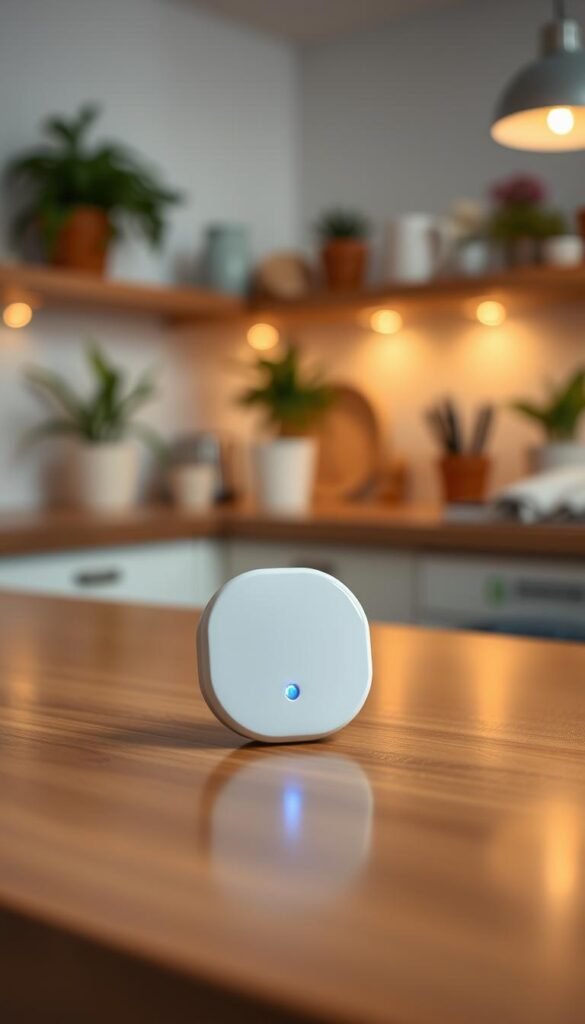
Water prevention is boring but brilliant. GoveeLife Wi‑Fi leak detectors use a gateway and slim sensors you place under sinks, behind washers, and near water heaters. Good placement matters—put sensors at floor level where water pools first.
Smoke and CO alerts you can trust
Kidde smart smoke and CO alarms send phone alerts when you’re away. That means you get an immediate notice and can call a neighbor or landlord. Test the alerts and pair them with your main app for reliable notifications.
Quieter cooling for apartment nights
The GE Profile Clearview window AC focuses on lower noise and steady power use. In small homes, quieter operation at night keeps sleep intact and reduces complaints in shared buildings.
Air purifiers: quiet vs filter costs
Dyson Big+Quiet offers strong filtration and low noise but expect higher filter costs and periodic replacements. Lower‑cost models save up front but need filters swapped more often and can draw similar energy.
„Prevention saves money and stress—buy one reliable detector before any extras.“
Simple maintenance plan: test alerts monthly, replace batteries on schedule, and calendar filter changes. For a deeper safety roundup, see this safety essentials guide.
Daily electronics upgrades that make old tech feel new
A simple streaming stick can refresh an old TV and cut the friction of your evening video routine. Small swaps like this modernize your setup fast and keep counters clear.

Streaming made simple
The Amazon Fire TV Stick 4K is an easy upgrade. It gets newer apps and smoother playback on older sets. The Google TV Streamer (4K) does the same and can act as a smart home hub with Matter/Thread support, according to The Verge.
Wi‑Fi that keeps everything stable
Most failures are network problems, not the devices. A mesh router like Eero 6+ cuts dropouts and keeps video and voice control working across rooms. It really is a set‑and‑forget upgrade for your home system.
Three simple routines you’ll actually use
- Good night: lights off, temp tweak, lower volume.
- Leaving home: selected devices off, lock doors, arm security.
- Cooking: kitchen lights on and a timer pushed to your phone.
Keep restraint: build one routine per problem. Too many rules make the system break when one device drops. These upgrades are renter‑friendly and portable, so they move with you and keep your home tech feeling new.
Conclusion
Aim for a single-room win first: pick two products that remove a daily friction point and prove they save you time.
Focus on compatibility, space, and noise. Match a product to your voice platform, reserve a tidy spot for it, and avoid noisy motors at night.
Favor one main app. Fewer apps keep the system reliable. Start with plugs, lights, and one safety sensor for water or smoke to see real value.
Keep expectations low on hype. These products need occasional upkeep, but the right choices deliver long-term peace of mind and better home routines.
Next step: pick one room, one routine, and two renter-friendly products you can pack and take with you when you move.