
You want practical upgrades that improve daily life in a small space without risking your deposit. This guide shows a simple renter tech mix you can add and remove with no wiring or drilling.
You’ll get ten easy picks: smart bulbs, smart plugs, DIY safety alarms, basic cameras, doorbell cameras, and one voice hub. Each item focuses on energy savings, safety, and fit for tight rooms in apartments.
I’ll be honest about setup difficulty and upkeep. Expect clear pros and cons, real-life use cases, and what to expect after a week of living with these devices.
You’ll learn how each choice affects space needs, noise, and power use. I’ll flag when you should check building rules or loop in property management to protect your rental agreement.
This is about value and reliability, not flashy automation. Use these picks to make your home safer, more efficient, and easier to live in today.
Key Takeaways
- Practical setup: Easy-to-remove devices that don’t alter wiring.
- Top priorities: Energy savings, safety, and small-space compatibility.
- Real checks: Expect notes on space, noise, and power for each pick.
- Honest review: Pros, cons, and a realistic first-week experience.
- Lease-aware: I’ll flag times to contact your landlord or management.
How to choose renter-friendly home tech for small apartments
Opt for removable, low-power devices that solve practical problems in tiny homes. Keep choices simple. Prioritize energy savings, safety, and easy removal when you move.
What “renter-friendly” really means in a rental
Removable, battery or plug-in options are best. Avoid anything that needs hardwiring, drilling, or alters a doorframe.
Smart bulbs screw in like normal bulbs. Smart plugs work with a smartphone and an empty outlet. DIY security kits dismantle quickly.
Apartment reality check: space, noise, and power
Measure outlet spacing and shelf space before you buy. Small apartments tolerate only compact devices.
Be honest about noise. Sirens and base stations can be loud. Voice assistants may respond at odd hours if not muted.
Know power tradeoffs. Cameras and smart speakers draw a small constant current. Battery doorbells and detectors save on wiring but need periodic battery changes.
Compatibility basics and deposit-safe setup
Check Wi‑Fi where the device will sit. Decide if you want Alexa or Google control and limit the number of separate apps to avoid headaches.
- Adhesives rated for walls over nails or screws.
- No cables across walkways; keep cords tidy.
- Ask landlords if alarms or loud sirens could be a problem; some cities require permits for certain alarms.
Common mistakes and property considerations
Don’t buy the cheapest device that needs an extra hub you won’t keep. Avoid blocking the second outlet. Tell your landlords if a siren might trigger complaints.
Shared buildings and common hallways affect placement and notification settings. When in doubt, check property rules first.
| Need | Recommended option | Power | Deposit impact |
|---|---|---|---|
| Lighting | Smart bulbs (screw-in) | Low, only when on | None |
| Appliance control | Smart plug (single outlet) | Trickle power when idle | Minimal — avoid blocking sockets |
| Security | DIY kit, battery sensors | Battery or low USB | Removable, low |
| Monitoring | Indoor camera / battery doorbell | Continuous or battery | Low if not hardwired |
Real benefits: what this renter tech mix actually improves day to day
A few practical devices can save you time, money, and hassle day to day. These picks focus on energy, safety, comfort, and calmer shared spaces.
Lower energy use with schedules and cutting standby power
Smart plugs and outlets let you set schedules for lamps, fans, and appliances. You can stop paying for standby power that sneaks into bills.
Real life: set lights and a fan to shut off at night. Over weeks and months, that adds up to saved money without changing wiring.
Safety upgrades you can take with you when you move
Battery smoke alarms and DIY security kits give phone alerts and easy removal. That means improved safety now and portability when you change rental homes.
Note: some devices need periodic battery swaps and occasional app checks.
Comfort and convenience in tight spaces without remodeling
Smart lighting scenes, timers for cooking, and a scheduled fan make small rooms work better. You get comfort without new outlets or drilling.
Peace of mind in busy apartment hallways and shared buildings
Doorbell cameras and indoor cams reduce the “who’s there?” stress. Tune notifications so your phone isn’t buzzing every delivery in a crowded hall.
Data matters: check whether clips stay local or go to the cloud and understand retention before you rely on recordings.
- Schedules save energy and stop wasted standby power.
- Portable safety devices travel with you and cut false-alarm hassles.
- Comfort features work without remodeling or long-term changes.
- Camera alerts ease hallway stress but need careful tuning and privacy checks.
Be honest about tradeoffs. More devices mean more batteries, app permissions, and a small always-on draw. In many cities and markets, renters stay for years, so these portable upgrades can pay back over days, months, and years if you use them right.
The best renter-friendly tech picks for kitchens, cleaning, and smart home basics
Pick a few portable upgrades that solve real kitchen and cleaning pain points without altering the space. These choices focus on easy setup, low power draw, and simple upkeep.
Smart bulbs that don’t need wiring
WiZ 60W A19 Color gives 800 lumens and circadian modes for morning and evening routines. It screws in like a normal bulb, so there is no drilling. Pro: bright enough for kitchen tasks. Con: color features are optional for many people.
Plugs and power strips for appliances
Use a Kasa EP10 for a coffee maker schedule and a Kasa HS300 power strip to control several devices. Individual outlet control cuts standby power and fits tight spaces.
DIY security kits and smart smoke
SimpliSafe or Abode include door/window sensors and motion detectors. Setup is moderate but doable. For smoke, Nest Protect (battery) warns with voice prompts and app silencing to reduce false alarms.
Cameras, doorbells, and a simple hub
Eufy Solo IndoorCam C24 fits on a small shelf for pets and packages. Eufy 2K Battery doorbell lasts ~4 months and stores locally. Add an Echo Dot 5th gen as a hands-free controller, but expect another always-on device.
Locks and smart outlet habits
Smart locks only make sense if landlords allow them and you can restore the original lock. Small habits—scheduled charging and shutting entertainment outlets at night—save power without extra gear.
- Setup difficulty: mostly easy; some moderate steps for kits.
- Space & power: pick compact models and note continuous draws.
- Maintenance: swap batteries, check apps, and tune notifications.
Budget vs premium picks: where to save money and where to spend
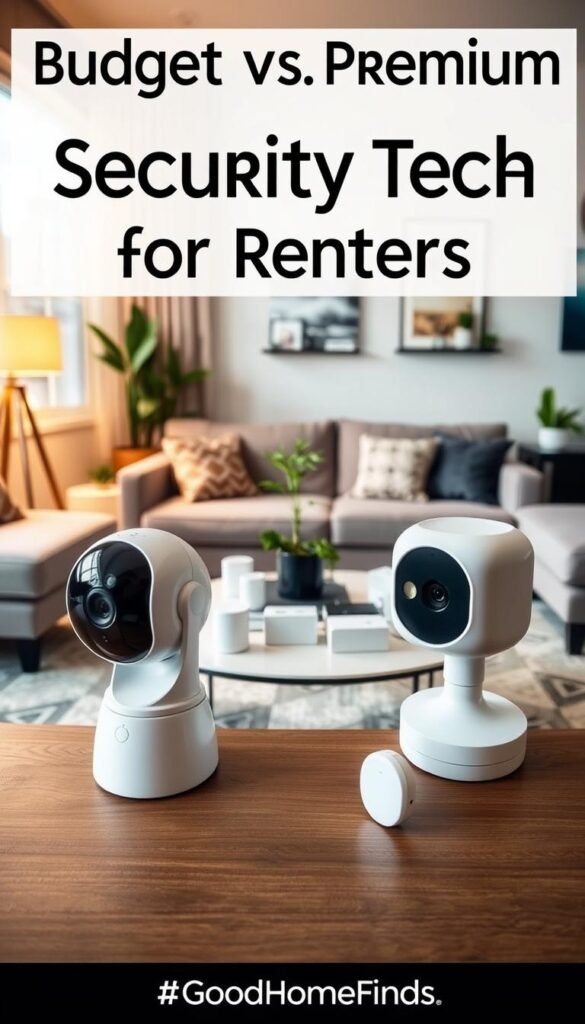
A clear budget rule helps you get real value without overspending on features you won’t use. Spend less on items you can easily replace. Spend more on core safety and reliable sensors that you depend on when away or asleep.
Lighting and plugs: affordable wins with strong everyday value
Budget bulbs and plugs usually work fine if they stay stable on your Wi‑Fi. The real savings come from using schedules you actually keep.
Safety and security: when paying more buys reliability
Premium models like Nest Protect or a SimpliSafe sensor often cut false alerts and give clearer warnings. That reliability matters at night or when you are out of town.
Cameras and storage: local recording vs paid cloud plans in real life
Local recording (microSD or base station) keeps your clips when Wi‑Fi dies and lowers ongoing costs. Cloud plans add convenience but add monthly fees and more data stored off-site.
Note: Eufy offers local 2K microSD and a low-cost cloud option. Check clip lengths and gaps before you buy.
Smart speakers: budget models that still support most devices
Cheap speakers control most systems and save money. Pay more only if you need better microphones or stronger sound in a noisy kitchen or small living room.
- Simple rule: spend on safety, save on bulbs and plugs.
- Remember subscriptions and monitoring can turn a cheap buy into a yearly cost.
- Common mistake: people buy premium features they never use or cheap cameras that force expensive subscriptions.
- Tie choices to your property: owners and landlords care about false alarms and hallway privacy; better sensors reduce friction.
Who needs this and who can skip it
This section helps you decide who truly benefits from portable upgrades and who should hold off.
Who should buy
Yes: people in small apartments, studios, or older buildings with limited outlets. These homes gain most from screw-in bulbs, smart plugs, and battery sensors.
Also: roommates, frequent travelers, and pet owners. Shared schedules, package alerts, and pet checks are practical wins if everyone agrees on placement and notifications.
Who might skip
If your building already has robust, building-provided security or monitored smoke systems, you may not need more devices. Also skip a big setup if you hate managing apps, batteries, or multiple logins.
When to involve landlords and management
Tell your landlords or property manager before adding anything visible from a shared hallway, swapping locks, or installing devices that could trigger alarms. Get written permission for doorbell placement or permanent changes.
Privacy and shared-space realities
Be careful with cameras in common-view areas. Data about footage storage matters. In shared buildings, confirm where clips live and who can access them.
- Market signals: Schlage data shows strong interest — many renters value smart features — but your first goal is a practical, lease-safe setup.
- When in doubt, talk to your landlord and keep devices removable and noninvasive.
Setup time, maintenance, and what to expect after the first week
Get realistic about the first few days. Quick installs will have basic functions running in minutes, but expect a few adjustments as you learn how each device behaves in your space.
Quick installs you can do in minutes
Smart bulbs screw in with no tools. Smart plugs only need an empty outlet and a smartphone to set a schedule. Test Wi‑Fi reach, voice control, and clear device names right away so you can find them later.
Moderate setups that need careful placement and testing
Sensors, cameras, and doorbells need thought. Place motion sensors away from direct sun and busy hallways to cut false alerts. Aim doorbells at the door, not at the street, to reduce constant notifications.
Maintenance you’ll actually deal with: batteries, updates, and permissions
Expect battery swaps every few months for a busy doorbell (Eufy lasts ~4 months). Smoke alarms like Nest Protect offer self-checks and low-battery notices to reduce late-night chirps.
Firmware updates sometimes change settings. Review permissions and app access so your data stays under control.
Noise and placement tips for small apartments
An 85 dB alarm is intense in a studio. Test volume, and place speakers where they can hear voice commands without blasting neighbors. Avoid pointing cameras at mirrors or windows; reflections trigger motion clips.
Common mistakes: skipping device tests until an emergency, mounting a camera too high or low, and enabling every notification so your phone fills with alerts. Make a few changes in the first week. After that, systems usually settle into useful, mostly invisible routines.
Conclusion
Wrap up with a practical plan to add devices that save energy and boost safety without permanent changes.
Start small. Pick a few items that solve daily problems first: smart bulbs, two smart plugs, and a battery smoke detector like Nest Protect. Test them for a week before expanding.
Be renter-safe, keep original hardware, and avoid drilling unless your landlord approves. Portable DIY systems travel with you and limit deposit risk.
Match choices to building rules and neighbor privacy. Check cloud fees, battery costs, and clip storage so long-term costs match your budget.
When you buy with purpose, your setup will save energy, improve safety, and last for years. Ignore noisy trends today and stick to what works in your home and rental.


