Practical, renter-friendly advice on using compact devices to make apartment life easier. This guide focuses on what actually fits your space, not a flashy remodel. You will get clear rules for choosing gear that saves time, cuts waste, and respects landlord limits.
Smart gadgets can add convenience with sensors, schedules, and remote control. They work best when you pick items that match your routines and outlets. I will weigh energy use, noise, space needs, and compatibility with Alexa or Google.
You’ll see budget picks and premium options, with honest pros and cons. I will also note maintenance after the initial excitement fades. If a product creates clutter, demands constant upkeep, or forces a subscription, it may not be worth it.
Key Takeaways
- Look for compact, practical devices that fit apartment living.
- Prioritize power use, noise, and compatibility before buying.
- Choose renter-friendly setups that need no permanent changes.
- We compare budget vs premium where it matters.
- Avoid items that add clutter or ongoing costs.
What to look for in apartment-friendly gadgets
Start with practical questions: where the gadget will sit, what it draws from the outlet, and how you will keep it working. This keeps purchases useful instead of clutter.
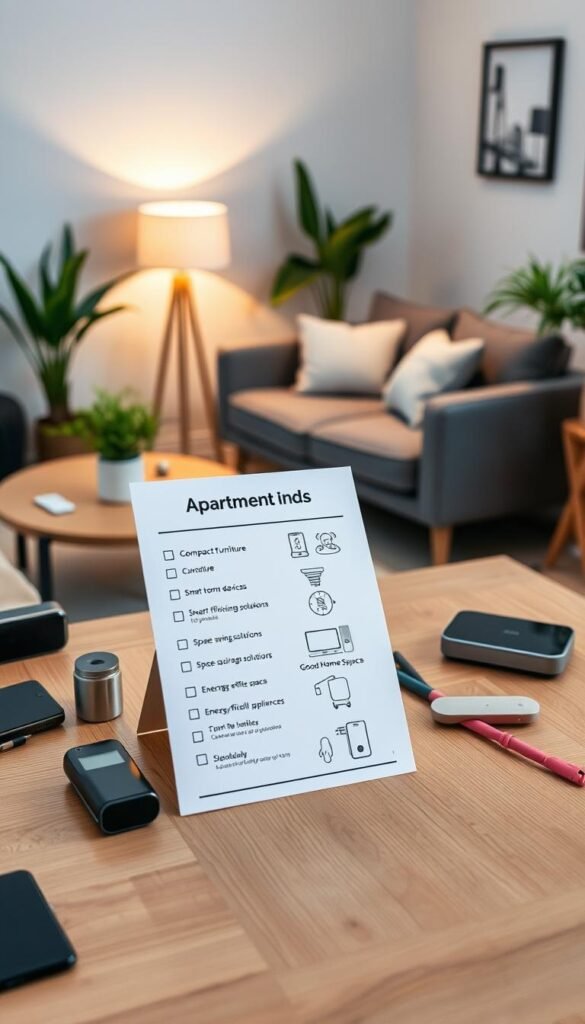
Apartment-friendly checklist
- Measure the device footprint and height.
- Check outlet access and cord routing.
- Test Wi‑Fi strength where it will live.
- Confirm app and voice platform support (Alexa or Google).
- Estimate recurring costs: filters, batteries, cloud fees.
Key considerations
Space and room fit: Note floor footprint, wall-mount options, and whether it blocks drawers or the second outlet.
Power basics: Heating, cooling, and always-on screens use the most energy. Sensors and bulbs use far less. Use schedules to cut waste.
Noise at night: Purifiers, fans, vacuums, and some cameras can travel through shared walls. Plugs, bulbs, leak sensors, and thermostats are usually silent.
Compatibility and maintenance: If you use Alexa or Google, prioritize devices that support your system today. Confirm smartphone control works when you’re away. Count filter swaps, batteries, and simple cleaning into your decision.
| Concern | What to check | Why it matters |
|---|---|---|
| Space | Footprint, wall mount, cord path | Prevents blocked drawers and lost outlets |
| Power | Wattage, standby use, scheduling | Keeps energy bills predictable |
| Noise | Decibel level, night mode | Avoids neighbor complaints and sleep disruption |
| Compatibility | Voice platform, smartphone app | Ensures easy use and remote control |
| Maintenance | Filters, batteries, subscriptions | Stops forgotten chores and surprise costs |
Practical rule: If setup needs drilling or rewiring, treat it as a planning purchase — not an impulse buy.
Real benefits you can expect from small home tech
Here are the measurable ways modest devices can cut waste, save minutes, and boost comfort. This is practical, renter-friendly advice with realistic outcomes you can test in daily routines.

Energy savings without changing your whole routine
What it does: A smart thermostat, when programmed, can trim about 10% off energy bills.
This is worth it if you want lower utility bills with simple schedules and no behavior overhaul.
Everyday time savings in the kitchen and cleaning
Voice timers, recipe displays, and robot vacuums shave routine minutes each day. Automations like „start the vacuum at 11am“ remove decision friction.
This is worth it if you value regained minutes and cleaner counters with less effort.
Safety upgrades for renters and small households
Leak detectors, smart locks, and basic cameras catch problems early without drilling or rewiring. Alerts let you act fast and avoid bigger damage.
This is worth it if you want added security and peace of mind without a full renovation.
Comfort wins: light, temperature, and air
Smart bulbs create scenes that make a room feel larger. Temperature schedules stop night-time swings. Air monitors tell you when to ventilate.
This is worth it if you want better daily comfort and simple control over light, temperature, and air quality.
- Set realistic expectations: Small habit changes and schedules deliver the best results, not nonstop app-checking.
Who needs this (and who can skip it)
The right devices solve real problems, not just add another app to your day.
Renters vs homeowners: If you rent, favor plug-and-play options. Pick plugs, bulbs, speakers, sensors, and many video doorbells that mount without drilling. Things that often need permission include thermostats, hardwired cameras, and wall heaters.
Busy lives and travel
Remote alerts matter when you travel. Smart doorbells help with deliveries. Leak detectors can stop costly water damage by alerting you early. Remote control of temperature and locks is a real win.
Allergies, pets, and smoke-prone cooking
Air monitoring and purifiers are daily-use items for allergy or pet sufferers. In tight kitchens where smoke lingers, an air monitor gives notice before odors or alarms become problems.
Limited storage and practical picks
Choose gear that wall-mounts, folds, or replaces multiple things. A stick vacuum or compact air fryer can free up storage space.
- Quick decision help: If you value simple routines and dislike apps, buy fewer devices.
- Who can skip it: If you never cook, don’t pay utilities, and are always home, many monitoring and energy upgrades won’t pay back soon.
Want a renter-focused checklist? See this renter setup comparison for clear options and permission tips.
Smart speakers and displays as your “control center”
Treat a voice speaker or smart display as your central remote for lights, plugs, and routines.

Why start here: A single speaker or screen saves time. You won’t need your phone to run timers, check cameras, or trigger scenes. For a renter, that practical control beats adding another device to the counter.
Budget pick: Google Nest Mini
The Nest Mini is cheap, has decent sound, and a wall-mount notch that clears counters. It works best if you already use Google Home and prefer simple voice commands.
Premium pick: Amazon Echo Studio
Echo Studio delivers room-filling sound so one speaker can replace many. It reduces clutter but needs shelf space. Note Alexa Plus is free with Prime; otherwise expect about $20/month.
Kitchen-friendly upgrade: Echo Show or Nest Hub Max
These displays show timers, step-by-step recipes, and live video from supported doorbells or cameras. They keep your hands free while you cook and act as a visible control panel.
Privacy and subscriptions: Use the physical mute button and place units away from bedrooms if you’re sensitive. Buy hardware for today’s features, not promised AI upgrades like Gemini or other subscription tools.
| Option | Best use | Notes |
|---|---|---|
| Google Nest Mini | Daily voice control | Budget, wall-mount, Google ecosystem |
| Echo Studio | Music and one-speaker setup | Powerful sound, larger footprint, Alexa compatibility |
| Echo Show / Nest Hub Max | Kitchen display and video | Recipe display, camera feeds, hands-free timers |
Lighting that saves energy and makes a small space feel bigger
Smart bulbs are an easy swap that deliver big comfort and efficiency wins. They are renter-friendly, low-clutter, and affect daily life every day.

Smart bulbs for apartments: easy swaps, big impact
Use schedules to brighten mornings and dim nights. That prevents leaving lights on and saves energy. Schedules also create routines like a gentle wake-up or an automatic lights-off from bed.
Premium option: GE Cync LED floodlight bulb
GE Cync fits flood fixtures and the kitchen, offers four-quadrant color control, and works with Google and Alexa. The app is user-friendly. Be honest: it’s pricey for one bulb.
Real use cases and setup
Wake-up routine: Gradual brightening for a calm start. Movie night: Dim to warm tones. Lights off from bed: One voice command or tap saves hassle.
- Space and setup: Check A19 vs flood before you buy and keep a spare standard bulb if you move.
- Pros: Fast impact, low maintenance, visible design upgrade.
- Cons: Mixed-brand apps can feel clunky and Wi‑Fi hiccups happen in older buildings.
For more renter-friendly ideas and practical options see this problem solver mix.
Smart plugs and outlets for quick wins (especially on a budget)
If you want budget wins that move with you, smart plugs are the best place to start. They are cheap, portable, and give instant automation with almost no setup.

Top budget pick: TP‑Link Kasa Mini is an affordable entry. It offers flexible scheduling, timers, and works with Alexa and Google. It won’t block the adjacent outlet, which is a big plus in tight spaces. It is not HomeKit compatible.
Power and energy basics
Standby power adds up. Many chargers and screens sip power all day. Use schedules to cut that waste without changing habits.
Worth scheduling: lamps, fans, safe coffee makers (only if manufacturer allows), and chargers. Don’t automate devices that are unsafe to run unattended.
Space and outlet fit
Bulky plugs or power bricks can block the second outlet and create a tangle. Measure the outlet area before you buy if you use wide adapters or multi‑outlet strips.
„Label each plug in the app by room so moving day doesn’t turn into a guessing game.“
Pros, cons, and quick setup
- Pros: Fast setup, low cost, portable, strong value for energy savings.
- Cons: Relies on Wi‑Fi, not HomeKit compatible for Apple-only systems, some models can be bulky.
- Quick setup: Plug in, install the app, name the device, and add schedules or voice control in minutes.
Renter tip: Use clear room names in the app and keep a short list of which devices you automated. For more budget-friendly picks, see this best budget gadgets.
Small home tech for temperature control without wasting energy
A steady temperature in an apartment is about practical control, not gadgets for their own sake.

Set expectations: a smart thermostat is one of the best energy savers, but only if you can install and actually control the unit’s thermostat. If the building owns the system, you can’t change settings at the wall.
Premium pick: Nest Learning Thermostat
Why it works: The Nest learns schedules, offers Eco modes, and uses presence sensors to avoid heating empty rooms. Monthly energy reports show where savings come from.
Practical win: Satellite sensors help when one room runs hot and another stays cold. The up-front cost is high but can pay back over time if you control your own system.
When a smart thermostat won’t work for your unit
Some apartments use central heating or a landlord-controlled thermostat. Confirm permission before buying. If you can’t replace the wall device, a thermostat won’t help you save.
Noise reality: what’s silent vs what hums
The thermostat itself is silent. The noise comes from the gear it controls — HVAC compressors, window ACs, fans, or space heaters.
Plan for night comfort and shared walls. Avoid loud units near bedrooms.
„A smart thermostat saves energy only when it’s actually in your control.“
| Option | When to pick | Notes |
|---|---|---|
| Nest Learning Thermostat | You control the wall thermostat | Schedules, presence sensors, monthly reports, satellite sensor |
| Do not install | Building controls HVAC | Get landlord approval or skip |
| Smart plugs + fan/heater | You cannot replace thermostat | Use schedules, monitor runtime, avoid unsafe unattended heating |
Maintenance & setup: Installation takes some wiring work. Expect time to train the Nest and to read monthly reports. If you can’t install, use smart plugs with fans or approved portable heaters and run schedules to cut all-day runtime.
Safe, space-saving heating for small rooms
Heating a tight room needs balance: fast warmth can mean big bills and wasted energy. You feel temperature swings sooner, and running a heater all day drives costs up.
Why wall-mounted matters: A mounted unit clears floor space and cuts clutter. It also keeps a heater off rugs and furniture, which lowers fire risk compared with many portable units.

Premium option: Boldr Kelvin smart radiant wall heater
The Boldr Kelvin is a radiant, wall-mounted heater with app timers, automations, and voice control for Alexa and Google. It reduces floor clutter and offers energy management tools through its app.
Pros and cons
- Pros: Wall design saves floor space, lower fire-risk than many space heaters, schedules and timers to limit runtime.
- Cons: Higher purchase price, permanent install that needs landlord permission, and radiant heat takes longer to feel than fan heaters.
- Night note: Radiant heating runs quietly, so it avoids the fan hum that wakes people at night.
Installation and renter planning
Plan placement where the unit won’t block furniture or outlets. Get written permission if you rent. Hire a qualified installer and factor installation into the total cost.
Energy use tips
Use schedules to preheat before you wake or return. Avoid all-day heating unless you accept the higher bills.
„Schedule-based heat beats continuous runtime for both comfort and cost.“
| Consideration | Practical tip | Why it matters |
|---|---|---|
| Wall location | Pick an exterior wall away from upholstery | Improves heat distribution and safety |
| App control | Use timers and away modes | Cuts wasted energy when no one is home |
| Move frequency | Renters: consider portable options if you move often | Permanent installs reduce flexibility |
Air quality and air purifiers that won’t dominate your floor space
Know your apartment’s air patterns first; then pick a purifier that fits. In tight units, air changes quickly. A monitor gives clear data on CO2, humidity, and temperature so you stop guessing.

Portable monitoring: a practical first step
SwitchBot air quality monitor tracks CO2, humidity, and temperature. It’s portable, works with or without the app, and sends alerts. It typically costs over $50. Use it for brief checks rather than living in the app.
Purifier buying checklist
- Footprint: Where the unit sits matters more than looks. Measure floor space before you buy.
- Filter cost: Check replacement prices and frequency. Filters add ongoing expense.
- Night noise: Verify sleep mode decibels so it won’t wake you at night.
„Monitor first. A quick kitchen test can save you from buying a unit you don’t need.“
Real use case: gas cooking
Place the monitor in the kitchen while you cook. High CO2 or spikes during cooking mean open a window, run the hood, or add a purifier. Monitors are low-space and nearly silent. Purifiers can be bulky and run constantly.
| Item | Why it matters | Practical note |
|---|---|---|
| SwitchBot monitor | Shows CO2/humidity/temp | Portable, alerts, ~ $50+ |
| Compact purifier | Helps dust/allergies | Check filter cost and sleep noise |
| Placement | Airflow > aesthetics | Avoid hiding behind furniture |
Water safety in apartments: leak detectors that prevent expensive damage
Water damage spreads fast in apartments. An early alert can stop a mess before it hits your ceiling or a neighbor’s unit. That makes leak detection a renter-friendly, practical buy.
Compact pick: The Eufy leak detector is small, fits under sinks and behind appliances, and sends quick app alerts. Some models also trigger a local siren and detect freezing conditions.
Where to place sensors
- Under the kitchen sink
- Behind the bathroom sink
- Behind the toilet base
- Behind washer or dishwasher hookups
What you get and what it costs
What you’re paying for: instant phone notifications, optional audible alarm, and the chance to act before flooding or mold. One sensor often costs far less than a single repair claim.
Maintenance and compatibility
Expect roughly a two‑year battery life in typical use. Test alerts monthly so you don’t discover dead batteries after a leak. Some Eufy models require a HomeBase for full system features. Confirm compatibility with your app and any hub before buying.
„A slow drip while you’re away can become a major claim. A timely alert lets you call a neighbor or building staff and avoid costly damage.“
Renter-friendly setup: No drilling, no plumber, and portable when you move. Install takes minutes and gives long-term protection with minimal upkeep.
Apartment security basics that don’t require a full renovation
Security in an apartment should focus on deterrence, clear alerts, and tools that move with you. Pick gear that gives visibility and notifications without drilling or rewiring. Battery-powered and plug-in options are the best renter-friendly choices.
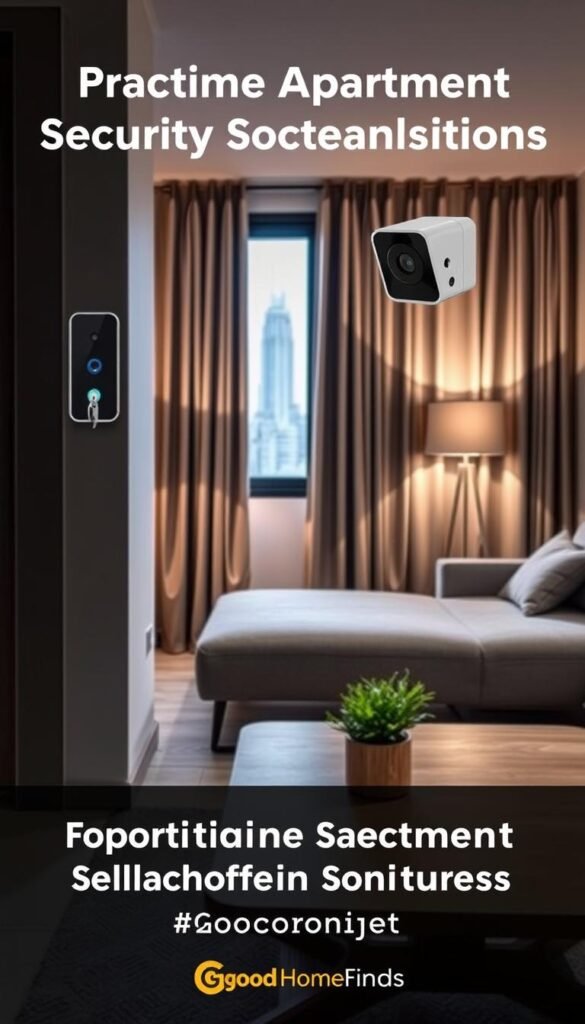
Video doorbells
Arlo 2K Video Doorbell is a strong value. It offers a 180° head-to-toe view and a built-in siren. Expect to pay for Arlo Smart (around $3/month) to unlock cloud storage and advanced alerts.
Other compact options may include cheaper units with limited field of view or paywalled features. If you rely on recorded clips, factor subscription costs into the total.
Outdoor cameras
Arlo Pro 6 delivers 2K clarity and smart detections but typically needs a subscription (around $8/month) for cloud storage and advanced AI features.
Eufy S330 Floodlight Camera avoids monthly fees and offers 3,000 lumens and AI tracking. It must be hardwired. That gives no-subscription storage but requires landlord permission and dimming to avoid upsetting neighbors.
DIY security kits
Ring Alarm Kit is a practical foundation. An 8-piece kit runs about $300 and gives coordinated sensors, alarm, and optional cellular backup. Subscriptions add features and cloud storage from $5–$20/month.
Smart locks and the Wi‑Fi module catch
Yale offers keypad, app, and key access. Remote control usually needs a separate Wi‑Fi module. Budget for that module if you want smartphone access or guest codes when you’re away.
Noise, privacy, and neighbor concerns
Sirens, floodlights, and motion alerts are useful deterrents. But they can annoy neighbors if not tuned. Set motion sensitivity, schedule active hours, and dim floodlights so you don’t light up shared corridors.
„Choose devices that protect you without creating constant alerts or neighborhood complaints.“
| Device | Install | Subscription | Renter fit |
|---|---|---|---|
| Arlo 2K Doorbell | Wired or adapter | Arlo Smart ~$3/mo | Good; compact |
| Arlo Pro 6 | Battery or wired | Advanced features ~$8+/mo | Premium, needs subscription |
| Eufy S330 Floodlight | Hardwired | No subscription | No monthly fees, needs permission |
| Ring Alarm Kit | Plug and mount | $5–$20/mo for extra features | Strong starter system |
| Yale smart lock + Wi‑Fi module | Deadbolt swap | Module adds remote access | Budget for module |
- Maintenance: Track battery levels, firmware updates, and local storage versus cloud options so you don’t end up with unused devices.
- Privacy: Place cameras to avoid neighbors’ windows and review app permissions and sharing settings.
- Further reading: For low-cost security ideas see this inexpensive security tips and storage tradeoffs at storage cheap vs premium.
Kitchen tech that earns its counter space
Treat the counter as premium real estate. A new appliance should replace two or more tools or save you time several days a week. If it doesn’t, skip it.

Air fryers: one device that often replaces many
Why they work: Air fryers crisp, reheat, and roast without multiple pans. They cut cooking and cleanup time and can replace a toaster oven and a shallow fryer.
Note: They still need storage and decent ventilation after greasy use.
Tabletop dishwasher: when it saves time — and when it’s too big
Choose a tabletop dishwasher if you lack a built-in unit, you cook often, and your sink is small. It saves time on handwashing and reduces water use for heavy loads.
Too big if: counters are very limited or hookups are awkward. Then it becomes a bulky box you rarely use.
Compact cooktops and hot plates
Portable cooktops wipe clean fast and tuck away. They are perfect when you want fewer pots and faster cleanup.
Power planning and maintenance
High-watt cooking devices can overload circuits. Avoid sharing an outlet with a heater or multiple chargers. Plan outlets and test circuits before you buy.
Maintenance: Wipe grease after each use, empty crumb trays, and replace filters as directed so the device stays in rotation.
„A counter item earns its place when it saves you time regularly.“
For reliable countertop picks and comparisons, see this favorite countertop appliances.
Cleaning gadgets that store well and actually get used
The best cleaning device is the one you can grab in under 30 seconds. If it hides away on a wall mount and charges there, you will use it more. That beats a flashy model that lives in a closet.
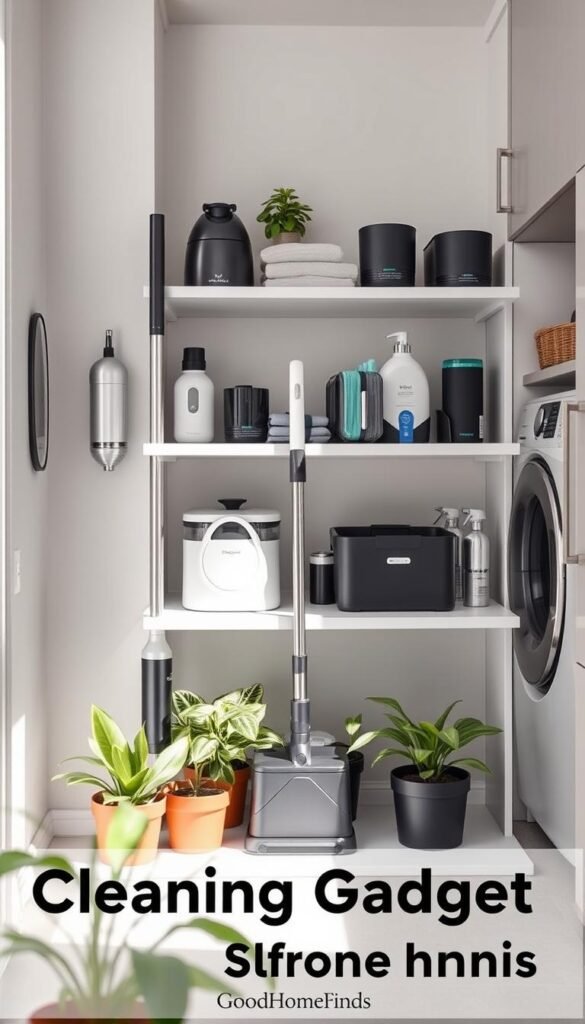
Premium pick: The Miele cordless stick vacuum pairs cordless convenience with a wall-mounted dock. It clears floor and closet space and offers HEPA filtration that captures 99.99% of fine particles. For allergy sufferers, that filtration is a real daily win.
Noise: when to run loud cleaning in shared buildings
Loud cleaning is best during reasonable hours. Aim for mid‑day or early evening on weekdays. Avoid running a full, noisy session late at night.
Do quick 2–3 minute passes after meals. Short routines reduce the need for a long, loud clean once a week.
Upkeep and battery lifespan
Expect to empty the bin after heavy use and rinse filters monthly. HEPA filters may need replacement per the manual.
Batteries lose capacity over years. A typical cordless battery fades after a couple of years of daily short runs. That looks like shorter run time and slower suction on hard jobs.
Practical routine and an honest alternative
Daily: 2–3 minute kitchen sweep. Weekly: one deeper vacuum session. Spot clean after cooking or guests.
If the premium price isn’t worth it, pick a lighter upright or stick that stores upright in a closet. You still win on daily use if the device is easy to grab and return.
| Feature | Miele cordless stick | Lightweight upright stick | Why it matters |
|---|---|---|---|
| Storage | Wall-mount dock | Upright stand or slim closet | Saves floor space and makes daily use easy |
| Filtration | HEPA 99.99% | Standard filter | Better air quality for allergy sensitivity |
| Noise | Moderate | Often quieter | Choose timing to avoid disturbing neighbors |
| Battery life | Strong; fades after ~2 years | Varies; often replaceable | Plan for gradual capacity loss |
„A tool you use every day is worth more than the most powerful model you never touch.“
Daily electronics that reduce clutter in small homes
Daily devices are the quiet culprits of clutter — cords, chargers, and stray gadgets pile up faster than you expect. Tidy living starts by treating electronics as furniture: decide where they live, not where they land.

Charging stations to stop cable sprawl
Pick one dedicated spot for phones, earbuds, and watches. A simple dock prevents devices from migrating across every surface.
Practical checks: verify outlet access and cord length before you buy. Short cords or blocked outlets defeat the best dock.
- Pros: centralizes charging, trims visible cords, speeds grab-and-go routines.
- Cons: needs a good outlet and clearance; bulky bases can take counter space.
E-readers for space-saving storage: Kindle vs paper stacks
Kindle holds thousands of books and removes heavy shelves from your moving list. It saves storage and is easy to carry.
Paper books feel better to some readers and can be decor. But physical stacks need real shelf space and dusting.
- Worth it test: If you own more than a dozen unread books, an e-reader pays for itself in saved shelf space.
Smart mirrors and displays: useful or just more “stuff”
Smart mirrors can show weather, calendar items, or timers. But they add another screen to manage.
Use it if the display replaces a TV or doubles as an essential control surface. Skip it if you won’t check it daily.
Placement and design tips: avoid bathroom splash zones unless the unit is rated for moisture. Choose slim profiles and keep displays off primary prep counters.
“ If it doesn’t reduce clutter or replace another device, it’s probably not a good small-space buy. “
For more ideas on compact choices and space-saving picks see this space-saving gadgets.
Setup time: what you can do in minutes vs what takes planning
Knowing what you can install in minutes saves money and stress. This section maps realistic timelines so you don’t buy things you won’t set up.
Quick wins get you immediate value and control. They are renter-friendly and often reversible.
Under 15 minutes
Plugs, bulbs, speakers, and leak sensors typically pair in a few steps: plug in, open the app, name the device, and set one schedule. You get easy use and instant automation without tools.
Under an hour
Doorbells, many cameras, and simple wall mounts need more time. You may require a drill, steady Wi‑Fi at the entry, and landlord permission for any drilling. Test signal strength at the mounting spot first.
Half-day projects
Thermostats and wall-mounted heaters need planning. These involve wiring, building rules, and power checks. Consider hiring a pro if you’re unsure about the electrical system or landlord approvals.
What to measure first
Practical checklist:
- Count outlets per room and note usable plug locations.
- Check Wi‑Fi signal at doors, kitchen, and main living space.
- Measure wall space and note studs or shared‑wall concerns.
- Keep original parts (old thermostat faceplate, removed screws) so you can revert when you move.
„Set a realistic setup time before you buy. That way you actually use what you own.“
| Project | Typical time | Renter notes |
|---|---|---|
| Smart plug / bulb / speaker | Under 15 minutes | Plug-and-play, no drilling, reversible |
| Doorbell / camera / wall mount | Up to 1 hour | May need tools, check Wi‑Fi, get permission for drilling |
| Thermostat / wall heater | Half-day or more | Wiring, landlord approval, consider professional install |
For a productivity mindset that helps you plan time and focus on what matters, see this quick productivity guide.
Common mistakes that waste money (and how to avoid them)
A few predictable mistakes turn good buys into wasted spending. Catch these early and you save cash, space, and time.

Compatibility with your system
Buying a device that won’t pair cleanly with Alexa or Google costs time and function. Pick one primary platform and stick with it.
Do this: check voice and app support before checkout. If you use a particular assistant, buy within that ecosystem.
Subscription and cloud fees
Cameras, doorbells, and some assistants hide monthly fees for full features and storage. Arlo and Ring plans can add $8–$20/month.
Tip: add up 12 months of fees before you buy to see the real cost.
Noise at night
Purifiers, fans, and vacuums can be loud in a studio. Read decibel reviews and confirm a sleep mode for quiet night use.
Circuit and power limits
Avoid running high-watt kitchen appliances and heaters on the same circuit. Plan outlets and never stack power strips under heavy load.
Skipped maintenance
Dirty filters, dead batteries, and muted app alerts make safety gear useless. Schedule filter changes and test sensors monthly.
| Mistake | Typical cost impact | Quick fix |
|---|---|---|
| Ecosystem mismatch | Wasted device, return shipping | Pick one assistant; confirm support |
| Subscription creep | $100–$240/year | Calculate annual fees before purchase |
| Night noise | Reduced sleep, neighbor complaints | Check dB ratings; use sleep mode |
| Circuit overload | Tripped breakers or damage | Distribute high-watt items; avoid daisy-chaining |
| Ignored maintenance | Safety loss, early replacement | Set app reminders; test monthly |
Practical fix: start with lights or plugs. Prove daily value, then expand category by category. For renter-friendly picks and steps, see best renter finds.
small home tech: budget vs premium picks by category
Choose gear that earns counter space and monthly budget. Start with a few cheap wins, then upgrade where the payoff is clear. That keeps costs down and value high.
Best budget starters
The Kasa Mini smart plug, Google Nest Mini speaker, and basic A19 smart bulbs give fast wins. They pair in minutes, cut wasted energy with simple schedules, and rarely need subscriptions.
Best premium upgrades
The Nest Learning Thermostat adds energy reports and learning schedules that change behavior over months. A smart display (Echo Show or Nest Hub Max) makes recipes and control faster. A Miele cordless stick vacuum gives docking storage and long-term reliability.

Where premium is worth it: pick upmarket options when features deliver measurable value. Examples: energy reports that actually lower bills, cameras with clearer night video and smarter detection, and purifiers with high‑grade filters for allergies. These features pay off if you will use and maintain them.
Where budget is safer: stick with entry-level plugs, bulbs, and speakers when you move often or dislike monthly fees. Budget devices keep control simple and avoid subscription lock‑in.
„Decide before you buy if a monthly fee is acceptable long term. If it is not, favor devices that work fully offline.“
| Category | Budget pick | Premium pick | Why choose |
|---|---|---|---|
| Speaker / Control | Google Nest Mini | Echo Show / Nest Hub Max | Mini saves space; displays add recipes and visible controls |
| Plug / Automation | TP‑Link Kasa Mini | Smart plugs + hub (brand ecosystem) | Budget for easy schedules; premium for unified scenes and reliability |
| Thermostat / Energy | Smart plugs + smart fans | Nest Learning Thermostat | Premium offers reports and learning; budget is portable and renter-friendly |
| Cleaning | Basic stick vacuum | Miele cordless stick | Premium gives wall docking, filtration, and consistent use |
| Security / Cameras | Free local storage cameras | Arlo / premium video with subscription | Premium improves detection and cloud history; budget avoids monthly fees |
Shopping rule: If a device needs a subscription to unlock key features, treat that fee like part of the purchase price. Only buy it if you plan to pay it for years.
Conclusion
Practical choices, focus on a few high-ROI upgrades that fit your space and routine.
Start simple: one smart plug, one smart bulb, and one compact speaker. Use them a week and watch for real daily value before adding more.
Filter purchases by four checks: space, power cost, noise, and compatibility with your chosen app or assistant. Those keep you from wasting money and counter space.
Big wins are clear: better lights for comfort and energy, a leak sensor for water safety, and a thermostat only if you can install it. Keep kitchen and cleaning gadgets only if they cut time or clutter.
Maintain devices—filters, batteries, and app alerts—and prefer options you can take when you move. For a quick primer on connected systems see this smart home overview.