
In a small apartment, the wrong gadget costs you twice: you lose money and you lose space you can’t get back. This guide is practical and no-hype. It helps you pick tools that fit real life, not trends.
What counts as a mistake here is clear. Buying the wrong size, ignoring noise or heat, trusting “works with everything,” or forgetting ongoing costs like filters and subscriptions all qualify.
Use this simple decision filter as you read: Will this save you time, lower your bill, reduce risk, or reduce clutter in real life? We apply that to each pick.
Expect honest pros and cons, budget vs premium comparisons, and renter-friendly tips that avoid drilling or permanent wiring. You’ll get setup difficulty and maintenance reality checks.
We’ll cover kitchen, cleaning, smart-home basics, privacy, safety, and side-by-side choices so one device truly meets your needs.
Key Takeaways
- Wrong gadgets cost space and money in small homes.
- Watch size, noise, heat, compatibility, and hidden fees.
- Use a simple filter: save time, cut bills, lower risk, reduce clutter.
- Focus on renter-friendly, no-drill, low-maintenance options.
- Read clear comparisons to choose one tool that fits daily habits.
Why tech choices feel harder in a small apartment
Living small changes how every purchase behaves in your day-to-day life. A bold claim on a box can mean very different results when your living, working, and sleeping areas overlap.
Space, noise, and heat add up fast. A loud fan or buzzing motor is tolerable in a house. In a studio it feels constant. That constant noise becomes one of the main problems you notice first.

Clearance, airflow, and storage matter more than size numbers
Think beyond inches. Doors need room to swing. Devices often need clearance behind them for airflow. You also need space to store cords, filters, and accessories.
Compatibility that promises everything rarely does
„Works with everything“ often means one app, one hub, or one phone version. That creates daily friction. You don’t want three apps, three logins, and three chargers just to run basic things.
Hidden yearly costs beat the purchase price
Look at power consumption, replacement filters, vacuum bags, brushes, and subscription add-ons. The total cost over a year usually tells the real story.
Simple habit: before you buy, check replacement part pricing and availability. That keeps a device useful instead of disposable.
Real benefits: what “smart” and “new” should actually do for your daily life
Pick new devices by what they actually change in your day, not by flashy features. Real benefits save money, lower risk, or make routines easier without adding clutter or constant babysitting.

Energy savings you can see
Look for upgrades that cut your monthly bill in plain numbers. LED bulbs, programmable plugs, and smart power strips that kill standby power are renter-friendly examples.
If a device runs for hours—like an air purifier or dehumidifier—efficiency matters more than bells and whistles.
Safety improvements that matter
Pay for proven protection: reputable surge protectors, chargers with overheating shutoff, and products with clear safety certifications.
In small apartments, heat builds faster and outlets get shared. Make sure devices list safety ratings to reduce real risk.
Less clutter, fewer chargers
One combo device can replace two. A single charging station beats scattered cords.
If a „smart“ feature does not save you weekly time or cut risk, it likely isn’t worth the extra cost or another app.
- Define real benefits: save money, lower risk, or simplify daily work.
- Renter-friendly solutions: programmable plugs, LEDs, smart strips.
- Practical rule: choose simpler controls over novelty when it reduces points of failure.
Tech mistakes that waste money and space in small apartments
Small spaces magnify every purchase, so one wrong choice affects daily life.
The list below shows common errors and simple fixes. Each item has quick pros and cons you can use when shopping.
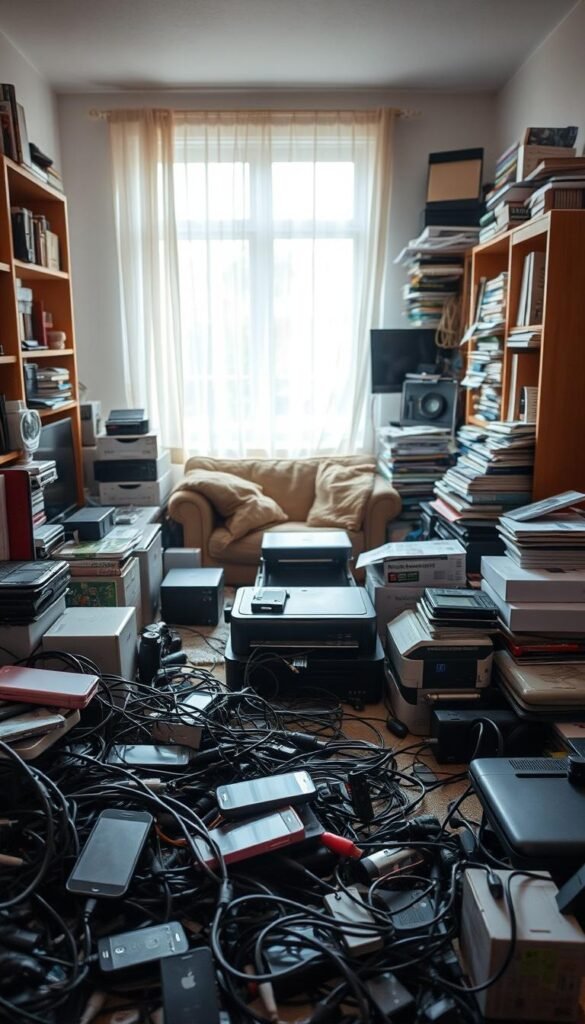
Buying oversized gadgets that don’t match your square footage
What fails: devices that block cabinets, steal counter space, or force awkward storage. You stop using them because they’re in the way.
Measurement moments: check doorway width, cabinet height, outlet locations, and where the cord will actually run before you buy.
Paying premium prices for features you won’t use
Example: elaborate modes or app-only controls that slow you down. They look neat but rarely change daily outcomes.
Budget tip: spend more for safety, build quality, or low noise. Skip bells that add subscription costs or time sinks.
Ignoring noise levels that become unbearable in close quarters
Why it matters: a fan or motor that seems fine in-store can interrupt calls or sleep at home.
„Sound ratings matter more than size in a studio — test devices at realistic volumes.“
Not checking return windows and warranty terms before setup
Don’t break down the box until you’re sure. Document the serial number and test core functions early.
Warranty reality: register on time, follow setup steps, and avoid off-brand filters or parts that void coverage.
- Quick checklist: measure space, map outlets, verify noise dB, note power draw, save receipt and serial.
- Who benefits: renters who need set-and-forget gear and anyone with limited storage.
| Issue | What to check | Quick fix |
|---|---|---|
| Oversize hardware | Door width, shelf depth, cord path | Measure, buy compact model, return if needed |
| Unused premium features | App-only controls, subscriptions | Choose manual controls or basic model |
| Excessive noise | Decibel rating, runtime in living area | Test in situ, pick quieter unit |
| Warranty surprises | Registration deadline, voiding actions | Register, keep original parts and receipt |
Kitchen tech mistakes that raise power use and frustration
Kitchen gear that fits your routine saves time, money, and counter space. Choose what matches how you cook, not what looks impressive on a shelf.
Choosing gadgets for your actual needs
If you reheat leftovers daily, pick a simple unit with fast cleanup. Heavy multi-mode ovens add features you won’t use and add clutter.
Air fryer vs toaster oven: real small-apartment tradeoffs
Footprint: air fryers are tall; toaster ovens are longer. Think where it will live and whether you’ll store it later.
Cleanup: baskets and trays collect grease. What’s “easy” once becomes annoying after a week of scrubbing.
Smart coffee makers and kettles: avoid app-only controls
App-only appliances can fail when Wi‑Fi drops. Pick models with manual buttons so you still get a hot cup without fuss.
Ventilation, heat, and smoke alarm risks
High-heat cooking spikes power consumption and can trigger alarms in small spaces. Keep broilers and searing away from curtains and low cabinets.
- Placement tip: allow clearance behind units and avoid paper or fabrics nearby.
- Budget vs premium: pay more for consistent temps and quiet fans; skip gimmicky presets.
kitchen problem tips can help you match a device to real life and avoid costly buyers‘ regret.
Cleaning gadget mistakes that create more maintenance than savings
A well-chosen cleaning device should cut chores, not create new ones.
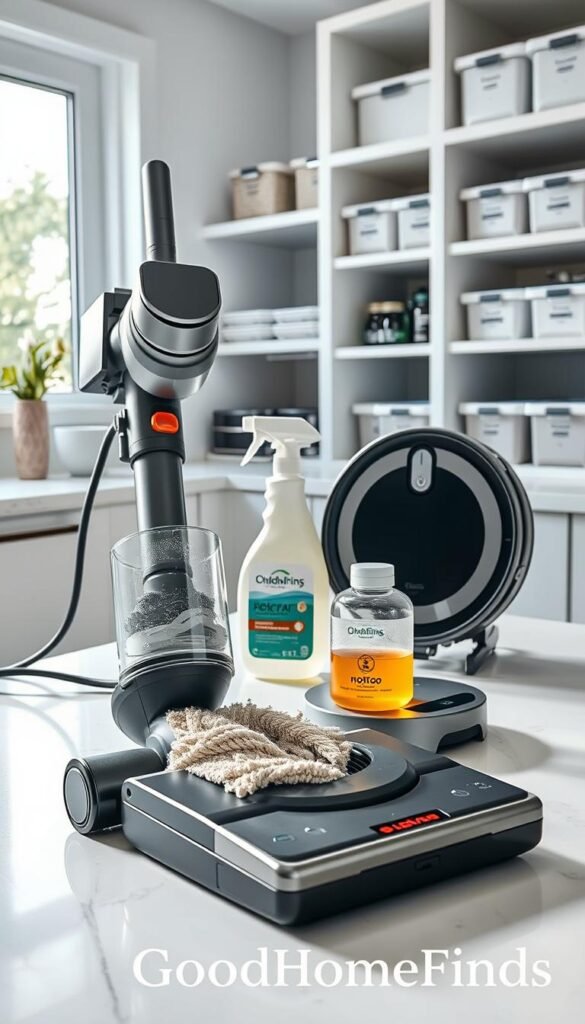
Robot vacuums help when you have mostly hard floors, few cords, and open pathways. They save you time on daily crumbs and pet hair.
When robots help — and when they don’t
They work best on hard surfaces and simple layouts. If you have narrow rugs, many chair legs, or constant floor clutter, robots get stuck or need pre-cleaning.
Stick vs canister — storage, noise, and battery realities
Stick vacuums stand up and store easily. They are quick for spot cleaning but batteries lose power over time. Canisters are louder but often stronger and last longer on heavy jobs.
Air purifiers and dehumidifiers: ongoing costs
These run for hours. Filters and replacement schedules add yearly costs. Stronger units clean faster but can be loud and use more power.
Renter-friendly upkeep routine
- Weekly: remove hair and empty bins.
- Monthly: check and clean filters.
- Seasonal: deep clean tanks and inspect batteries.
Budget vs premium: pay more for quieter fans and easy-to-find filters. Choose budget if you only need occasional spot work. For cleaning product recommendations, see best cleaning finds.
Smart home basics mistakes: security, access, and reliability
A dependable smart setup starts with simple rules you can test in an evening.
Why setups fail: weak logins, too many separate accounts, and devices that stop cooperating after updates cause the most trouble. These problems add daily friction, not convenience.
Passwords and account hygiene
Use unique credentials for each system. A single reused password exposes all linked devices.
Practical fix: use a password manager so you don’t rely on easy phrases. Enable two-factor where offered.
Share access like physical keys
Only give roommates or partners the control they need. Treat camera, lock, and assistant permissions as keys you can remove.
Audit who has access every few months and revoke quickly when living situations change.
Choose fewer brands and fewer apps
Pick devices that work together and that list confirmed compatibility in writing. Fewer apps mean fewer logins and less daily friction.
Plan for rollback and recovery
Keep manual controls and physical keys. Save device settings and note reset steps.
„Don’t update everything at once; change one item, test it, and keep a way back if it breaks.“
Update rule: apply one update, run core functions, and verify before updating the rest.
- Success = less troubleshooting, not more features.
- Test one change at a time.
- Keep a simple recovery plan and physical fallbacks.
For renter-friendly gadget picks that balance convenience and reliability, see best budget home gadgets.
Privacy and data mistakes that can follow you for years
A single account leak can turn routine details into a long-term privacy problem. Big breaches at major services show the scale: Uber’s 2016 incident, Google+ failures, and Facebook’s FTC penalty prove no one is immune.

What big-company breaches teach renters about everyday risk
Takeaway: if large companies lose information, assume ordinary accounts can be exposed too. For a renter that means your address, camera clips, schedules, and saved payment methods can reveal daily patterns.
Simple habits to reduce exposure
- Turn on account alerts and review sign-in notifications.
- Keep apps and firmware updated. Updates patch real threats.
- Remove old devices and unused apps from your accounts.
- Limit data sharing: don’t give apps always-on access to contacts, mic, or location unless needed.
Cloud vs local storage: practical tradeoffs
Cloud is convenient for backups and remote access. Local feels private but is fragile if the device dies.
Good-enough setup: keep one secure cloud backup plus one local copy of critical files like leases and IDs. That covers loss and keeps some files offline.
| Storage | Pros | Cons |
|---|---|---|
| Cloud | Easy access, offsite backup, sync across devices | Depends on provider security and internet, potential exposure |
| Local (external drive) | Quick access, no third-party access, offline control | Can fail, needs manual backups, vulnerable to theft |
| Hybrid (cloud + local) | Best redundancy, balances privacy and convenience | Requires one-time setup and occasional checks |
Email and communication matter. Treat lease papers and IDs carefully. Use providers that encrypt messages between users or consider paid tools for sensitive sends. Simple steps now save long cleanup later.
Safety mistakes with batteries, chargers, and heat-producing devices
Batteries and chargers are the hidden hazards most renters overlook until something goes wrong. In a small apartment you often charge near beds, couches, and piles of fabric. That leaves less room for heat to escape and raises the chance of a fire or device damage.
Cheap chargers and unknown brands: fire risk and device damage
Don’t buy ultra-cheap, unknown-brand adapters to save a few dollars. Low-cost units can lack basic protections and cause overheating, blow fuses, or shorten your hardware.
Practical check: choose a charger from a known maker, with solid build and safety markings.
Where not to place power strips, docks, and charging stations
Never tuck strips or docks under rugs, behind curtains, or under pillows. Those spots trap heat and block airflow.
Keep charging hubs on hard surfaces. Space devices so vents are clear and paper clutter is away.
Lessons from high-profile product failures and recalls
„Even major brands can ship dangerous failures; register products and heed recalls.“
The Galaxy Note 7 recall shows this. Phones caught fire even after replacements. That episode is a reminder: stop using suspect gear and follow recall notices promptly.
- Don’t overload one outlet or daisy-chain strips.
- Unplug high-heat devices when not in use.
- Register new batteries and chargers so you get safety alerts.
For clear guidance on safe battery handling, read the government’s advice on lithium-ion battery safety. The safest setup is the one you keep neat and ventilated every day, not just once after a deep clean.
Budget vs premium: where paying more is worth it (and where it isn’t)
A higher price only pays off when it fixes a real, recurring annoyance you face every day.
When premium helps: choose pricier gear for quieter fans, stronger hinges, safer chargers, and parts that last. Examples where this pays are air purifiers (better noise profiles and filter supply), vacuums (consistent suction and durability), and surge protectors with verified ratings.

When budget is the smarter buy
Save on simple items that do basic work well. Basic smart plugs, manual kettles, and compact speakers often meet daily needs without extras. If you don’t use advanced features, a cheap, reliable model is the better solution.
Watch subscription and add-on costs
Some devices look cheap until app features, cloud storage, or premium monitoring add ongoing services fees. Run a one-year cost check: device price + filters/bags + expected replacements + subscription fees. That gives a true yearly cost comparison.
Reality check: expensive extras are wasted if they don’t fit your routine. Different people have different needs—pets, roommates, or remote work change value. As a rule, spend on safety and low noise; skip flashy features and brand premiums that don’t save you time or reduce risk.
For spending aligned with your values, see tips for spending based on values.
Who needs this: matching tech to your apartment, routine, and lifestyle
The right setup starts with honest answers about your day and home. Start by naming what you do each day and where you spend most time. That keeps purchases practical and renter-friendly.

Busy professionals who need set-and-forget tools
If you shuffle between meetings and errands, pick simple, reliable items: a dependable coffee maker, a grab-and-go vacuum, and smart lighting with simple schedules.
Set-and-forget means minimal upkeep, easy cleaning, and no daily app babysitting.
Roommates who need shared rules for devices and apps
When people share space you need clear permissions. Decide who controls the thermostat plug, who has camera access, and how alerts are handled.
Use one household account for shared devices and a written update schedule as your basic team strategy.
Pet owners who need cleaning power without constant upkeep
For hair and mess, favor vacuums with strong brush rolls and available filters. Check filter costs and how often bins need emptying.
Schedule noisy cleaning for times that won’t interrupt calls if you work from home.
| Household | Top need | Practical pick |
|---|---|---|
| Busy pros | Low maintenance | Simple coffee maker, stick vacuum, schedule lights |
| Roommates | Shared control | Single account, clear permissions, written update plan |
| Pet owners | Hair management | Brush-roll vacuum, washable filters, easy-empty bin |
Space reality: choose slim footprints or renter-safe mounts to store gear neatly. For more on matching setups, see our renter setup comparison.
Choose your top 2 goals: lower mess, lower bills, safer charging, better sleep, or fewer app headaches. Pick them now and buy to meet those goals.
Setup time: what to expect before you buy
A few focused evenings can turn new gear into reliable everyday helpers. Plan for setup time as part of the real cost. In a small apartment you must test placement, noise, and cord routes before you commit.

Quick wins you can finish in one evening
Choose items that install fast: smart plugs, smart bulbs, basic speakers, and simple countertop appliances with manual controls. These deliver value with minimal fuss.
Weekend projects: pairing, mounting, and testing
Weekend work covers Wi‑Fi pairing, testing range, and safe cord management. If drilling is not allowed, plan for removable mounts and be honest about their limits.
Ongoing upkeep and basic troubleshooting
Support matters: clear manuals and easy replacement parts save hours. Keep passwords handy and test one device at a time so you know what broke.
| Task | Difficulty | Estimated time |
|---|---|---|
| Smart plug / bulb | Easy | 15–45 minutes |
| Wall mount / bracket | Medium | 1–3 hours (weekend) |
| Networked device setup | Medium | 30–90 minutes with testing |
Maintenance plan: weekly emptying and quick cleans; monthly filter or battery checks; seasonal deep clean for vents and tanks. Good systems and simple management keep a device working without constant babysitting.
Setup pitfalls to avoid and renter-friendly fixes are useful before you buy. For practical matching and product swaps see this home problem guide.
Common mistakes when setting up home tech (and how to avoid them)
You can buy the right device and still fail at setup if you skip a few checks. A quick setup checklist saves you time and frustration.
Skip measurements at your own risk
Measure first: door swing, cabinet clearance, outlet distance, cord length, and a reachable storage spot.
Write these numbers down. If a unit needs rearranging every time, it won’t be useful.
Test placement for noise, airflow, and Wi‑Fi
Run devices where they will live for a few hours. Test at night for noise. Check airflow for purifiers and dehumidifiers. Verify Wi‑Fi strength where you actually sit.
If a device drops signal in the back bedroom, it will feel broken, not smart.
Plan backups and simple recovery
Keep important data—photos, IDs, lease papers—in at least two places. One cloud copy and one local file is a practical solution.
Note default settings, keep spare manual controls, and write reset steps so recovery is painless.
Release ≠ success: judge by real use
„Confusing product release with product success“ — AKF Partners
Give anything two weeks. If it adds friction, eats space, or needs constant babysitting, return it while you can.
- Quick pass/fail test: saves you time, cuts clutter, and fits your daily routine.
- Smart setup tips and small-appliance placement ideas like small kitchen solutions help avoid common pitfalls.
Conclusion
Your best buys are the ones that make daily life simpler, quieter, and safer in a small space.
Core takeaway: choose devices you will use every week, not the ones with the longest feature list. Let three simple filters guide you: fit your space, fit your routine, and fit your tolerance for noise and upkeep.
Safety and privacy matter: use strong passwords, limit shared access, and pick reputable chargers and sensible placement for heat-producing electronics. Remember that even large companies can fail — past costly software errors show no provider is immune. For a deeper look at those incidents, see costly software errors history.
One practical next step: audit clutter, duplicate chargers, and unused subscriptions. Start with one high-impact upgrade — safer charging, quieter cleaning, or lower power use — and reassess after a week. Choose renter-friendly, easy-to-move gear that improves real life, not just your wishlist.


