This guide shows you renter-friendly, practical upgrades you can pack for a trip and still leave on a shelf or in a drawer for daily use. You’ll get clear picks that cut clutter, save energy where it matters, and avoid unsafe adapters or sketchy charging habits.
Small spaces change the rules. Fewer outlets, tight counters, and thin walls mean you need low-noise, compact items that play well with roommates and landlords.
You’ll see real pros and cons, setup time, ongoing maintenance, and when a budget pick beats a premium model. I’ll cover charging, plug safety, audio control, connectivity, work-from-anywhere tools, entertainment, and organizers.
No hype. Just practical advice. Expect simple instructions on what you’ll do with each gadget tonight, plus compatibility notes and safety tips so you know what you’re signing up for.
Key Takeaways
- Focus on renter-friendly devices that save space and energy.
- Watch for safety and compatibility over flashy specs.
- Expect short setup times and clear maintenance needs.
- Budget options often win in small apartments.
- The roundup covers charging, audio, connectivity, and organizers.
- Recommendations aim for real-life usefulness, not tech bragging.
Real benefits of travel-ready gadgets once you’re back home
When you bring back compact gear, the real benefit is less fuss and more reliable daily routines. Small, renter-friendly picks can cut clutter and save you time every morning.

Lower daily hassle: One multi-port charger replaces several bricks. Fewer cables means you stop the endless „where is my charger“ loop. That saves minutes and reduces drawer chaos.
Battery and energy wins: Reliable battery life is a quality-of-life issue. If your phone dies, payments and rideshares stop. Using a single charger also avoids leaving many power bricks plugged in all day, which wastes energy.
Safety and calm: Certified adapters like the Epicka Universal Travel Adapter include spare fuses and prevent overloaded outlets in older buildings. Volume-limited kids‘ headphones and small trackers keep noise low and valuables with you.
„Choose fewer always-on bricks and fewer extension chains — it’s a simple rule that lowers heat and risk.“
- Less cable, fewer outlets used.
- Fewer always-on bricks = less heat.
- Trackers reduce lost-key panic.
Who needs this travel-to-home tech setup
A single, well-chosen set of chargers, audio, and connectivity tools solves more real problems than an overflowing drawer. This kit works for people who juggle limited outlets, tight counters, and shared living.
Renters and small-apartment dwellers
If your living room has two usable outlets, consolidating charging is sanity. Choose compact chargers that replace many bricks. Pick items that collapse, clip, or hide away to cut countertop clutter.
Remote workers, students, and frequent movers
You need one reliable kit that moves from desk to backpack without extra thought. Keep a light workstation, multi-port charger, and quiet audio in one pouch for easy setup when you work or study.
Families, roommates, and social use
Shared plugs and TVs mean fights over access. Multi-device charging and a simple streaming stick let you share power or cast to a TV without turning it into a project.

| Scenario | Must-have | Why it helps |
|---|---|---|
| Two-outlet living room | Multi-port charger | Frees outlets and reduces heat |
| Student / remote work | Compact monitor + foldable stand | Portable desk setup, less setup time |
| Shared apartment | Power bank + streaming stick | Share with friends or family without fuss |
Tip: You don’t need every product. Pick the few things that match your daily pain points. For a renter-friendly checklist and suggestions, see the renter-friendly kit guide.
How to choose travel home tech that fits a small apartment
Start by matching size and function to the space you really have, not the wish list.

Space requirements: pocket-size vs desktop footprint
Do the one-drawer test. If it won’t fit in one drawer or one tech pouch, it will become clutter.
Pocket-size items like power banks, earbuds, and trackers live in bags. Desktop-footprint gear like multi-port chargers, stands, and monitors need planned storage.
Power consumption: what to look for without overthinking it
Pick chargers that finish fast so you don’t leave many bricks plugged in all day. Fewer always-on adapters mean less heat and lower bills.
Note: the Clutch Charger V2 requires choosing USB‑C vs Lightning at purchase, so buy for the phone you have now.
Noise levels: when “quiet” matters
Quiet means fewer beeps and no loud fans. That keeps roommates happy and avoids late-night complaints.
Compatibility basics
Match cables to your devices. iPhone uses Lightning, many Android phones use USB‑C. Look for a device with the ports you need.
Streaming sticks and portable monitors still favor HDMI. Arzopa supports USB‑C, USB‑A, and HDMI. Chromecast uses HDMI and works on 2.4/5 GHz Wi‑Fi.
- Renter reality check: avoid stacking adapters; choose fewer, better charging points.
- Buy for today: pick the option that fits your current setup, not a future upgrade.
Charging essentials for phones and daily devices
Choose compact chargers that cut clutter and keep devices ready all day.

Portable power banks still earn a spot in small spaces. A bank lets you charge on the couch or bed when outlets sit in awkward places. It also keeps a phone or tablet topped up during a long day without running back to the outlet.
myCharge Fast Charging Portable Charger
Use case: Share power with a partner or guests. It charges up to three devices at once and refills from the wall in under ~5 hours.
Pros: good for sharing, renter-friendly. Cons: included cables can feel short if you want to use your phone while charging.
Clutch Charger V2
Use case: Quick top-offs on a trip or during a long day out. It’s ultra-slim (~4mm, ~2.3 oz) with a 3,000 mAh battery and built-in cable.
Pros: pocketable and easy to stash. Cons: limited capacity and you must choose USB‑C or Lightning at purchase.
Anker PowerPort Atom PD 4
Use case: A home base that replaces multiple bricks. 100W total, 2 USB‑C and 2 USB‑A ports, with a detachable ~5 ft cable.
Pros: cuts outlet clutter and supports mixed devices. Cons: more desktop presence than pocket chargers.
„Label one charging spot and keep only the cables you actually use.“
| Item | Best for | Key trade-off |
|---|---|---|
| myCharge | Sharing multiple devices | Short cables, wall recharge time |
| Clutch Charger V2 | Pocket top-offs | Small capacity, choose port type |
| Anker Atom PD 4 | Consolidating chargers | Less portable, more desktop space |
Setup: Minimal. Pick one spot, label cables, and adopt a nightly plug-in routine.
Maintenance: Check your battery weekly, wipe ports, and replace frayed cable early.
Plug adapters and outlet safety for apartments and travel
Small spaces force simple rules: fewer plugs, clear airflow, and no daisy chains. Follow easy habits and you keep peace of mind and reduce real fire risk.
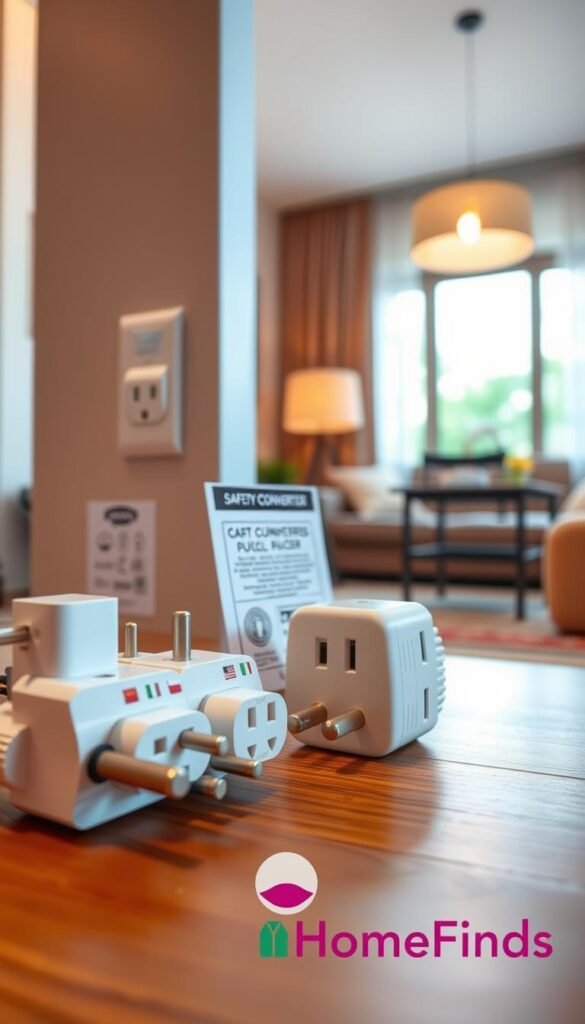
Epicka Universal Travel Adapter — a single solution
Epicka is a compact, safety-certified adapter that can charge up to six devices and fits roughly 2 x 2 x 3 inches. It works in 200+ countries, is cruise compliant, and includes two spare fuses.
Why it helps: you get one reliable adapter for multiple gadgets and a place to keep spares. For a renter who goes abroad sometimes, it’s a do-it-once way to manage plugs.
When a universal adapter is overkill
If you never leave the US, a universal adapter may be more than you need. In that case, pick a high-quality multi-port wall charger to consolidate power with less bulk.
Common, avoidable mistakes
Avoid these tonight:
- Daisy-chaining adapters or extension cords.
- Overloading one outlet with too many high-draw plugs.
- Blocking charger vents behind sofas or piles of clothes.
„If a charger or adapter gets hot to the touch, stop using it and rethink your setup.“
Placement and maintenance are simple. Use a ventilated spot like the edge of a desk. Inspect plugs monthly. Retire loose or cracked items and keep spare fuses only for adapters that need them.
Want renter-friendly product ideas? Check the best home finds for renters for compact chargers and safe alternatives.
Noise control and audio that won’t annoy your neighbors
Pick gear that focuses sound where you are, not where your neighbors live. Keep your setup private, calm, and practical so calls, movies, and playlists stay pleasant for everyone.

Earbuds for tight spaces: Apple AirPods 4
Use: quick pairing, strong active noise cancellation for focus or short commutes.
Specs: setup in under 1 minute, ~5 hours per charge, stem controls that take a little practice.
Real-life note: earbuds are great for short work blocks and calls. Plan a short learning session to master controls so you don’t fumble at night.
Over-ear for long wear: Bowers & Wilkins Px7 S3
Use: long listening sessions, deep ANC for noisy buildings, and comfortable fit for all-day work blocks.
Specs: ~30 hours battery and includes a wired cord for flights or older devices.
Tradeoff: they are relatively heavy. You gain comfort and sound at the cost of extra weight.
Wired backup and airplane compatibility
A simple adapter or transmitter can save a flight or an older device. The Twelve South AirFly SE pairs one Bluetooth pair with a 3.5mm jack and runs ~25 hours.
Tip: keep a small adapter in your pouch so wired ports are never a surprise.
Small-speaker reality check: JBL Clip 5
Small speakers like the Clip 5 are handy and rugged, but they won’t “fill” an apartment. Placement matters and volume spill can bother neighbors.
Use: short outdoor hangs, quick audio near you, or background entertainment when others are out.
„Set the apartment-first goal: keep your audio private, keep the peace, and still enjoy your shows, calls, and playlists.“
Connectivity on the go that still helps at home
Good connectivity fixes maps, calls, and surprise roaming fees before they become a problem.
Quick rule: pick an eSIM for a one-device, fuss-free setup. Choose a hotspot when you need to share with a laptop or tablet.
Holafly eSIM basics
Set up by scanning a QR code and configuring the profile before you leave. Activate when you land so you don’t hunt for a store.
Why it’s worth it: phone-only plans, coverage in 100+ destinations, easy top-ups, and support if you need help.
Simo Solis Lite hotspot
This pocket hotspot finds stronger signal sometimes and supports up to 10 devices. It runs ~16 hours, includes 1GB/month, and is managed in the Solis app.
Cost and maintenance
Hotspots can be convenient but top-ups may get pricey. Keep the device charged, update its app, and don’t store the battery dead for months.
„A small hotspot often doubles as a reliable backup internet option during outages.“
| Option | Best for | Notes |
|---|---|---|
| Holafly eSIM | Phone-only use | Scan QR, activate on arrival; clean and light |
| Simo Solis Lite | Sharing with laptops/tablets | Stronger signal, up to 10 devices, managed via app |
| Phone hotspot | Short emergency fixes | No extra device but may drain phone power |
Compare plans and long-term cost before you buy. For renter-focused setup options, see the renter setup comparison.
Work-from-anywhere gear that earns a permanent spot at home
Make your small workspace feel like a proper desk with a few compact, ergonomic upgrades.

Roost V3 laptop stand
Use: lifts your laptop for better posture at a tiny desk or kitchen table.
Why it works: seven height settings, grips for stability, and a compact fold (~13″ long, ~1″ thick). It stores flat and slides into a drawer.
Maintenance: wipe the surfaces, check rubber feet, and store flat so it stays tidy.
Arzopa portable monitor
Use: a dual-screen option without a bulky display. The 15.6″ 1080p panel is ~1.6 lb and ~0.36″ thick.
Trade-off: cables can be short. Keep one dedicated USB‑C or HDMI cable in your pouch to avoid setup friction.
Foldable keyboard
Use: wipes clean, water-resistant, and rolls up for easy storage.
Downside: the typing feel is squishy—fine for short work sessions, less ideal for full-day typing.
„Small upgrades bring big comfort—then tuck away when you’re done.“
For more practical gear for remote work, see gear for working remotely.
Entertainment upgrades with minimal space and setup
Get a bigger-screen feel while keeping your living area compact and tidy. You want better entertainment without adding a permanent media console or a big box in your living room.
Chromecast — make any TV smarter
Use case: turn an older TV into a streaming device and cast apps you already use. Chromecast works on 2.4/5 GHz Wi‑Fi and plugs into an HDMI port.
Reality check: setup is usually quick, but apartment Wi‑Fi quirks like guest networks or captive portals can slow you down.
Pros: tiny, stores in a drawer, cheap. Cons: depends on your network and TV HDMI access.
Projector kit — occasional big nights
Use case: Xgimi MoGo 4 kits deliver a true movie-night experience with a 120-inch screen, stand, and case. Packed weight is about 10.8 lb and setup is under 5 minutes with app shortcuts.
Pros: immersive picture without owning a giant TV. Cons: the kit takes storage space, is pricier, and can be harder to use daily in bright rooms.
- Goal: better entertainment without a permanent footprint.
- Option: Chromecast for daily ease, projector for occasional events.
- Maintenance: update streaming apps and keep projector lens and screen clean.
„Pick the device that fits how often you watch and where it will live when not in use.“
For compact smart-device options and smart-TV ideas, see this roundup of best smart home devices.
Trackers, organizers, and bags that reduce daily clutter
A single missing key or a knotted bunch of cords can ruin a rushed morning—fix both with simple gear.

Find lost things fast with trackers
Trackers attach to keys, wallets, or luggage and ping your phone when items drift out of range. You get a map, a last-seen time, and an out-of-range alert that stops panic before it starts.
Real win: you leave the house less frantic because essentials show up on your phone.
Stop drawer spaghetti with cord solutions
Use a compact cord roll or a Dagne Dover Arlo-style organizer to keep one set of charging cables visible. That makes missing cables obvious and cuts the pile that spreads across shelves.
Pouches and backpacks as tidy storage
Keep a single bag or pocket pouch as your „home drawer that travels.“ Pack only the cables and items you use. When work ends, stash the pouch in the backpack so your table clears in seconds.
„Treat one pouch like your checklist—if it’s not in the bag, you don’t need it.“
| Solution | Best for | Quick benefit |
|---|---|---|
| Bluetooth tracker | Keys & wallet | Immediate locate and out-of-range alert |
| Luggage tracker | Checked bags | Find lost bags and see last-known location |
| Cable organizer | Drawers & pouches | Stops tangles and shows missing cables |
| Dedicated backpack | Daily work kit | Grab-and-go storage; clears surfaces fast |
Monthly maintenance: dump and reset. Remove dead cables, wipe pouches, and re-pack only what you used. For compact organizer ideas and budget options, see this best bag organizers review and a list of budget organizer finds.
Budget vs premium comparisons that matter for everyday value
Not every premium buy is worth it; the trick is knowing which upgrades repay time and space. This section gives clear trade-offs so you pick gear that earns its place on a shelf or in a pouch.

Charging: single-port basics vs multi-port fast charging
Single-port chargers are cheap and small. They work if you only charge one device overnight.
Multi-port chargers cost more but replace many bricks and free outlets in shared apartments. They cut clutter and reduce heat from always-on adapters.
Recommendation: if outlets are scarce, choose a multi-port base. If you rarely charge more than one phone, pick the basic unit and save money.
Audio: earbuds vs premium noise-canceling headphones
Budget earbuds handle calls and casual listening well. They are light and pocketable.
Premium over-ear headphones provide real ANC, better comfort for sleep and long focus sessions, and stronger bass. They can be heavy and need more storage space.
„Buy fewer, better headphones if you need quiet and long wear; buy earbuds if you want portability.“
Connectivity: phone hotspot, dedicated hotspot, or an eSIM plan
Your phone hotspot is the simplest way to get online. It is free and always with you but drains battery fast.
A dedicated hotspot like the Solis is better when multiple devices need steady data. It costs more and has recurring top-ups.
An eSIM keeps setup clean for single-device use and avoids physical SIM swaps when you travel.
Entertainment: Chromecast vs portable projector
Chromecast is tiny, cheap, and fits a drawer. It’s perfect for daily streaming on a small TV.
Projectors deliver a premium cinema feel but need darkness, storage, and occasional setup. They are worth it for weekend movie nights, not daily background viewing.
- Decision framework: pay for convenience, comfort, and fewer daily annoyances — not looks.
- Be honest about trade-offs: premium gear can add weight, space needs, and cost.
- Renter-friendly tip: prioritize items you will actually use and can tuck away easily.
Buy less, use more: the best value is gear that stays charged, updated, and within reach. For cost-focused picks and comparisons, see a deeper look at premium vs budget choices here and budget gadget ideas here.
Setup time: what you can realistically do in under an hour
Short, practical setup steps save time and keep your devices ready when you need them. These tasks are renter-friendly and focus on quick wins you can do in one sitting.
Under a minute
Pair earbuds once (AirPods 4 link/setup takes under a minute). Then set a simple nightly charging habit so you stop waking up to dead devices.
Under ten minutes
Plug in a Chromecast and connect it to Wi‑Fi (2.4/5 GHz). Open your streaming app and confirm sign-in before you sit down.
Set a compact work zone with the Roost stand and one charging station. That switch makes your table go from work to life fast.
Under thirty minutes
Scan the Holafly eSIM QR code and configure the profile; activate on arrival to avoid roadside troubleshooting.
Install the Solis app, name your hotspot network, and store the password where you can find it later.
Do a cable reset: label USB‑C vs Lightning, retire frayed cables, and stash duplicates so you don’t re-buy them.
Ongoing maintenance
Simple routine: one day a week to top up power banks, one day a month to update apps and firmware, and a quick wipe of keyboards and earbuds.
„A ten-minute habit beats a ten-hour setup once a month.“
| Task | Estimated time | Difficulty |
|---|---|---|
| Earbuds pairing + nightly charging habit | Under 1 minute | Easy |
| Chromecast setup + test streaming app | Under 10 minutes | Easy |
| Work zone with Roost + single charger | Under 10 minutes | Easy |
| eSIM scan and activation (Holafly) | Under 30 minutes | Moderate |
| Hotspot app setup + cable reset | Under 30 minutes | Moderate |
Common mistakes when buying and using travel-to-home tech
Smart buys start with simple checks. You can avoid weak compatibility, wasted cash, and noisy setups by asking a few quick questions before checkout.

Wrong cable type or too few ports
Check every device you own before you buy a charger or cable. Confirm USB‑C, Lightning, or micro‑USB so you don’t end up with unusable cords.
Practical tip: if you charge a phone, earbuds, and a watch daily, prefer a multi‑port charger over a single‑port brick.
Noise choices that bother roommates
Speakers are tempting for convenience. But in small apartments they spill sound and create complaints.
Better choice: use headphones for calls and late-night viewing to keep noise low and relationships calm.
Overpaying for capacity you won’t use
Big power banks look impressive, but they add weight and take space. If you only need quick top‑offs, a smaller power bank is often more practical and cheaper.
Hotspots can also mean recurring top‑ups. If your phone hotspot works, avoid buying a dedicated puck unless you share connection often.
Forgetting where it will live
Ask yourself, „Where will this stay when it’s not in my bag?“ Large stands, monitors, or projector kits need dedicated storage.
Safety note: don’t daisy‑chain adapters or overload outlets. That creates heat and risk in tight spaces.
„Buy fewer items that you will keep charged, reachable, and easy to pack back into your bag.“
| Mistake | Why it matters | Quick fix |
|---|---|---|
| Wrong cable type | Device won’t charge or you need adapters | Inventory your devices; buy matching cables |
| Not enough ports | Daily juggling and cluttered outlets | Use a multi-port charger as a home base |
| Ignoring noise | Neighbors complain, disrupted sleep | Choose headphones for private listening |
| Overbuying capacity | Wasted money and wasted space | Match power bank capacity to real needs |
| Hotspot overkill | Extra device to charge and manage | Test phone hotspot before buying a puck |
| Forgetting storage | Items become clutter or get damaged | Confirm storage spot before purchase |
Final buyer tip: choose the few tools you’ll actually keep charged and within reach. For realistic setup mistakes and how to avoid them, see a useful list of common errors here.
Conclusion
End with a simple rule: buy only gear you will charge, carry, and reach for each day. Keep the kit small and renter-friendly so it earns space on a shelf or in a pouch.
Quick recap: consolidate charging with an Anker multi-port or a myCharge for sharing. Use an Epicka adapter for safe outlets. Pair earbuds like AirPods for quick calls and pick Px7 S3-style headphones when comfort matters. For connectivity, weigh Solis hotspot costs vs a Holafly eSIM. Add a Chromecast for easy TV upgrades.
Shopping order: start with charging (charger + shared power bank), then audio, then connectivity, then comfort/work items, then entertainment. A practical starter bundle: one multi-port wall charger, one shared power bank, one slim backup charger, and a small cable organizer.
Before you buy, check phone and laptop connectors and your TV’s HDMI. Avoid overbuying—premium is worth it only when it reduces daily stress.
Maintenance plan: weekly top-ups, a monthly cable clean, and occasional app or firmware updates. Do that and these gadgets will make daily life simpler and safer.