This is a practical guide for renters and small-space living. You will get plain tools and steps you can use right away. No hype. Just clear pros and cons.
Define it simply: a shared calendar, digital checklists, reminders, and a few small gadgets that fit an apartment. You will set a realistic cleaning schedule that matches your week and energy levels.
Doing short, repeatable tasks reduces weekend panic and lowers overall stress. Aim for 15–30 minute daily spots, spread weekly tasks across days, and set monthly prompts so deep work is never forgotten.
Be honest about tradeoffs. Tech helps you remember and coordinate, but you still need practical routines and basic tool upkeep. For renter-friendly fixes and small-space storage ideas, see a helpful primer at smart kitchen fixes.
Key Takeaways
- Use simple tools: shared calendar, checklists, reminders.
- Keep daily effort to 15–30 minutes to avoid buildup.
- Prioritize low-noise, low-energy, compact gadgets.
- Set realistic routines that fit your workweek.
- Tech aids memory, but regular upkeep matters.
Why a Cleaning Schedule Works Better With the Right Tech
A little planning and a few simple tools cut time spent deciding what to tackle each day.
Less stress and fewer marathon sessions
Deciding tasks in advance stops you from making choices in the moment. That saves minutes and mental energy.
Daily maintenance keeps mess from compounding. The result is fewer weekend marathons and lower stress.
What pros do and what you can copy
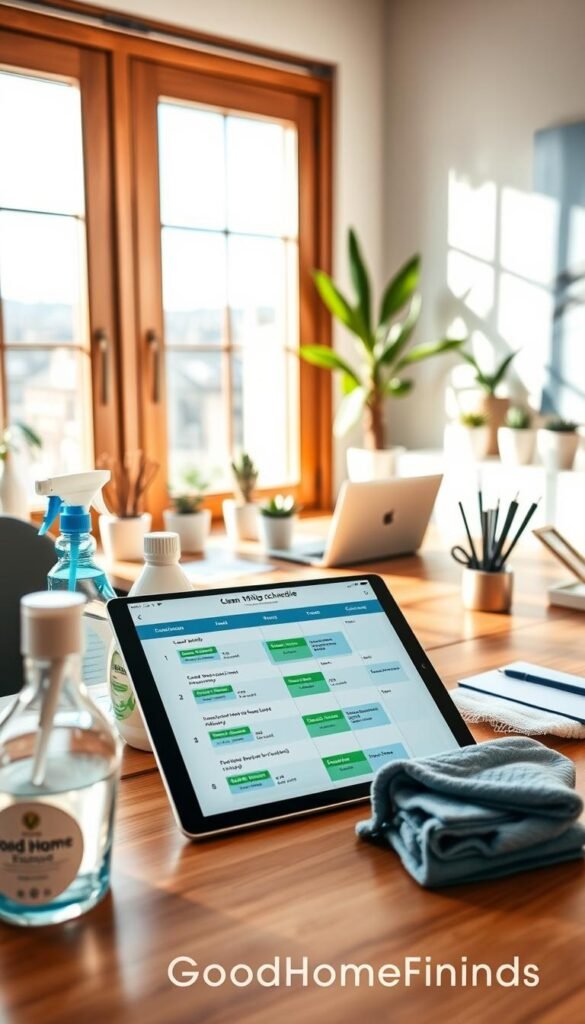
Professional cleaners use booking software, recurring events, and task lists. You can copy three habits that matter most:
- Set calendar blocks and pair each with a short checklist.
- Use recurring events for routine jobs so they happen automatically.
- Build buffer time—if you plan 20 minutes, block 30 for interruptions.
Quick pros and one honest con
Pros: predictable results, shared accountability, and easy real-time updates when plans change.
Con: too many reminders become noise. Limit alerts and focus on a few meaningful items.
| Pro Habit | Renter-Friendly Setup | Tradeoff |
|---|---|---|
| Recurring events | Shared calendar with 15–30 min blocks | Requires initial setup time |
| Room checklists | Short checklist per area on phone | Must be kept realistic |
| Buffer planning | Pad blocks by 30–50% | Fewer tasks fit a single day |
Real benefits of cleaning schedule tech (without the hype)
Small, regular efforts beat rare marathons when you want a home that feels under control.
Staying on top of daily cleaning in 15–30 minutes
Use a short checklist and a timer. Pick three to five quick tasks per day and set 15–30 minutes. A repeatable list reduces guessing and keeps you moving.
Making weekly cleaning feel lighter
Spread weekly tasks across the week instead of one long session. That way you avoid burnout and get steadier results.
Keeping monthly deep clean tasks from slipping
Schedule one or two deeper jobs each month, like a fridge refresh or vent check. Small monthly steps stop the „I can’t unsee it“ buildup.
Better follow-through with shared accountability
Shared calendars and clear roles cut confusion. When roommates or partners see who does what, you reduce duplicated effort and missed tasks.
- Pro: Less mental load—your devices hold the plan so you don’t have to remember every task.
- Con: If the plan is too ambitious, it fails. Adjust the routine to match real life.
Keep things manageable by defining a minimum standard for rough weeks and an optional bonus list for high-energy days. This keeps the approach realistic and renter-friendly.
Who needs this (and who probably doesn’t)
If you live in a compact apartment, a pared-down routine can save time and clear mental space. This is most useful when storage, power draw, and noise matter.
Who benefits most:
- Small-apartment renters who want low-storage, low-noise tools that don’t disturb neighbors.
- People with packed calendars who need protected blocks so last-minute life doesn’t undo the plan.
- Those working from home who want visual calm to improve focus during work hours.
- Allergy- or health-first households. Regular dust removal plus a HEPA vacuum or compact air purifier helps reduce triggers and improve air.

Who probably doesn’t need much: If you live alone and already follow a simple routine, a paper list can be enough. A high-maintenance system is unnecessary if your house runs itself with minimal fuss.
Keep the setup renter-friendly. One caddy, a few microfiber cloths, and weekly rotating tasks fit limited space. Match the system to your actual needs, not trends. The right plan is the one you keep in real life.
Cleaning schedule tech basics: the simple setup that covers most homes
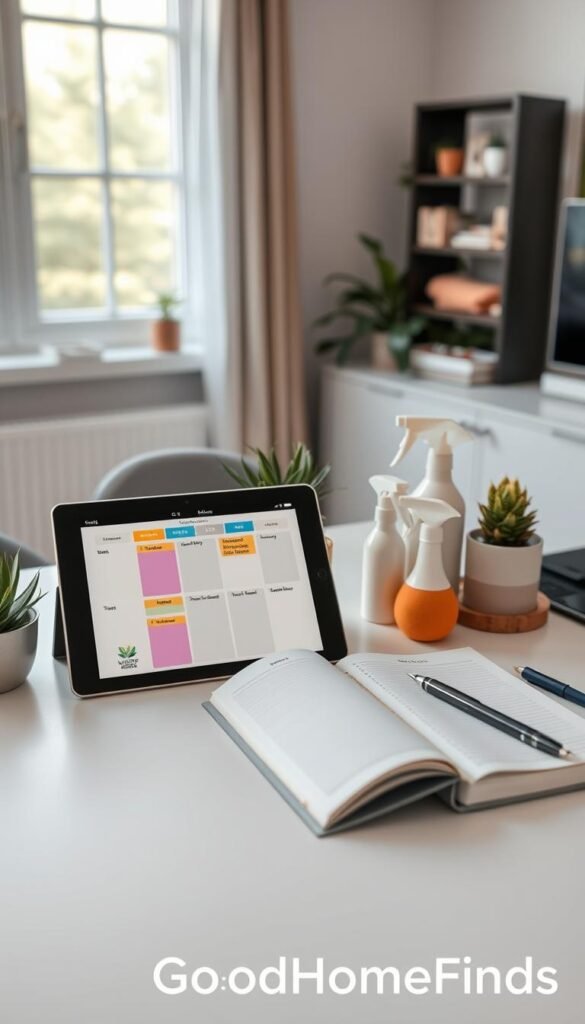
Pick a single shared calendar, a checklist app, and one gentle reminder system. This small stack handles recurring weekly blocks and monthly cleaning without extra fuss.
Shared calendar for recurring weekly and monthly blocks
Use Google, Apple, or Outlook to add recurring events. Block 15–30 minutes for daily work and one or two longer slots each month for bigger jobs.
Digital checklists for rooms, surfaces, and rotating tasks
A short checklist prevents missed steps. Break lists by room and by surface so you don’t skip small but important items.
Reminders that match real life
Set reminders with buffer time. Schedule 30–50% extra so delays don’t derail the day. Put lighter tasks on low-energy days and bigger ones on quieter weekends.
Notes and templates to keep the plan flexible
Keep a template you can edit for life changes—new roommate, pet, or job. Update the plan instead of rebuilding it.
| Tool | Purpose | Best timing | Quick tip |
|---|---|---|---|
| Shared calendar | Recurring weekly & monthly blocks | 15–30 min daily, 60–90 min monthly | Pad events by 30% for buffer time |
| Checklist app | Room lists, surface prompts | Use daily and rotating weekly lists | Keep each list to 3–5 items |
| Reminder system | Gentle alerts and re-checks | Match to energy levels and travel time | Limit alerts to avoid spam |
Make sure you keep lists short enough to finish in a normal week. For renter-friendly fixes and simple tool picks, see a handy guide at home problem solver.
Daily cleaning schedule tech for kitchens, bathrooms, and high-touch areas
Spend 15–30 minutes each day on key rooms and you’ll stop small tasks from piling up. This short, renter-friendly routine focuses on high-touch spots and the few things that cause the most headaches.

Kitchen wins
Wipe counters, load or run the dishwasher, empty trash if full, and do a quick sweep under eating areas. These small steps prevent smells and pests and cut deep clean time later.
Bathroom quick reset
Wipe the sink and faucet, hang towels to dry, and check for hair or spills. A daily reset keeps the room usable without a full scrub every week.
Living areas and high-touch spots
Declutter surfaces, tidy remotes and doorknobs, and do a fast wipe of shared surfaces. This helps during cold and flu seasons and after guests leave.
Bedroom basics
Make the bed, move laundry from hamper to washer when needed, and “reset the floor” so vacuuming isn’t a project. Small habits here let you keep things low-effort.
„A very short, consistent pass across rooms beats infrequent marathons.“
Tool note: Use a couple of microfiber cloths to reduce streaks and product use. Add a 15–30 minute timer and one concise cleaning checklist on your phone to keep the routine realistic.
Weekly cleaning: tools that make dust, floors, and laundry less overwhelming
Swap a single marathon day for short daily passes and you’ll keep dust and laundry from piling up.
Rotate across days if your week is busy. Do 15–30 minute sessions on different days. This spreads effort and keeps the home usable without a long block of work.
One weekly day works if you prefer a clear, single commitment. It can be faster in one go but feels harder to keep up when life gets busy.

Often-missed dust zones
Electronics, vents, and high shelves collect dust fast. Wipe screens, empty vents, and dust behind speakers. These spots affect air quality more than you think.
Microfiber system made simple
Color-code cloths—kitchen, bath, and general dusting. Wash them on warm and replace when they no longer grab dust. Microfiber cuts streaks and reduces product use.
Practical tools and laundry reality
- Compact vacuum for quick passes.
- Simple mop system for tight floors.
- A set of microfiber cloths for most areas.
Plan one or two weekly blocks for laundry so clean clothes don’t pile up. Do quick tool checks each week—empty the vacuum bin and rinse the mop head—to keep results steady.
Monthly cleaning and deep cleaning: tech to track the jobs you forget
Monthly checks catch the out-of-sight jobs that quietly pile up. Use recurring reminders to mark one or two heavier tasks each month so they don’t become surprise projects.

Kitchen deep prompts
Fridge and freezer: clear expired items and wipe shelves to prevent odors.
Oven and hood: degrease filters and run a deep oven clean when needed.
Pantry: check dates and re-home overflow items so pests don’t start a problem.
Bathroom deep refresh
Focus on grout lines, unclogging drains, and descaling shower heads. Make sure you ventilate and avoid mixing strong chemicals.
Whole-home reminders and seasonal add-ons
Rotate interior windows, vents, baseboards, fans, and mattress vacuuming. Add seasonal tasks: spring declutter behind furniture, summer porch/fan care, fall entryway prep, and winter vent or air-purifier checks.
Keep the plan realistic. Block only one to two monthly deep jobs so you don’t dread the calendar. If you’re moving, hosting, or stretched thin, hiring a service for a single deep clean is often worth it.
For checklist tools that keep these tasks visible, try a concise app like the best cleaning checklist apps.
Budget vs premium options: what’s worth paying for (and what isn’t)
Prioritize quiet, compact devices that fit tight spaces and still cut chores. Small upgrades can save you real weekly time. Big-ticket items help when they reduce repeated work. Otherwise, simpler options often win in small apartments.

Free vs paid app choices
Free apps are fine if you live alone and keep things simple. They cover basic lists and reminders.
Paid apps help when you need shared calendars, templates, and stronger reminders for partners or roommates. They save setup time and reduce back-and-forth.
For help building a budget, see a short guide on creating a cleaning budget for commercial spaces at creating a budget.
Robot vacs: basic vs smarter models
What you pay for: mapping, better navigation, and often quieter motors. What doesn’t change: you still empty bins and clean brushes.
Small-space reality: docking stations take space and spare parts need storage. For renter-friendly comparisons, check renter setup comparison.
Air and odor helpers
Compact HEPA purifiers are worth it if allergies or persistent smells affect your air quality. They help reduce triggers and improve sleep.
“Smart scent” gadgets are usually nice-to-have extras. Don’t pay premium for things you’ll use only rarely.
Smart plugs and timers
Low-cost smart plugs save energy by automating daily electronics. Use them for lamps, purifiers, or chargers to cut waste when you forget to turn things off.
„Pay for items that save you time every week, not things you only use for occasional jobs.“
| Item | Budget advantage | Premium advantage |
|---|---|---|
| Scheduling app | Free, simple to use | Shared calendars, templates |
| Robot vacuum | Lower cost, compact | Mapping, quieter, fewer jams |
| Air purifier | Portable, affordable models | Stronger HEPA filtration |
Worth-it rule: buy what reduces weekly work and fits your space. For DIY vs pro service tradeoffs, see a practical comparison at DIY vs professional service.
Setup time: what it takes to go from messy to a working routine
Start with one small week of tasks and you’ll see big drops in time spent later.
Begin by building a simple plan that fits real life. Spend an hour or less at first. This gets you moving without overcommitment.
Quick start: set up a week of tasks in under an hour
What to do: add daily 15–30 minute blocks and one weekly block to your calendar. Pick three to five core tasks for each day and test the week.
Run the week as-is before changing anything. After seven days you will know what works.
Medium setup: building room checklists and assigning days
Next, make room-by-room lists and assign realistic days based on your work and commute. Don’t plan ideal days—plan real ones.
- Map one or two tasks per room to specific days.
- Include buffer time so missed items don’t break the plan.
- Use a short checklist app or a shared calendar for visibility.

Ongoing upkeep: weekly review, restock supplies, and updating your plan
Each week, review what you skipped and restock basics like trash bags and microfiber. Make sure you update the list as seasons or life change.
After a few weeks, routine tasks take fewer hours because clutter stays lower and supplies are ready.
„Be honest: this plan serves you. Edit it when it stops fitting your life.“
| Setup Level | Time Needed | Key Action |
|---|---|---|
| Quick start | Under 1 hour | Add daily blocks, one weekly block, run 1 week |
| Medium setup | 1–3 hours | Build room checklists and assign days |
| Ongoing upkeep | 15–30 minutes weekly | Review skipped tasks and restock supplies |
For a short routine you can test today, try a 15-minute daily plan from a trusted guide like this 15-minute routine. For renter-friendly fixes and budget bathroom tips, see bathroom fixes.
Power consumption, noise levels, and space requirements (small-apartment friendly)
In tight quarters, how you manage energy, noise, and storage matters more than brand names.

Where gadgets really draw power
Some items run all night, like purifiers with a low fan. Robot vacuums need charging docks. Full-size vacuums and steam tools use the most juice.
Keep usage reasonable: run high-draw items during off-peak hours, use smart plugs to set runtime, and avoid leaving devices on 24/7.
Noise planning
Vacuuming and other loud tasks are best midday or when you are out. That protects neighbors and your focus if you work from home.
Robot runs on a midday loop cut down manual passes and avoid late-night noise problems.
Storage reality and accessibility
Docking stations and bins take floor space. Choose tools that fit a closet or a narrow bin.
Tip: keep a small caddy within reach. If things are easy to grab, you will use them more often.
Safety and maintenance
Secure cords, keep electronics away from wet areas, and use child- or pet-safe latches where needed.
Maintenance matters: clean filters and brushes regularly. Well-kept tools run quieter and perform better.
„Pick gear that fits your floor plan and your life — not the trendiest model.“
| Concern | Practical fix | Small-apartment tip |
|---|---|---|
| Always-on power | Use timers or low-speed settings | Choose compact HEPA units with eco mode |
| High-draw tools | Run during off-peak hours | Prefer cordless mini vacuums for quick passes |
| Storage | Opt for vertical or under-sink storage | Use a single caddy for daily supplies |
| Noise | Schedule loud tasks midday | Set robot runs when you’re out |
For renter-friendly energy and space tips, see a short guide to efficient work in small living spaces at small living space guide. If laundry space is a squeeze, check compact solutions for washers and drying at laundry room solutions.
Common mistakes that derail a cleaning schedule
A minimal, repeatable set of tasks keeps life manageable when work gets busy. But small errors can topple a good cleaning schedule fast. Be honest about what fits your week and energy.

Too-big checklists
Big lists collapse plans. If your list is larger than you can finish in a normal work week, you will skip days and feel defeated. Shrink to a „minimum viable routine“ and add extras only after a few weeks of success.
No buffer time
Skipping padding creates stress. One missed day becomes a pileup. Block extra time for interruptions so the plan survives busy spells.
Wrong gadgets and poor upkeep
Buying items that don’t match your floors or lack storage is wasteful. Also, neglected filters, tangled brushes, and worn microfiber make results worse. Regular maintenance keeps tools working and saves time.
Poor communication with others
Not telling roommates leads to duplicated chores and resentment. Use a shared calendar or simple assigned tasks so others know what they must do.
„Start small, stay flexible, and let the routine fit your life—not the other way around.“
For help breaking bad habits that sabotage your plan, see bad habits to break.
Conclusion
Consistency, not perfection, keeps a rental tidy with minimal time and fuss.
Use a simple rhythm: 15–30 minutes a day for core tasks, short weekly rotations for floors and dust, and one or two monthly deep cleaning items like vents, fridge shelves, windows, or mattresses.
Top priorities: keep the kitchen manageable, control dust, and reset the bathroom so the home stays livable.
Do a 10-minute weekly review to adjust tasks and restock supplies. Maintain tools: clean filters and brushes, wash microfiber, and keep spares handy so things work when you need them.
If life or work overwhelms you, hire a service for move-outs or seasonal resets and maintain with a simple checklist. For a ready plan for busy pros, see a practical cleaning schedule for busy pros.