
You’ll get small wins that matter. This roundup focuses on practical, renter-friendly tech that earns a spot by saving time, cutting friction, and fitting tight spaces.
No hype. Each pick is easy to use, easy to store, and worth the price. I judge value by footprint, power or battery needs, noise, and cleanup.
I prioritize small-space living. If a product adds clutter, it’s not worth it, even at a low price. These inexpensive gifts often work best because people actually use them every day.
You’ll see real pros and cons, who will benefit, setup time, common mistakes, and notes on noise, power use, and space needs. This list covers phone comfort, reading light, charging, air monitoring, audio, travel power, winter comfort, drinkware, portable power, and one kitchen appliance.
Who this is for: renters, students, and gift shoppers who want things people will really use. I’ll also include budget vs premium comparisons so you can decide when to spend more.
Key Takeaways
- Focus on practical, renter-friendly products that fit small spaces.
- Value is judged by footprint, power needs, noise, and upkeep.
- Inexpensive gifts are often used more than costly, trendy items.
- Each pick lists pros, cons, setup time, and common mistakes.
- Categories include charging, comfort, air quality, audio, and one kitchen pick.
Real benefits of cheap tech in a small apartment
A few thoughtful, low-cost tools change how you use your space more than one big appliance. In a small rental, the right item saves minutes every day without crowding your desk or counter.
Save time on daily tasks without adding clutter. A compact charger or clip-on light cuts small frictions. You waste less time hunting cables or juggling low batteries. That adds up to real life wins.

Lower-risk upgrades: try it before you buy premium
Budget versions let you test a new habit. Try wireless charging, a hands-free holder, or a simple air monitor. If it fits your routine, upgrade later.
Better comfort: light, sound, and hands-free setups
Small upgrades deliver comfort without remodeling. A brighter reading light, a quiet mini speaker, or a phone holder improves how you work and relax at home.
- Fewer cords, fewer dead batteries: smaller setups mean less clutter.
- Renter-friendly: no drilling, no rewiring, easy storage.
- Expected trade-offs: lighter build, fewer advanced features, and modest stability.
Note: Throughout the roundup, I’ll call out power use, noise levels, and space needs so you can pick what suits your small space and routine.
Who needs this under-$30 gadget roundup
This list is for people who want practical, low-cost upgrades that actually fit small living spaces. You’ll find picks that save time, reduce clutter, and move with you when you change rooms or campuses.
Small-space renters who want simple upgrades
Renter-friendly fixes require no tools, no holes, and no permanent changes. Think clip lights, compact chargers, and small speakers that sit on a shelf.
Students building a first kitchen and desk setup
For a starter kitchen corner and a basic desk, prioritize multi-use items. A tiny appliance, a spill-proof bottle, and a tidy phone stand make a set that brings order fast.
Gift shoppers who want something people actually use
Simple gifts beat flashy ones. They don’t demand precise taste and rarely become clutter. Choose items that fit a bag or backpack for campus and travel.
- Shared spaces matter: thin walls and limited outlets mean quieter, lower-power picks win.
- Portability: many selections work for campus, commuting, and travel.
- Who should skip this list: if you want pro performance or luxury materials, plan to spend more later.
Promise: each pick includes honest pros, cons, and common mistakes so you buy once and keep it useful.
How we picked these gadgets under $30
Each choice needed to be compact, reliable, and easy to live with. That made the selection simple and practical for renters and students. Below are the exact checks we used when testing products.

Small-apartment fit
Fit: footprint on a nightstand, storage in a drawer, and tidy cable routing. We rejected anything that needed dedicated counter space.
Energy and battery
Real runtime: we measured normal use, not lab claims. Expect realistic hours of use between charges and clear notes on recharge time.
Noise levels
Neighbor rules: daytime hum is fine; anything that wakes your roommate at night gets a minus. We note what stays quiet enough for shared walls.
Setup difficulty
Minutes, not hours: plug-and-play or a five-minute install scored high. If setup needed an hour or tools, it’s not a small-space win.
Maintenance and safety
Cleaning and upkeep: wipe-down surfaces, removable parts, and easy cable replacement matter. We also checked heat management for kitchen items and recommended reputable power gear to avoid risky chargers.
- Checklist: fit, power/battery, noise levels, setup, cleaning, and design quality.
- Simple compatibility tips: check case clearance, outlet types, and charger ratings before you buy.
What to expect from a gadget under 30 mix in 2026
For 2026, the best budget picks focus on saving time and cutting clutter, not flashy specs. You want products that do one job well and store away easily. That is where value lives.
Where budget products shine
Worth it: simple lighting, basic chargers, clip holders, and compact convenience tools. These items improve daily comfort and cost very little.
Expect realistic performance. Many low-price products deliver solid function for casual use. They fit small spaces and are renter-friendly.
Where spending more usually pays off
Budget items often have slower charging, lighter materials, and shorter warranties. For safety, heat control, or heavy daily use, a higher price can mean better quality and longevity.
| Category | Budget Benefit | Common Limit |
|---|---|---|
| Lighting | Compact, affordable, easy clip-on | Lower brightness range, basic controls |
| Charging | Good for single devices at low price | Slower power delivery, no multi-device support |
| Audio | Portable, renter-friendly volume | Less fidelity and shorter battery life |
Practical rule: stick with budget for occasional or single-use items. Upgrade when safety, heat management, or daily reliability matters.
Later, the comparison section will break down when to buy cheap and when to invest in premium options.
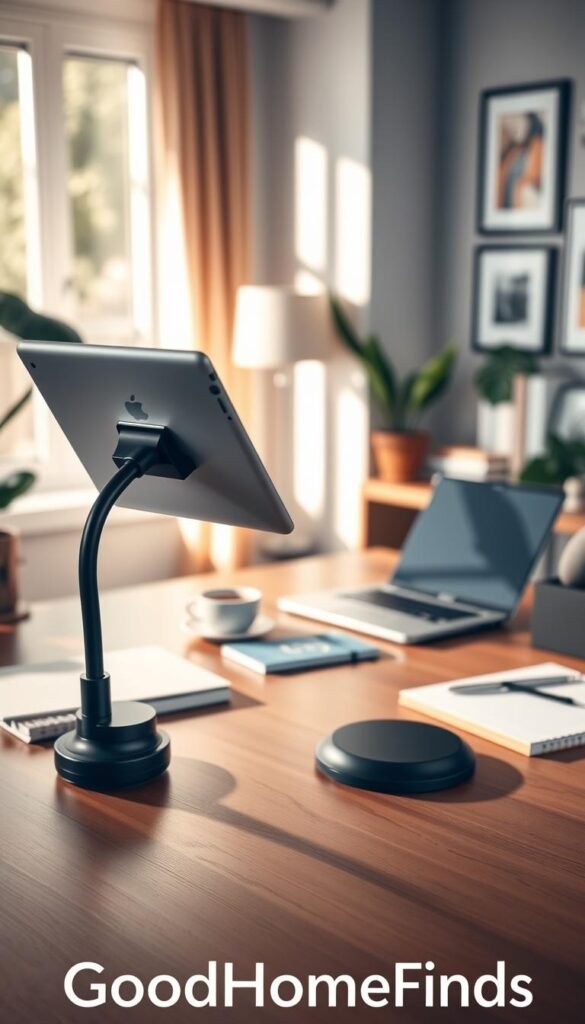
Hands-free phone and tablet comfort: Lamicall Gooseneck iPad Holder
Save wrist and neck strain without stealing desk space. The Lamicall gooseneck clamps to a nightstand or desk and holds phones or tablets so you can watch, read, or follow recipes hands-free.
Real benefits
Passive viewing made simple. You can watch videos, read, or scroll without holding the device or craning your neck. It reduces accidental drops and keeps your hand free for notes or cooking.
Who needs this
This tool fits renters, students, and anyone with limited space who reads in bed, follows recipes, or uses a tiny desk. It’s a practical pick when you want comfort and fewer things on your surface.
Setup time
Clamp it, bend the arm, and test the angle. Setup takes minutes and needs no tools beyond your hands.
Common mistakes
- Over-tightening the clamp can damage soft furniture edges.
- Clamping to weak particleboard may lead to slipping.
- Expect wobble if you tap the screen hard; it’s best for passive use rather than heavy tapping.
Space requirements and desk fit
The clamp needs a clean edge and a few inches of clearance for the arm to swing. Place it at a corner to keep your desk open. Check device size compatibility before buying; larger tablets push stability limits.
Maintenance: wipe the mount occasionally, check clamp tightness, and avoid yanking the arm to protect both your furniture and the holder.
Reading without bothering anyone: Glocusent USB Rechargeable Book Light
When you want to read without waking anyone, a rechargeable clip light earns its place. The Glocusent model clips like a bookmark and directs a steady beam at the page.

Real benefits
Private night reading. You can read at night without lighting the whole room or disturbing a partner.
Comfort for your eyes. The steady, non-flicker LED head and five brightness modes let you match glare and contrast.
Who needs this
Renters with shared bedrooms, dorm students, parents in a nursery, or anyone who reads in bed and wants a low-footprint solution.
Setup time
Clip it on, angle the head, and pick a brightness. Setup takes seconds and needs no table space.
Common mistakes
Avoid max brightness too close to your face. Don’t let the clip cover text. And remember to charge before travel.
Power use and charging habits
The unit runs on an internal battery and charges by USB. A weekly top-up keeps it ready for nightly reading sessions.
| Feature | Spec | Real note |
|---|---|---|
| Modes | 5 brightness levels | Match to room darkness for comfort |
| Runtime | Varies by mode (up to several hours) | Lower modes give longest hours |
| Storage | Fits inside a book or drawer | Protect the switch when packed |
Fun, compact wireless charging: IKEA VÄSTMÄRKE charger
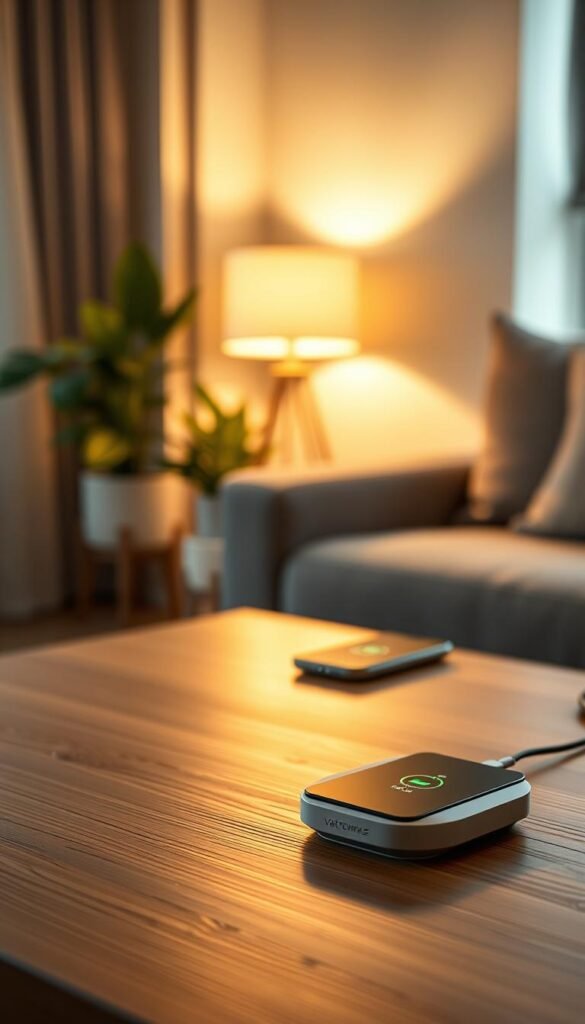
A cheerful, pocketable wireless pad can turn a phone habit into a clutter-free routine. The IKEA VÄSTMÄRKE is a bright red donut with a soft silicone surface. Its top folds down and the internal design stores the cable to prevent tangles.
Real benefits
Simpler daily charging. Drop your phone on the puck and it starts charging. The built‑in cable roll keeps things tidy on a desk or nightstand.
Who needs this
Anyone who leaves their phone in the same spot each day. It fits into a small bag for trips. It is a good pick for renters and students who want a neat routine.
Setup time
Plug the cable out, tuck extra cord inside, place the puck, and test with your phone. It takes under a minute.
Common mistakes
- Assuming wireless means fast—expect slower rates than wired charging.
- Misaligning the phone so it charges slowly or not at all.
- Using a bulky case that blocks charging.
Compatibility check: cases, placement, and cable storage
Confirm your phone supports wireless charging and test with your case on. Place the charger in a stable corner to avoid knocks. Unplug it when not needed to save standby power and keep the surface clear.
| Feature | Spec | Real note |
|---|---|---|
| Price | $9.99 | Budget-friendly and renter-friendly |
| Material | Soft silicone | Grippy top, easy to clean |
| Cable | Internal roll | Prevents tangles for desk or bag |
| Speed | Standard wireless rate | Good for overnight or top-ups, not fast charging |
Smart home basics without the fuss: IKEA ALPSTUGA air quality monitor
You don’t need a full smart-home setup to watch the air you breathe. The IKEA ALPSTUGA is a compact monitor that sits neatly on a desk or shelf and reads CO2, particle levels, and temperature.
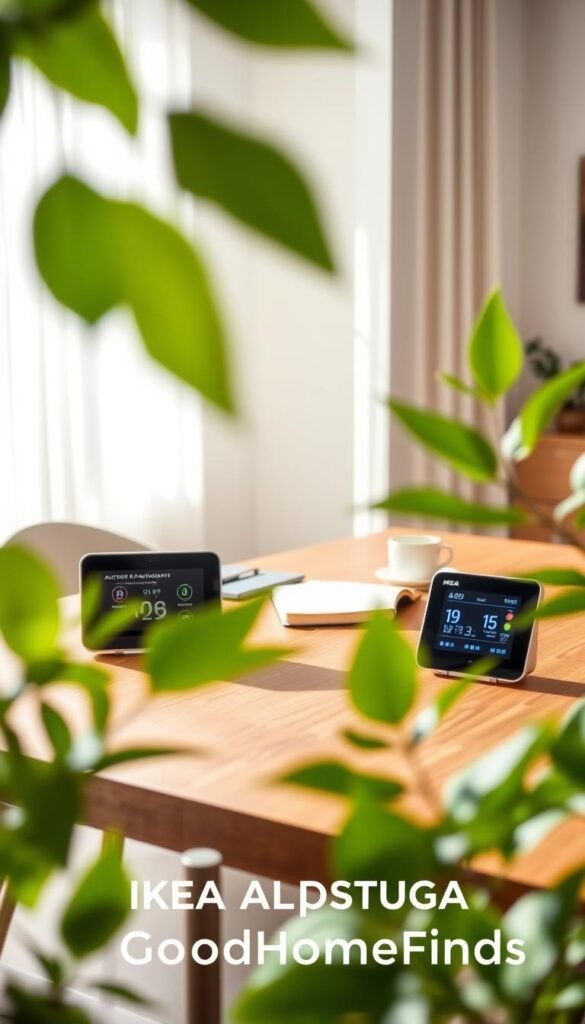
Real benefits
Clear signals, quick action. It alerts you when indoor air drops so you can open a window, run a fan, or change habits.
It also shows the time, so it looks normal on a shelf and doubles as a small clock.
Who needs this
Renters, people working from home in a small room, cooks in tight kitchens, and allergy-sensitive households will find it useful.
Setup time
Place it, plug it in, and let it start reading. No app or complex pairing is required.
Common mistakes
- Hiding it behind objects or pressing it against a wall.
- Placing it next to a stove or humidifier; that skews readings.
- Seeing alerts and doing nothing—it’s a monitor, not a purifier.
Where to place it in a small space
Set it at breathing height on a shelf or desk, away from direct drafts and not in corners. It runs quietly and uses little power, so it’s fine in bedrooms and shared spaces.
„It tells you what’s happening, but it won’t clean the air for you.“
Maintenance: keep vents and the case dust-free like a small clock so the sensors stay accurate. Price: $29.99.
Small speaker, real-life volume: Xiaomi Sound Pocket Bluetooth speaker
You want clear playback that fits a tiny room and moves with you from desk to kitchen.
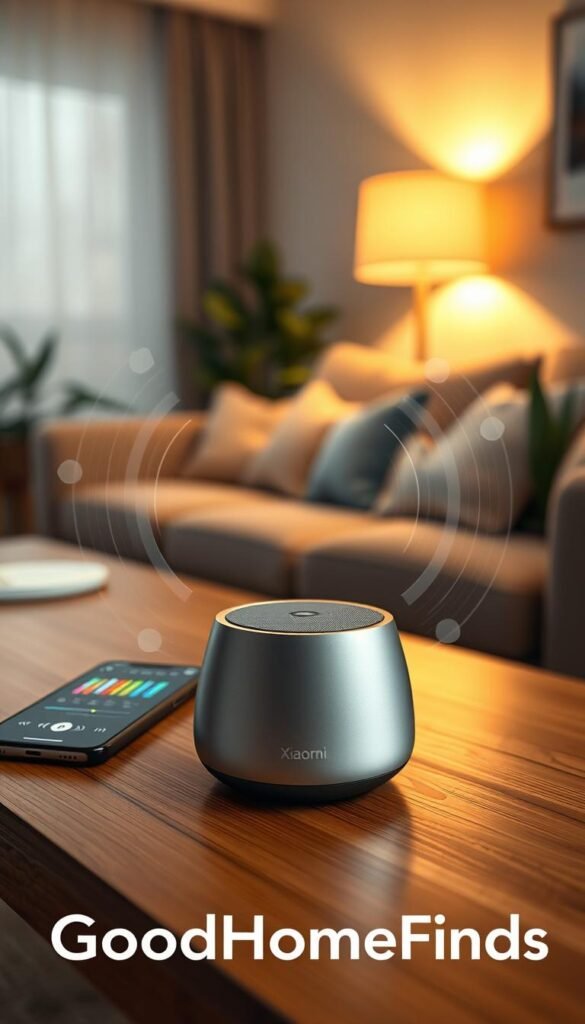
Real benefits
Practical volume. The 5W output fills a small apartment with usable audio for music and podcasts without dominating the space.
Compact and mobile. Its small size makes it easy to place horizontally or vertically and carry between rooms.
Who needs this
This is for renters, students, and anyone who wants better sound than a phone speaker for daily use at home.
Setup time
Pairing takes a few minutes over Bluetooth. After that, it works with one button and remembered devices.
Common mistakes
- Cranking volume in a small room; it will feel louder than expected.
- Leaving it plugged in constantly; battery cycles are healthier with occasional discharges.
- Expecting deep bass like larger speakers; this is a compact unit.
Noise levels and neighbor-friendly use
Keep volume lower at night, place the speaker away from shared walls, and set it on soft surfaces to reduce vibration. Up to 10 hours of battery life covers most of a workday, but louder playback cuts that runtime.
| Spec | Value | Real note |
|---|---|---|
| Price | $25.99 | Budget-friendly pocket speaker |
| Output | 5W | Good for small rooms, not heavy bass |
| Dimensions | 3.57″ L x 2.93″ W x 1.68″ H | Small footprint, flexible placement |
| Battery | Up to 10 hours | Real-life hours vary with volume |
| Compare | JBL Go series | JBL may deliver richer quality and durability for a higher price |
One adapter for most trips: Epicka Universal Travel Adapter
Pack less, worry less. The Epicka universal travel adapter combines several plug types into one compact unit so you stop hunting tiny adapters in your bag.
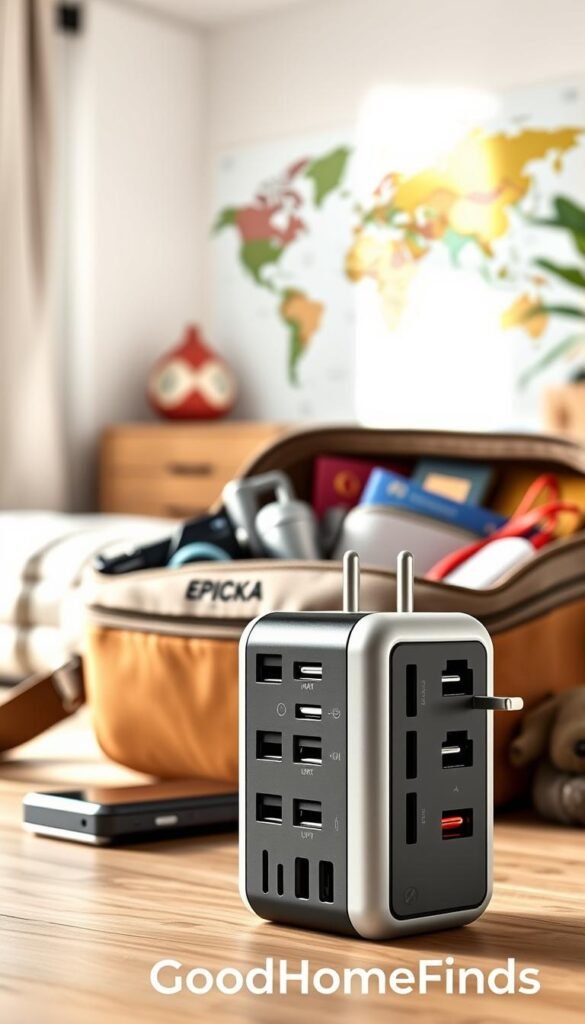
Real benefits
Works across many countries. Built-in plugs cover the common types and the adapter lists compatibility with 200+ countries and regions. That means fewer bits to lose and one clear choice for mixed itineraries.
Who needs this
This tool fits frequent travelers, study-abroad students, and business trips where you carry multiple chargers and a cable or two. If you move between countries on one trip, this adapter is worth the modest bulk.
Setup time
Quick and simple. Slide the right plug out, plug in your charger cable, and confirm the fit before you leave. Test it at home so you know which plug configuration you need.
Common mistakes
- Assuming it converts voltage. Most travel adapters only change plug shape, not voltage.
- Expecting it to fit every outlet worldwide. Some sockets still require a local adapter.
- Forcing mismatched plugs. If it doesn’t click in, don’t push.
Space and packing: when it’s worth the bulk
The Epicka costs about $16.99–$24.99. It is bulkier than a single-country adapter, but it replaces several small units. Carry it in one pouch with cables so your bag stays organized.
| Feature | Spec | Real note |
|---|---|---|
| Compatibility | 200+ countries/regions | Covers common plug types plus US; not universal everywhere |
| Price | $16.99–$24.99 | Budget-friendly for multi-country travel |
| Size | All-in-one unit | Bulkier than a single-country adapter; stores in a travel pouch |
| Safety | Fuse and shuttered sockets (model dependent) | Inspect for damage, avoid overloading, use reputable chargers |
„For multi-country trips, a single adapter beats juggling parts. For a single-country stay, a dedicated adapter may be lighter and cheaper.“
Warm hands, full phone control: Glider Gloves touch screen gloves
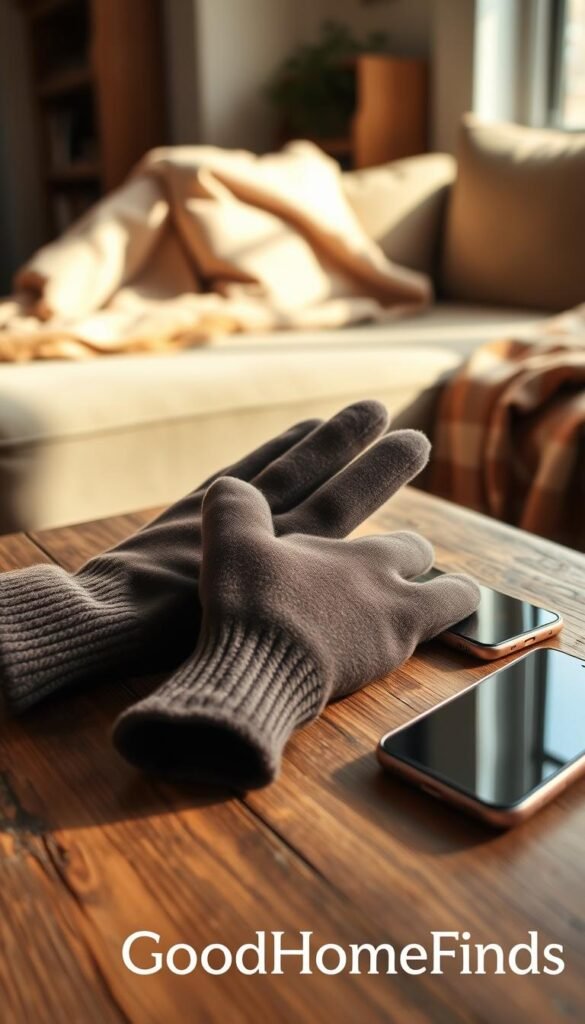
Cold fingers shouldn’t force you to choose between warmth and using your phone. Glider Gloves weave conductive copper into the yarn so you can tap, swipe, and pinch-to-zoom with full fingers, not just the tips. That makes them a simple, practical win for winter days when you need both warmth and control.
Real benefits
- You keep your hands warm while using your phone normally. The conductive fibers register taps and multi-finger gestures.
- They work with full fingers, so maps, messaging, and quick photo edits feel natural.
- Lightweight and packable, they add comfort without bulk.
Who needs this
Commuters, dog walkers, students crossing campus, and anyone who checks directions or messages outside will find real value. They’re an easy, low-risk gift that most people can use right away.
Setup time
None. Put them on and test on your lock screen. If the sizing is right, you’ll know within seconds.
Common mistakes
- Buying a size that’s too loose. Loose fit reduces finger control and feels fiddly when typing.
- Expecting heavy insulation. These are for everyday cold, not deep-snow work gloves.
- Washing harshly. Rough cycles and high heat can damage the conductive copper threads.
Maintenance: wash gently by hand or on a delicate machine cycle and air dry. That keeps the conductive fibers and fit intact so they last through the season.
One bottle that replaces multiple cups: Hydro Flask Wide Mouth with Flex Sip Lid (deal watch)
A single good bottle can replace a stack of cups and simplify daily routines in a tiny kitchen.

Real benefits
Carry water or coffee without swapping mugs. The wide mouth fits ice and coffee grounds and the Flex Sip lid gives a near‑spill seal.
Keeps cold up to 24 hours and hot up to 12. It fits most cup holders and blocks leaks better than many cheaper bottles.
Who needs this
Renters with limited cabinet space, commuters, gym-goers, and anyone cutting disposable cups will get the most value.
Setup time
Rinse, learn the lid click, and you’re ready. No assembly or tools required—just habit.
Common mistakes
- Not sealing the lid fully.
- Skipping regular cleaning and letting odors build.
- Assuming every lid is dishwasher-safe—check before tossing it in.
Cleaning and maintenance in a small kitchen
Daily rinse after use and a weekly deeper wash with warm soapy water keeps odors away.
For stubborn smells, soak with baking soda and water overnight. Store with the lid off so it dries fully.
„It’s a premium bottle that earns a deal—cheaper stainless steel options work, but may leak or insulate less.“
Note on value: the steel construction is durable, but the price only makes sense on sale. If you need a lower-cost option, look for plain stainless steel bottles and test the lid fit before you buy.
Power on the go: Anker PowerCore portable charger
A pocket power bank keeps your phone calm on long days when outlets are scarce. The Anker PowerCore is pocket-sized, about 5000 mAh, and positioned as a practical under-$30 pick.
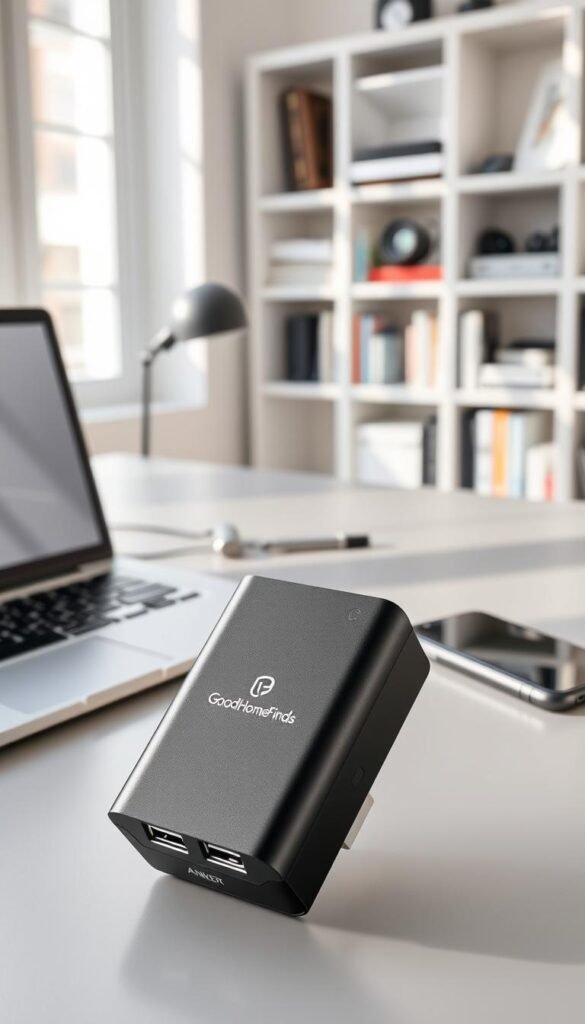
Real benefits
Reliable top-ups. You avoid „dead phone“ stress during a commute, travel, or a long day out. It gives a fast boost for maps, calls, and apps so you finish the day with usable charge.
Who needs this
This is ideal for students, remote workers who move between cafes, and anyone who uses transit apps or relies on maps. It fits a small bag and lives in a drawer until you need it.
Setup time
Minimal—charge the bank first, then plug in your phone cable and go. A quick check of the LED lights shows remaining charge before you leave.
Common mistakes
- Forgetting the cable at home.
- Leaving the bank uncharged for weeks.
- Storing it loose so ports collect lint.
Battery expectations
5000 mAh is enough for a partial to a full top-up on most phones. It is not multiple days of power for heavy users. For safety, don’t leave it in a hot car, avoid charging under pillows, and use a decent cable to preserve battery life and longevity.
Kitchen win under $30: Cuisinart Round Classic Waffle Maker
A compact waffle iron can turn a tiny kitchen into a spot for quick, satisfying breakfasts. This Cuisinart model often drops to about $29.95 on deal days and makes a single, thin American-style waffle in just over a minute. It’s a solid tool if you want fast comfort without filling cabinets.
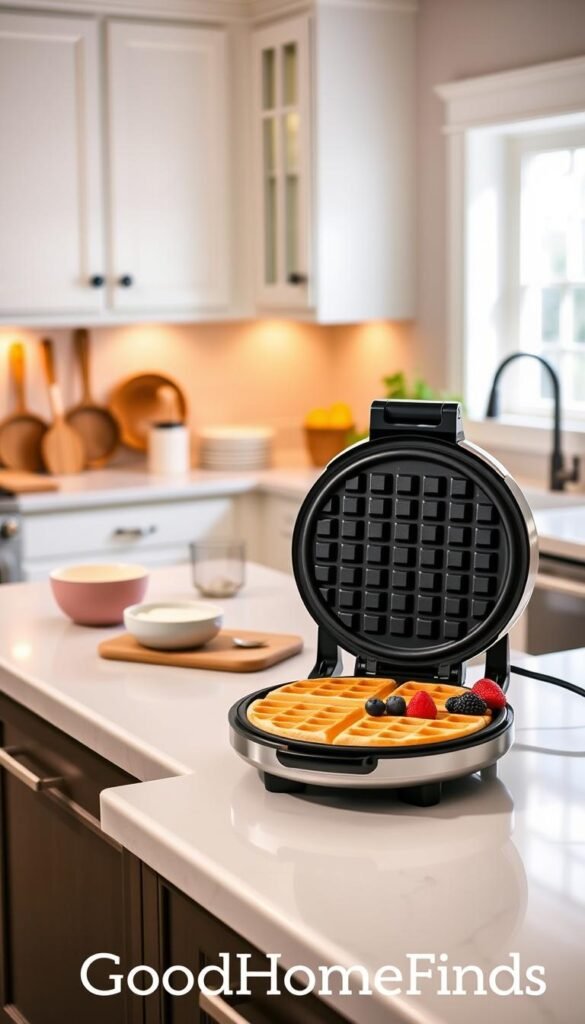
Real benefits
Fast, single-serve breakfasts. You get a hot waffle in ~1 minute once the unit is preheated. It saves time on busy mornings and feels like a treat without a long recipe or many dishes.
Who needs this
This is a good pick for students building a first kitchen, couples in small apartments, and anyone who wants quick weekend comfort food. It works well when you want a simple breakfast plus coffee for a little extra polish.
Setup time
Preheat the maker, mix a light batter, and pour. After the preheat, expect a waffle in just over a minute. Total hands-on time is short, so it fits tight morning routines.
Common mistakes
- Overfilling the well and making a mess.
- Placing it too close to curtains or clutter—respect heat clearance.
- Storing it away while it’s still warm; let it cool first.
Space requirements, heat, and cleanup
This is a real appliance. You need counter clearance while it runs and a storage plan for a cabinet or shelf. Put it on a heat‑resistant surface and keep it away from lightweight fabrics.
For cleaning, unplug and let it cool. Wipe plates with a damp cloth and follow the manual for deeper cleaning. Simple wipe‑downs keep it ready for the next day.
„Waffles plus coffee make a small breakfast feel like a real treat without the fuss.“
Budget vs premium comparisons that actually matter
Spend where it helps daily life, skip the rest. Not every premium upgrade is worth the space or price. Focus on what reduces friction, lasts longer, and fits your rental routine.
Charging: IKEA VÄSTMÄRKE pad vs multi-device docks
When to stick with budget. The IKEA pad is compact, inexpensive, and hides its cable in the base for a tidy nightstand. It fits small spaces and works well for overnight top-ups.
When to upgrade. Buy a pricier dock if you need to charge several devices at once, want faster delivery, or prefer a single unit that organizes cables and power more cleanly. Premium docks cost more and use more counter space, but they cut clutter if you truly need multi-device charging.
Audio: Xiaomi Sound Pocket vs name-brand minis like JBL
Budget win: Xiaomi gives usable sound and mobility for casual listening in small rooms. It’s renter-friendly and easy to move.
Premium benefit: A JBL-style mini often delivers better tuning, louder clean volume, and more durable build. Upgrade if you listen daily and care about sound quality and longevity.
Drinkware: Hydro Flask deal vs cheaper stainless steel bottles
Real value: A deal Hydro Flask keeps drinks hot or cold longer and resists dents and leaks. That reliability pays off if you use one bottle every day.
Cheaper option: Low-cost stainless steel bottles work fine for occasional use but may dent, leak, or insulate less. Choose the cheaper option if you need a spare or aren’t strict about temperature retention.
Air: desk monitor vs full purifier setups
Monitor first. The ALPSTUGA-style desk monitor tells you when air quality is poor so you can open a window or run ventilation. It’s low-cost, low-maintenance, and renter-friendly.
Purifier when needed. A true air purifier actively cleans particles and allergens but adds noise, filter costs, and footprint. Upgrade when you have allergies, smoke issues, or a persistently poor indoor environment.
„Buy the smallest solution that solves your real problem, not the fanciest option that sits in a closet.“
- Premium usually buys: convenience, durability, and fewer daily annoyances—not magic.
- Maintenance notes: docks add cables; purifiers need filter swaps; bottles need regular cleaning; speakers need charging cycles.
- Renter-first rule: choose what fits your desk or shelf, saves time, and reduces clutter.
Setup time and maintenance cheat sheet for small-space living
Pick products that start working in minutes and tuck away cleanly. This quick guide helps you choose items that match your patience and your shelf space.
Five-minute wins
What you can do in five minutes: clip a book light, place a wireless charger on your nightstand, or try touch-screen gloves.
These picks need almost no setup but give daily payoff. They free up time and keep clutter low.
Ten-minute setups
Bluetooth speakers and power banks usually require pairing or an initial full charge. Spend ten minutes pairing and charging once.
After that, store cables neatly and keep the battery topped up so they stay ready for hours of use.
Appliance reality
Small kitchen appliances need real counter clearance and cool-down time. Plan a storage spot before you buy.
Leave space to wipe them down after use and never store a warm unit inside a closed cabinet.
Maintenance reminders
- Set a weekly charging routine to preserve battery life.
- Inspect cables for fraying and replace damaged cords early.
- Do a brief cleaning after use—wipe surfaces and keep crumbs out of ports.
| Item | Setup time | Key upkeep |
|---|---|---|
| Clip-on light | 5 minutes | Charge weekly; wipe lens for clear light |
| Wireless charger | 5 minutes | Avoid liquids near the cable; test alignment |
| Bluetooth speaker | 10 minutes | Pair once; charge after long use |
| Power bank | 10 minutes | Top-up monthly; store at moderate temperature |
| Waffle maker | 5–10 minutes prep | Cool before storing; wipe plates after each use |
Small-space rule: the best item is the one you can put away fast.
Quick safety tips: keep heat appliances clear, keep liquids away from charging areas, and avoid overloading outlets. These steps protect your stuff and your home.
Common mistakes when buying gadgets under $30
A cheap purchase can cost you time and clutter if you skip a quick reality check.

Ignoring space requirements
Buying one more item that lives on your desk turns a win into permanent clutter. Measure the footprint before you buy. Think about where it will store when not in use.
Forgetting compatibility
Cases can block wireless charging and some mounts struggle with tablet size or weight. Check device fit, cable types, and plug options for travel. Confirm the return policy if it fails.
Assuming “wireless” means “fast”
Many pads charge slowly. If you need a quick top-up, plan for a cable or manage expectations about charging times.
Buying louder-than-expected devices
A small speaker can still hit high noise levels that bother neighbors. Preview volume and bass, and choose lower max output for thin‑walled apartments.
Skipping safety basics
Avoid placing small appliances where heat or water can cause damage. Don’t use cheap power accessories that lack safety marks. Respect heat clearance and keep charging areas dry.
| Mistake | Real cost | Quick fix |
|---|---|---|
| Wrong footprint | Permanently cluttered desk | Measure and plan storage |
| Compatibility fail | Won’t charge or mount | Check case, size, and plug types |
| Wireless speed myth | Disappointing top-ups | Opt for wired for fast charging |
| Safety hazards | Fire, water, or power issues | Buy certified parts; keep dry and ventilated |
Quick checklist: measure, match, test, and confirm returns before you buy.
Energy saving, safety, and apartment compatibility checklist
Small choices around power and placement keep your apartment safer and your bills smaller.
Power consumption: what to leave plugged in vs unplug
Unplug) chargers and items you don’t use daily. Use one surge-protected strip for bedside gear to cut standby draw.
Heat and kitchen safety
Keep small appliances on a clear counter. No towels, curtains, or paper nearby.
Let a unit cool fully before you store it. That avoids accidental fires and warped surfaces in a tiny kitchen.
Battery safety: charging habits that prevent early failures
Avoid 24/7 charging. Use reputable cables and charge in open spaces, not under pillows.
Top devices during the day for short boosts rather than constant trickle charging to extend battery life.
Noise levels: when a “small” device still feels too loud
Place speakers away from shared walls and set quiet hours after 10 pm. Lower volume and soft surfaces reduce vibration and neighbor friction.
- Measure outlet locations and storage before you buy.
- Unplug duplicates; keep one tested power strip.
- Give hot items space to cool before storing.
- Charge in ventilated spots and avoid overnight constant charging.
- Respect quiet hours and test volume near thin walls.
„A little planning saves time and reduces risk in a small rental.“
| Risk | Fast fix | Why it matters |
|---|---|---|
| Standby draw | Unplug or use strip | Saves energy and lowers bills |
| Hot appliance | Clear surface, cool first | Prevents burns and fire |
| Battery wear | Avoid constant charge | Extends battery lifespan |
| Noise | Move speaker, lower volume | Keeps good neighbor relations |
Conclusion
Start with a single, useful item that reduces daily friction in your tiny home.
The main takeaway: a practical gadget under 30 mix can improve daily life if you pick for fit, safety, and routine. Choose the pick you will use each day, not the one with extra features.
Buy in this order: fix charging and lighting first. Then add comfort items. Finally consider audio and travel tools.
Check space needs, compatibility, and noise before you pay the price. Upgrade to premium when you need multi‑device convenience, long‑term durability, or real air cleaning — not for bells and whistles.
Next step: pick one upgrade from this list that solves your biggest annoyance this week. Try it for a month before adding more gifts or extras.


